Vælg en organisation
How to Automatically Exclude Outer Values in Trend Line Using Z Value (Standard Deviation)
Udgivelsesdato: Apr 13, 2024
Opgave
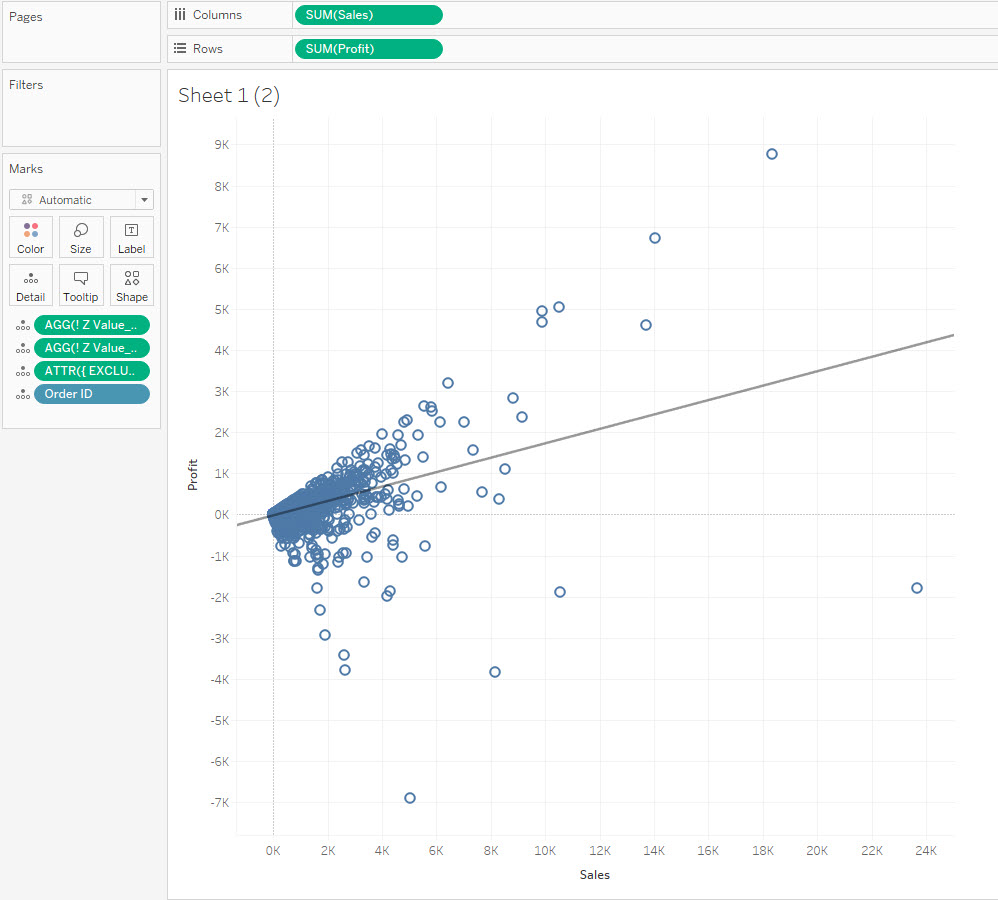
How to Automatically Exclude Outer Values in Trend Line Using Z Value (Standard Deviation)?
For example, exclude the values that are far away from the mean for 3 Standard Deviations, and re-calculate the trend line.
Trin
1. Calculate the Z- Value for the x-axis.
(SUM([Sales])-SUM({ EXCLUDE [Order ID]:AVG([Sales])}))
/
SUM({ EXCLUDE [Order ID]:STDEV([Sales])})
2. Calculate the Z- Value for the y-axis.
(SUM([Profit])-SUM({ EXCLUDE [Order ID]:AVG([Profit])}))
/
SUM({ EXCLUDE [Order ID]:STDEV([Profit])})
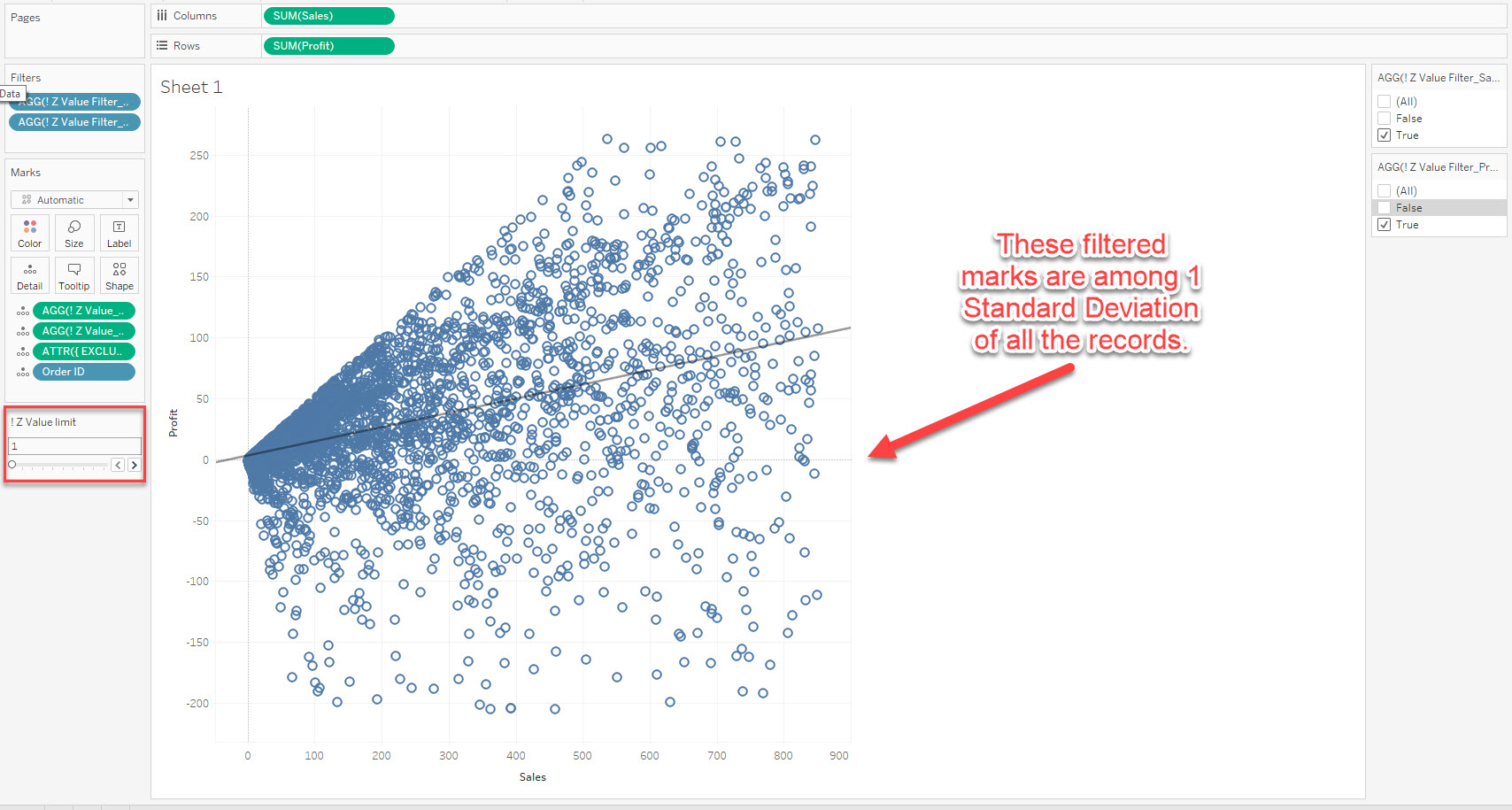
3. Calculate a parameter to control the limits: [! Z Value limit]
4. Create filters to exclude the outer values.
[! Z Value_Sales]>= -[! Z Value limit]
AND
[! Z Value_Sales]<= [! Z Value limit]
[! Z Value_Profit]>= -[! Z Value limit]
AND
[! Z Value_Profit]<= [! Z Value limit]
Please check the attached workbook for details.
Yderligere ressourcer
Vidensartikelnummer
001469790
Løste denne artikel dit problem?
Giv os besked, så vi kan forbedre os!
