Vælg en organisation
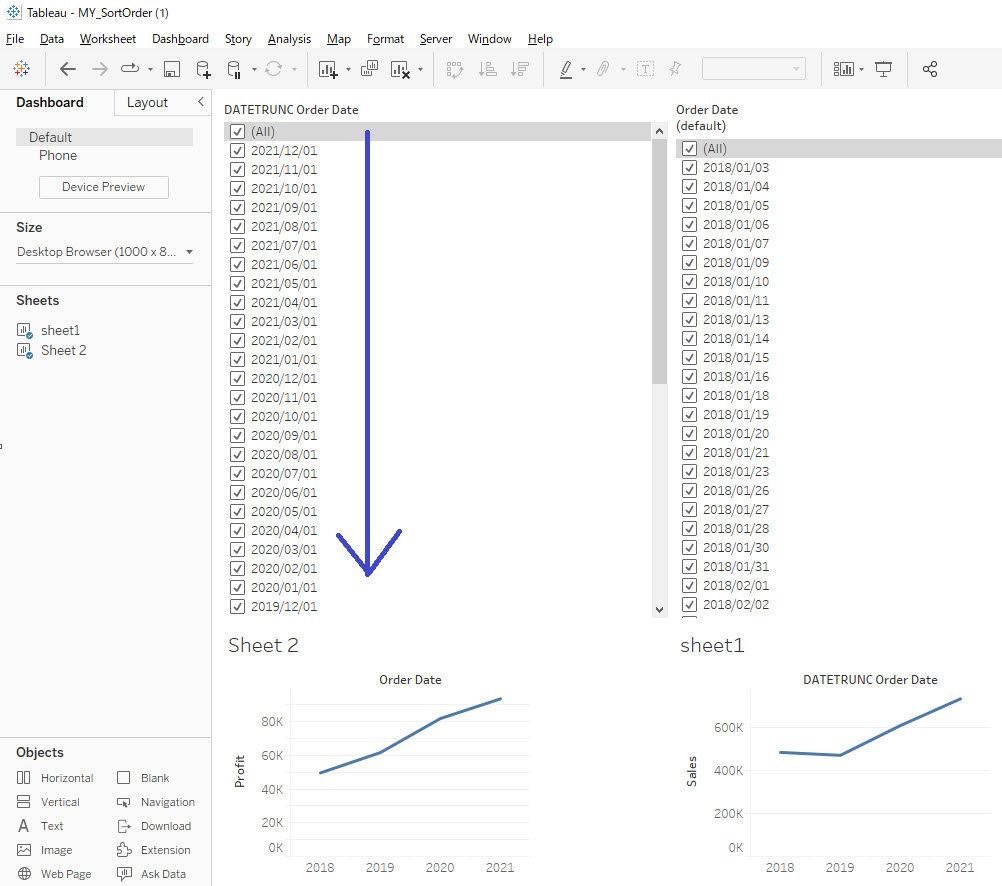
How To Change Sort Order Of Month / Year Date Field Filter To Descending
Udgivelsesdato: Feb 23, 2026
Opgave
Trin
- Create a calculated field named for example DATETRUNC Order Date and include the following formula:
DATE(DATETRUNC('month',[Order Date])) - Right-click the DATETRUNC Order Date > Default Properties > Sort.
- Change the sort order to descending.
- Place DATETRUNC Order Date on the filter pane, right-click and select Individual Date, then click OK.
Yderligere ressourcer
Note: This article is specifically about the sort order of the date used in the filter as shown above.
Vidensartikelnummer
001470516
Løste denne artikel dit problem?
Giv os besked, så vi kan forbedre os!
