Sélectionner une organisation
How To Change Sort Order Of Month / Year Date Field Filter To Descending
Date de publication: Feb 23, 2026
Tâche
Étapes
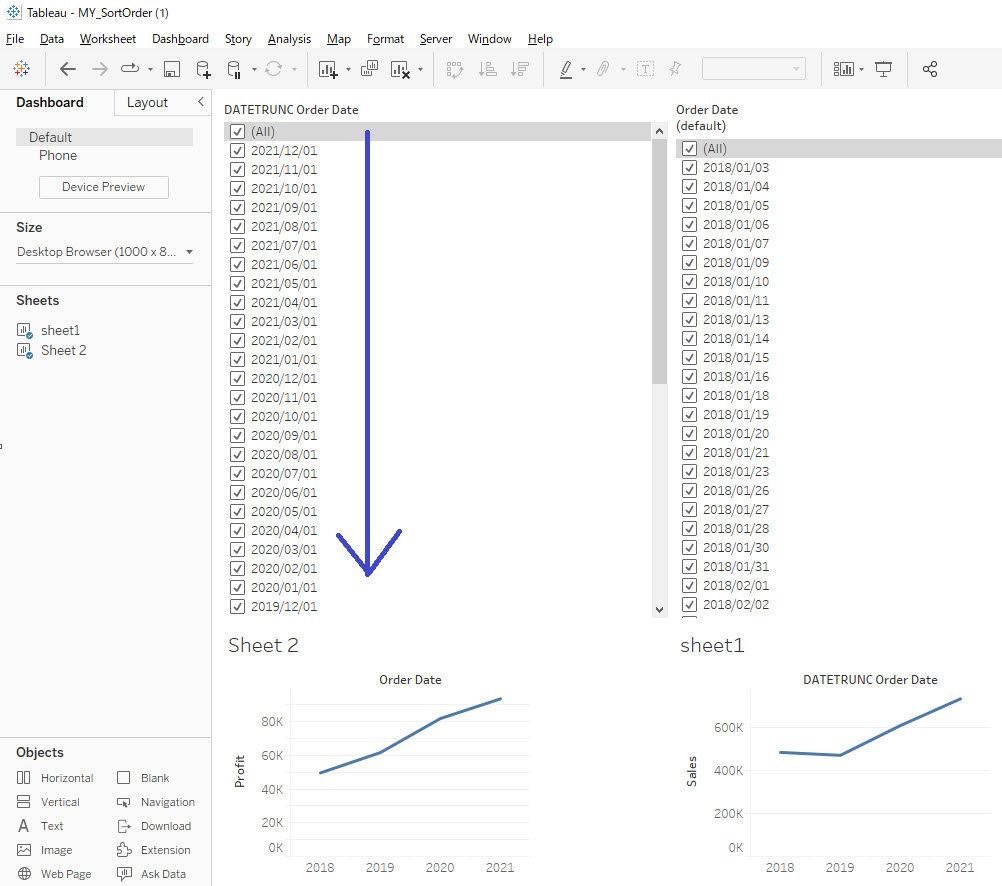
- Create a calculated field named for example DATETRUNC Order Date and include the following formula:
DATE(DATETRUNC('month',[Order Date])) - Right-click the DATETRUNC Order Date > Default Properties > Sort.
- Change the sort order to descending.
- Place DATETRUNC Order Date on the filter pane, right-click and select Individual Date, then click OK.
Ressources supplémentaires
Note: This article is specifically about the sort order of the date used in the filter as shown above.
Numéro d’article de la base de connaissances
001470516
Cet article a-t-il résolu votre problème ?
Dites-nous ce que nous pouvons améliorer !
