組織を選択
How to List all the Workbooks in Users' Personal Space in a Site
公開日: Apr 7, 2026
タスク
How to show all the workbooks in users' personal space via the Tableau Server or Tableau Cloud web user interface (UI)?
ステップ
1, Sign in to Tableau Server or Tableau Cloud as a Site Administrator (or Server Administrator if you are using Tableau Server).
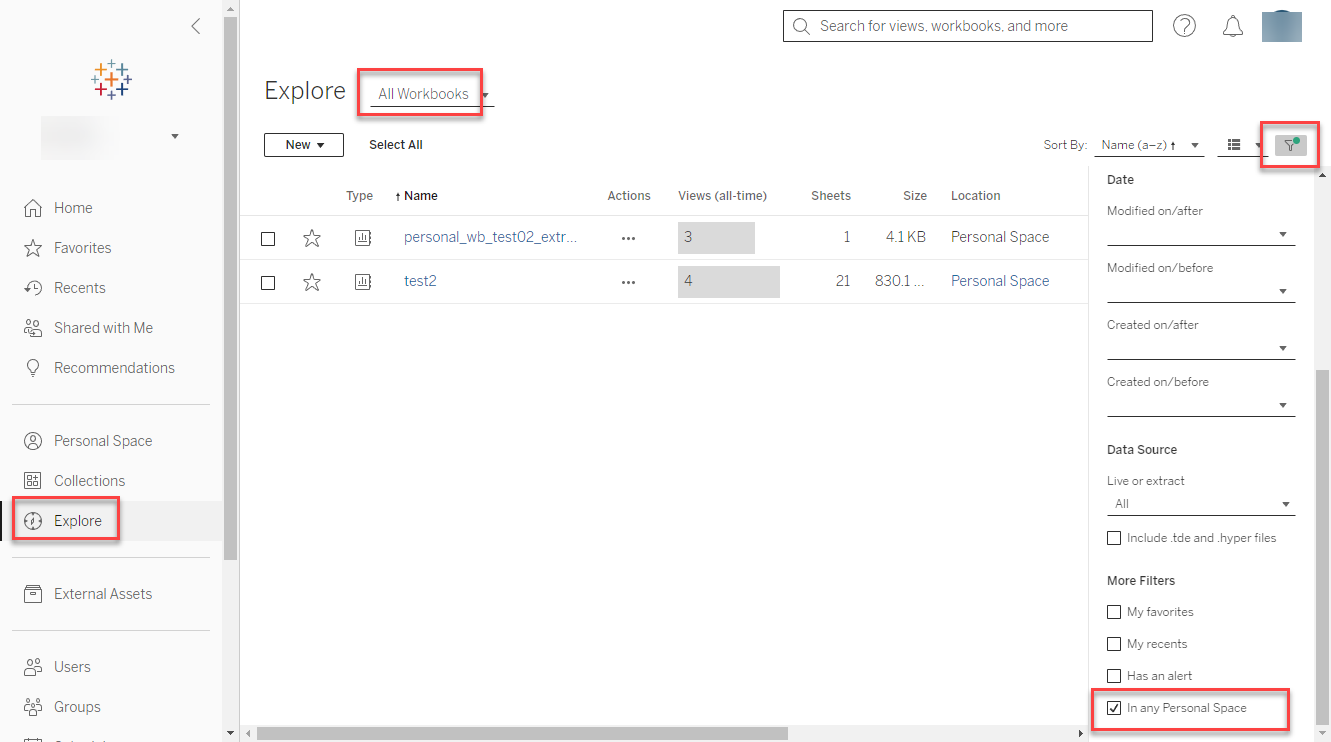
2, Click Explore then Select All Workbooks.
3, Click the Filter located on the upper right section of the screen, then just check the filter In any Personal Space.
ナレッジ記事番号
001470585
この記事で問題は解決されましたか?
ご意見をお待ちしております。
