Välj en organisation
How to Use Tableau Cloud Recovery Codes
Publiceringsdatum: Feb 24, 2025
Uppgift
How to use Tableau Cloud Recovery Codes
Steg
As of February 21, 2024, Tableau Cloud now enforces users to enroll in a secondary MFA verifier to prevent lockout scenarios. If a single MFA verifier has been set up, Tableau Cloud will prompt you upon next login to set up recovery codes as your secondary verifier.
Recovery codes, designed for backup emergency use only, provide a means to sign in to Tableau Cloud when standard Multi-Factor Authentication (MFA) methods are unavailable.
Accessing Recovery Code Option
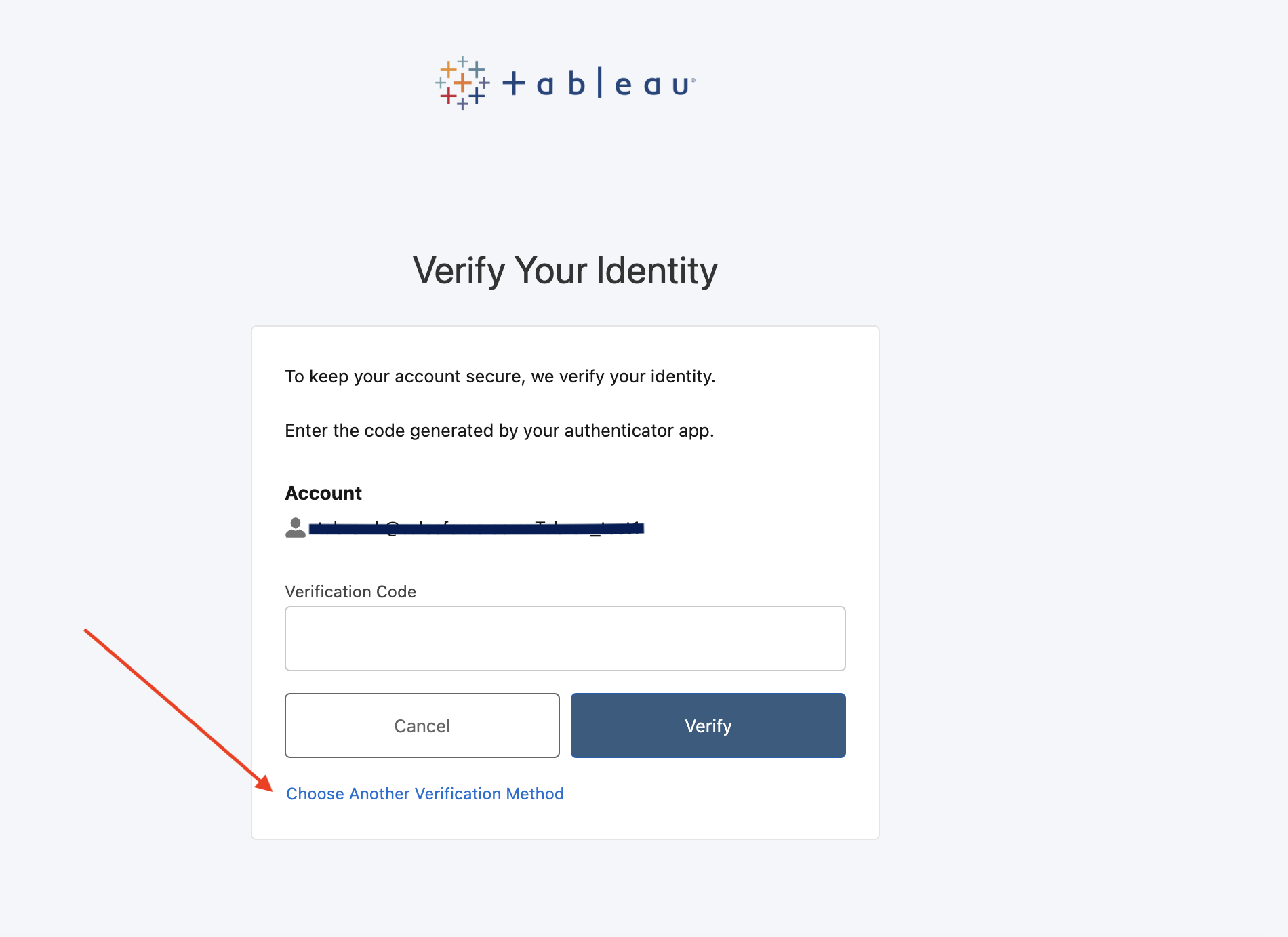
- Navigate to the Tableau Cloud login screen.
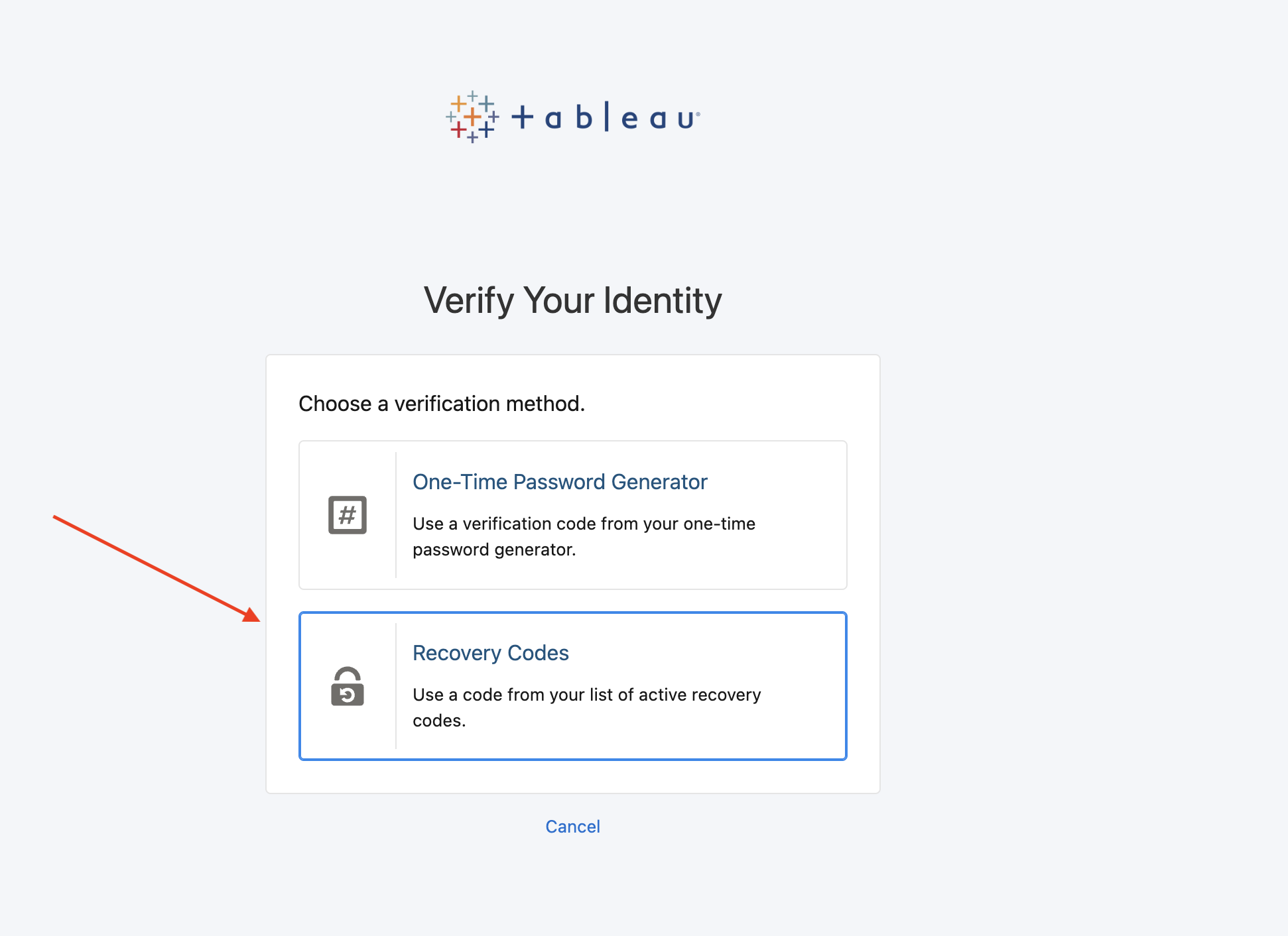
- Click on "Choose Another Verification Method."
- Select "Recovery Codes"
Note: Recovery codes are one-time use and should be kept secure.
Managing Recovery Codes
If you have lost your recovery codes or need to generate new ones:
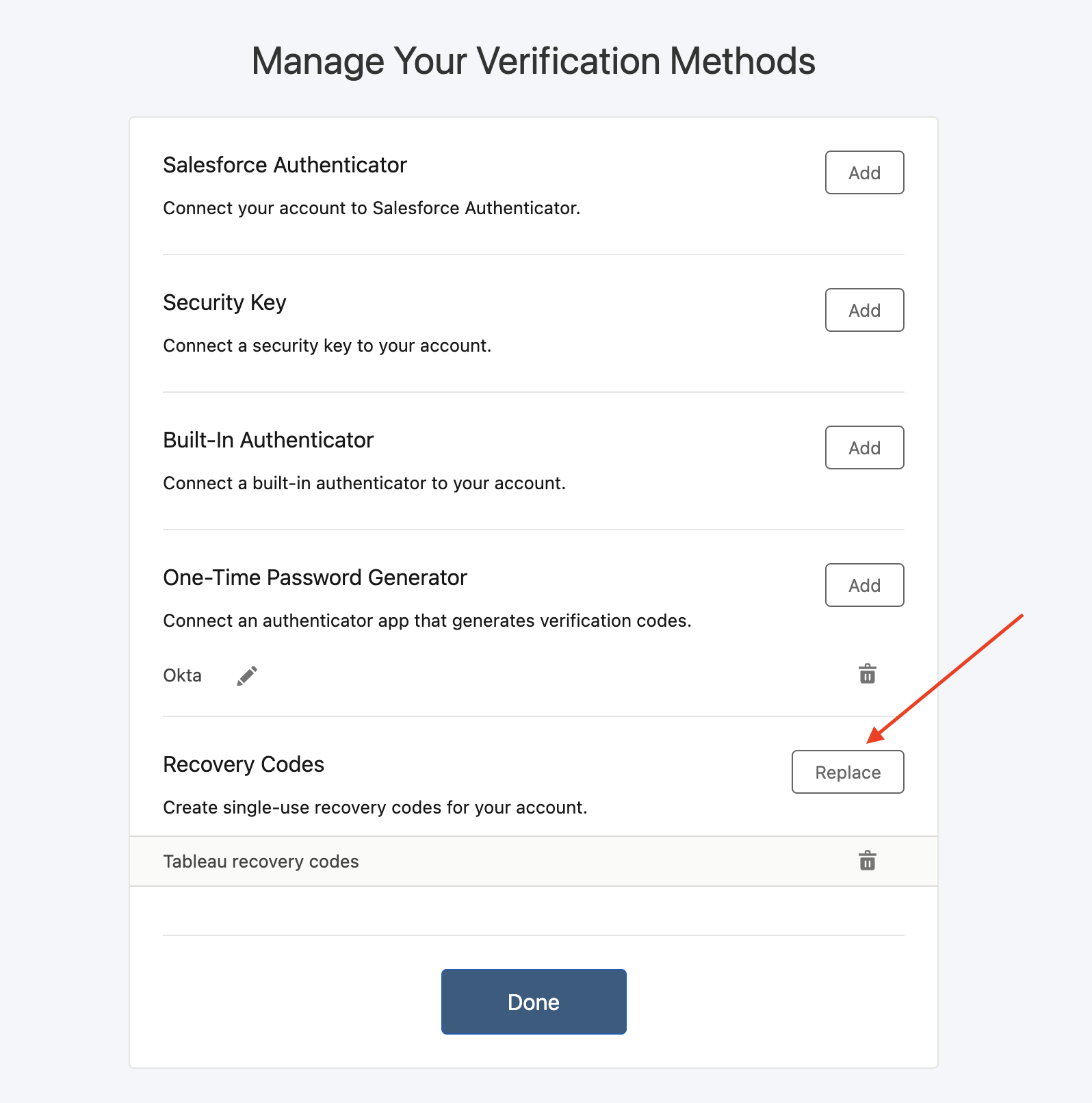
- Click on "My Account Settings" after logging into Tableau Cloud.
- Select "Manage MFA Verification Methods."
- Choose "Replace" to generate new recovery codes.
Seeking Assistance
If you are unable to access both your MFA codes and recovery codes:
- Request your Site Admin to reset the MFA settings.
- In case of any issues during the reset process, contact Tableau Support for assistance.
Ytterligare resurser
For more detailed guidance on Recovery codes, refer to the official Tableau documentation: Recovery Code Usage
Tableau Cloud MFA documentation: Multi-Factor Authentication and Tableau Cloud
Knowledge-artikelnummer
001470596
Löste denna artikel ditt problem?
Berätta för oss vad vi kan förbättra!
