Sélectionner une organisation
How to Check Data on User Interface of Tableau Prep Builder When Sampled Data Does Not Contain Specific Data Required for Verification
Date de publication: Jun 13, 2025
Tâche
When processing the large amount of data in Tableau Prep Builder, the data is sampled based on the Tableau Prep sample algorithm according to the following document.
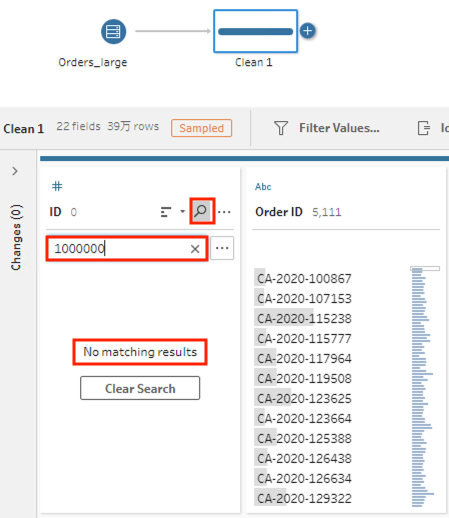
However, we may want to check the results on the user interface regarding specific data. At this time, if the sampled data does not include that specific data, how can we verify it?
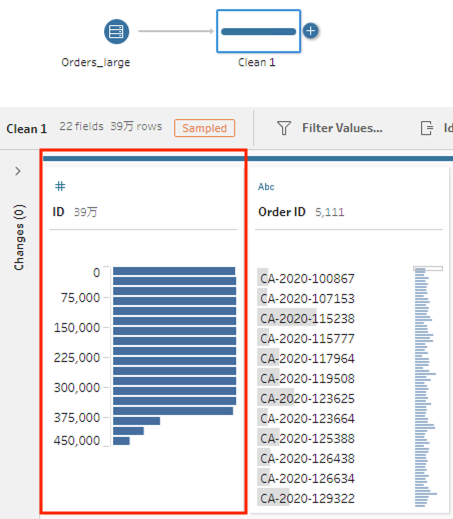
For example, assume that we connect to a table that has 2 million records. The number of rows loaded is equal to or less than 393,216 by default.
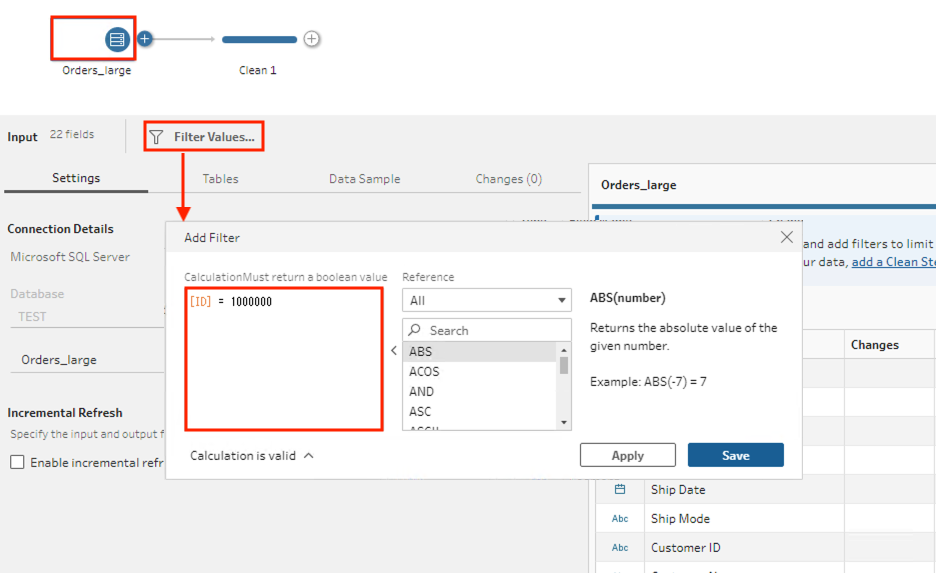
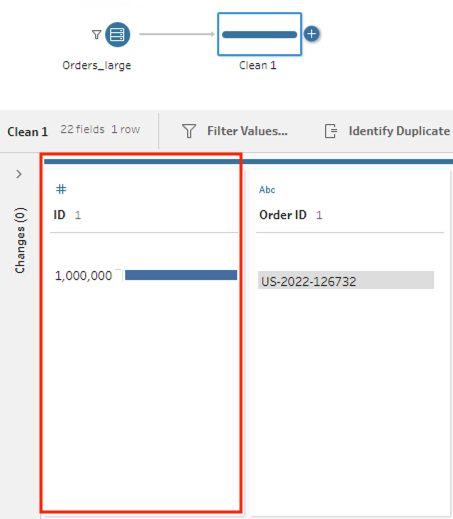
If we would like to verify the data (ID = 1,000,000) but it is not included in the sampled data, how can we verify it?
Étapes
Ressources supplémentaires
Numéro d’article de la base de connaissances
001470611
Cet article a-t-il résolu votre problème ?
Dites-nous ce que nous pouvons améliorer !
