組織を選択
Show Dynamic Annotations with Parameter in Time Series Graph
公開日: Apr 30, 2025
タスク
How to dynamically show annotations of the current month or the selected month in parameter.
ステップ
As workarounds, the below two methods could dynamically display the annotation.
1. Highlight the current month (or the month specified by the parameter) on the dual-axis, and display the dynamic information below the sheet name.
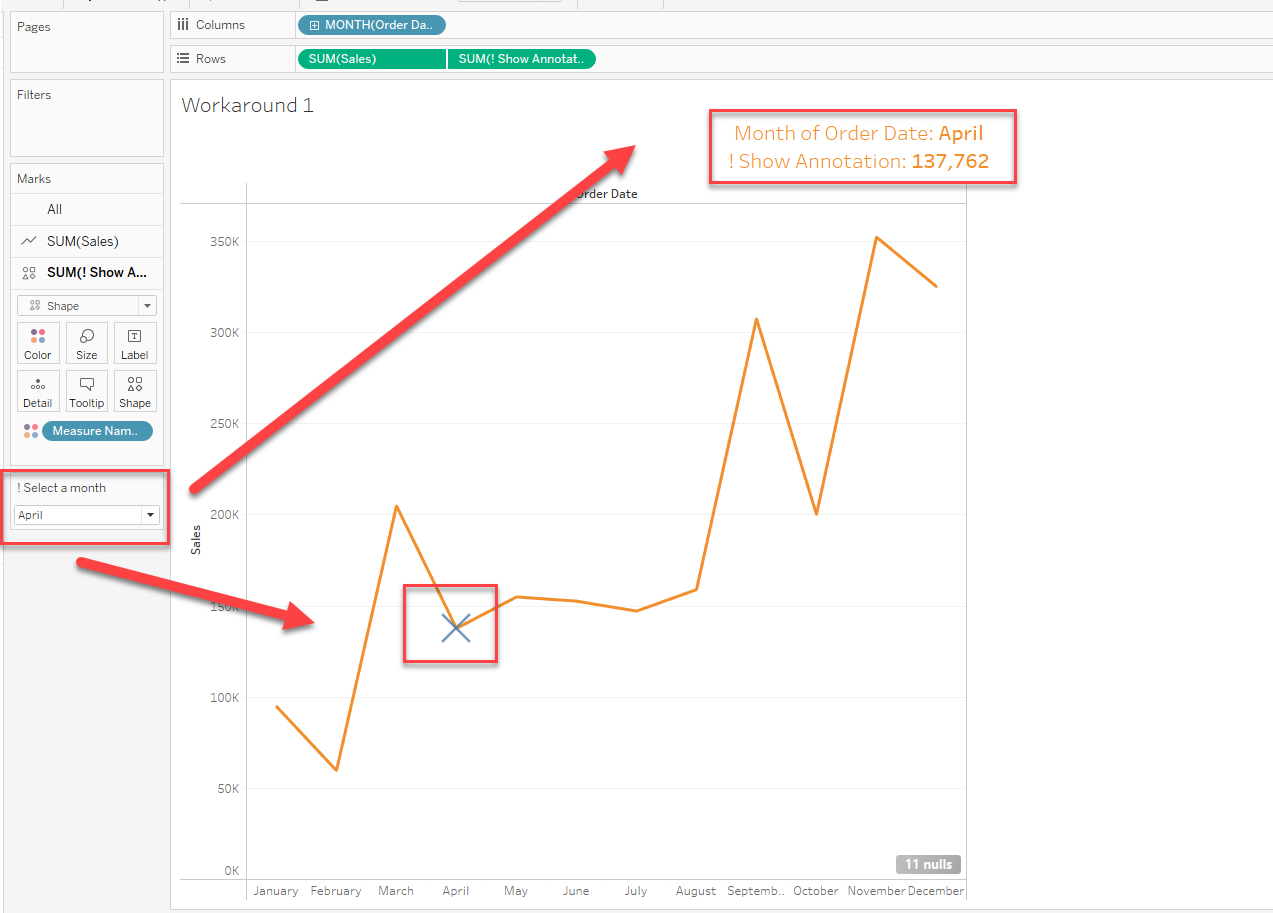
2. Create multiple annotations in advance and display only the annotations for the current month (or the month specified by the parameter) on the dual-axis. (This is a time-consuming method).
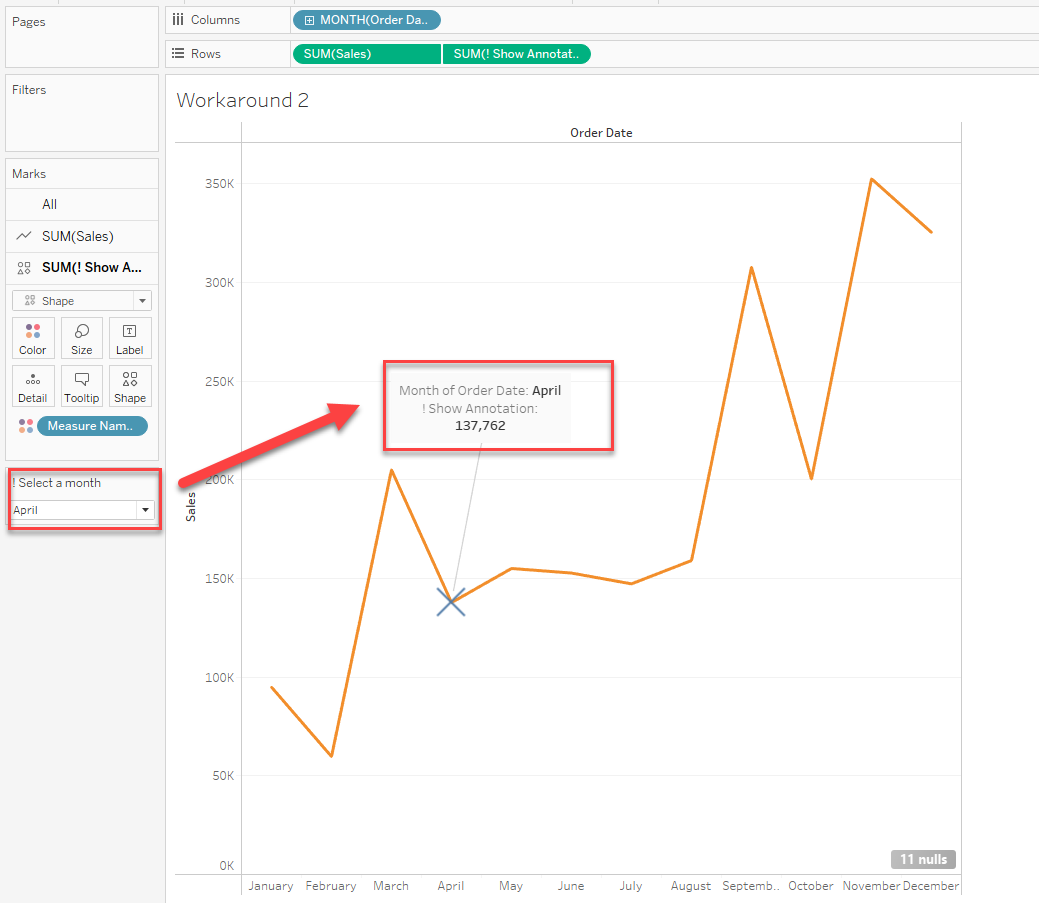
Please check the attached workbook and video for details.
ナレッジ記事番号
001470635
この記事で問題は解決されましたか?
ご意見をお待ちしております。
