Valitse organisaatio
How to Combine Multiple Kinds of Legends Into One Legend in Tableau Desktop
Julkaisupäivä: Feb 28, 2025
Tehtävä
How to make a combined legend in Tableau Desktop. e.g. Combine Shape and Color legends into one.
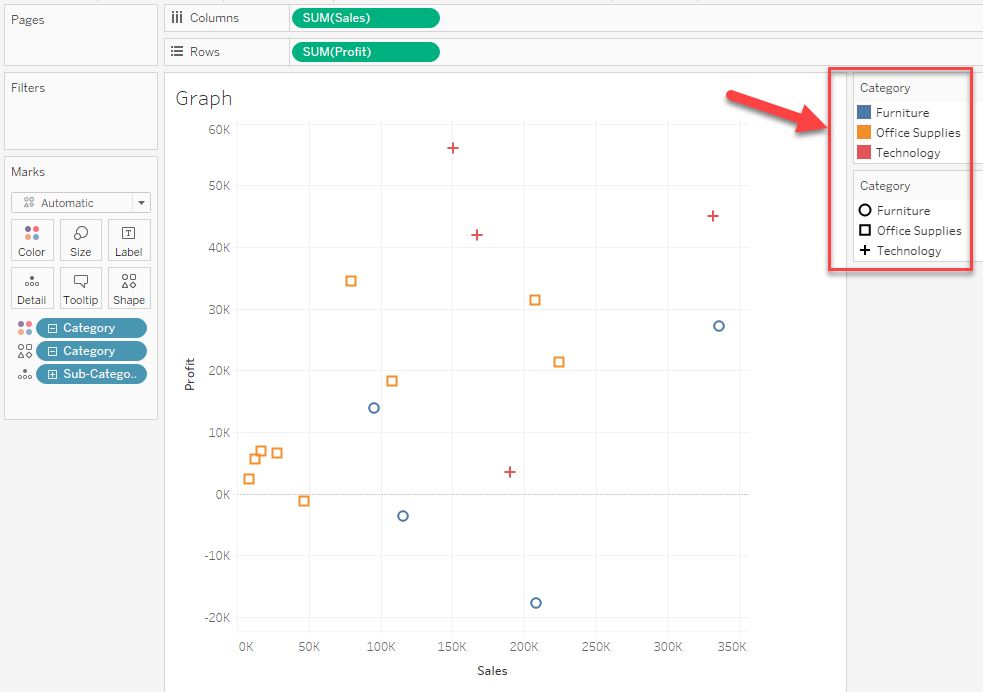
For example, the below graph has two legends, Color, and Shape. How to make them into one.
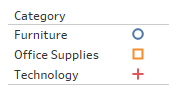
Expected:
Vaiheet
The solution will be to make a new worksheet to show the combined legend and combine the graph and legend together in a dashboard.
The steps are as follows.
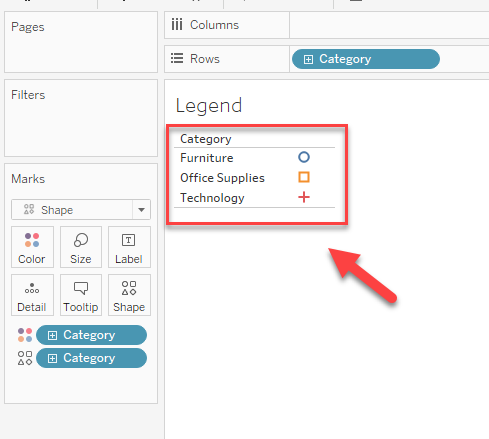
1. Make a new worksheet and add the field to [Color] and [Shape].
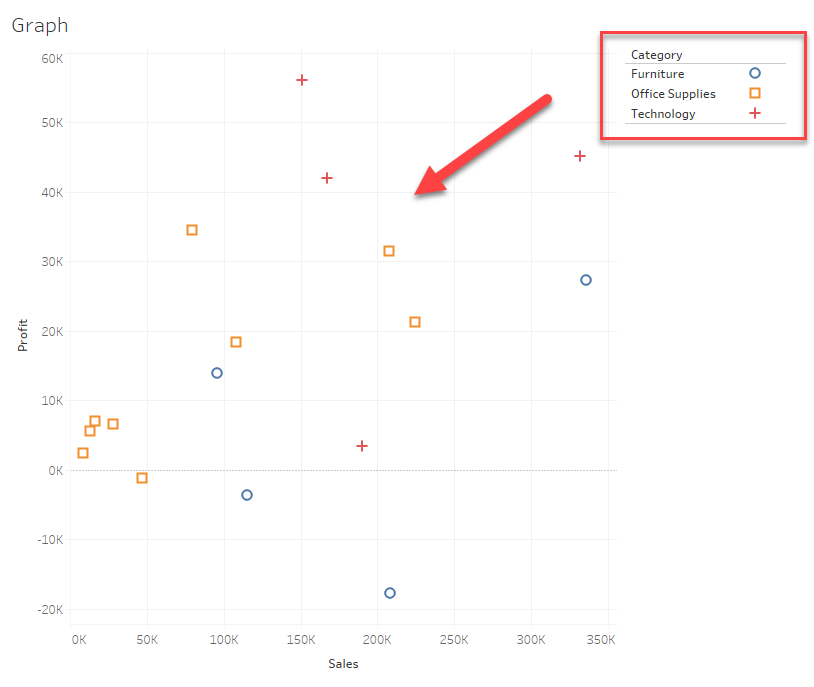
2. Make a new dashboard to combine the graph and legend worksheet.
* Please hide the title of the legend worksheet and delete all other legends.
Please also check the attached workbook for details.
Lisäresurssit
Combo Legends
Knowledge-artikkelin numero
001470674
Ratkaisiko tämä artikkeli ongelmasi?
Anna palautetta, jotta voimme kehittyä!
