Sélectionner une organisation
How to Combine Multiple Kinds of Legends Into One Legend in Tableau Desktop
Date de publication: Feb 28, 2025
Tâche
How to make a combined legend in Tableau Desktop. e.g. Combine Shape and Color legends into one.
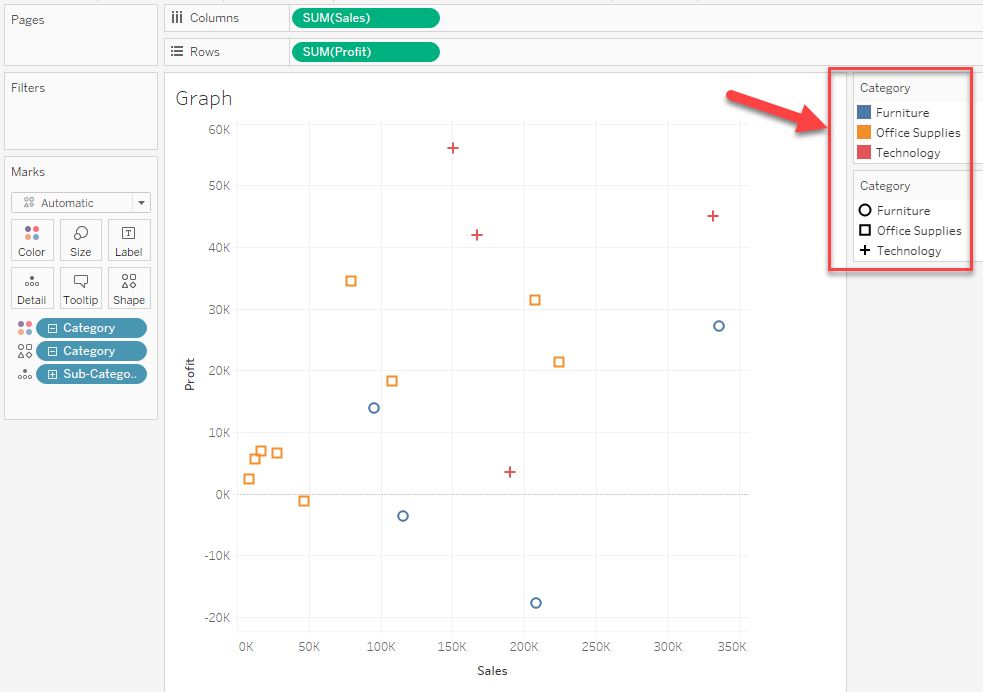
For example, the below graph has two legends, Color, and Shape. How to make them into one.
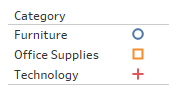
Expected:
Étapes
The solution will be to make a new worksheet to show the combined legend and combine the graph and legend together in a dashboard.
The steps are as follows.
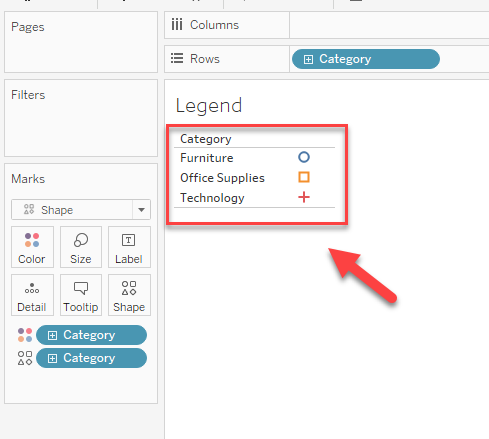
1. Make a new worksheet and add the field to [Color] and [Shape].
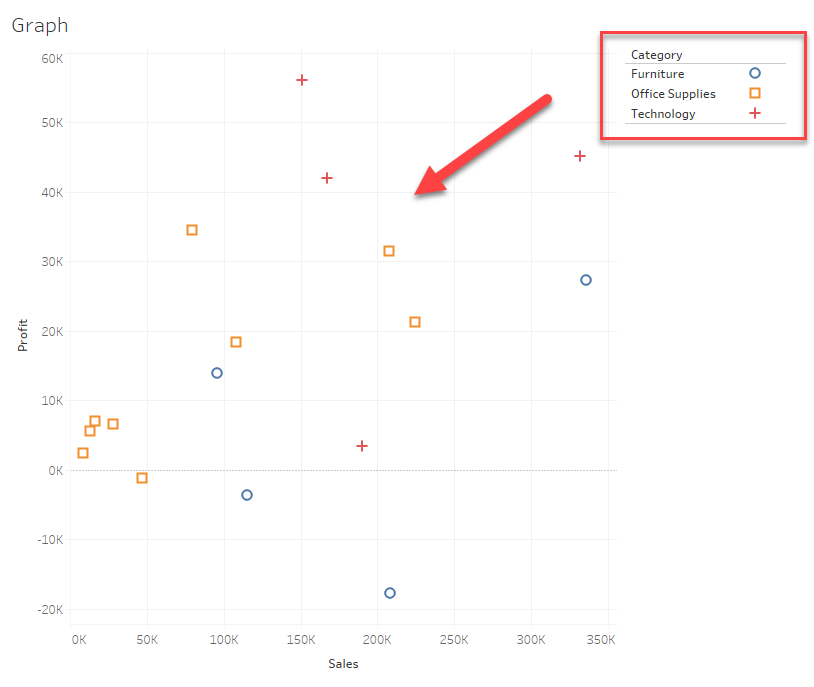
2. Make a new dashboard to combine the graph and legend worksheet.
* Please hide the title of the legend worksheet and delete all other legends.
Please also check the attached workbook for details.
Ressources supplémentaires
Combo Legends
Numéro d’article de la base de connaissances
001470674
Cet article a-t-il résolu votre problème ?
Dites-nous ce que nous pouvons améliorer !
