Välj en organisation
How to Remove a Blank Space Within a Stacked Area Chart
Publiceringsdatum: Feb 26, 2026
Uppgift
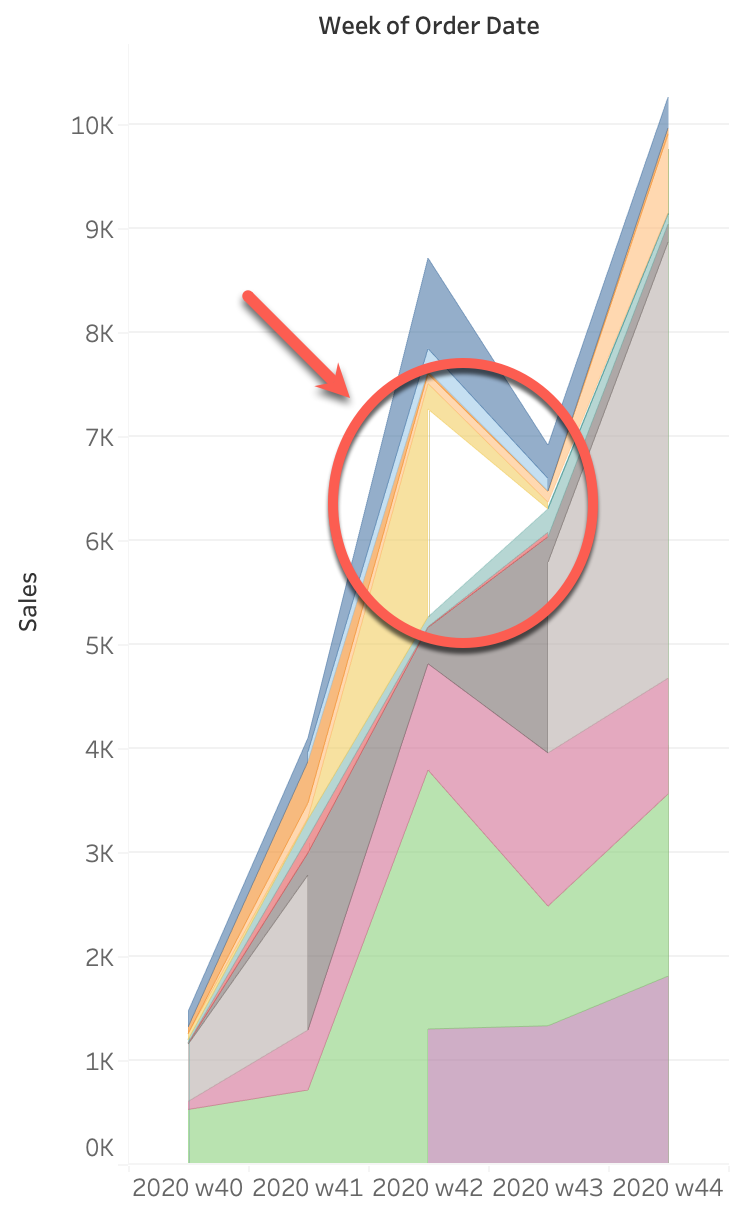
How to remove a blank space within a stacked area chart as shown here:
Steg
Since an area with no data between the different categories is NULL, we will change the default behavior for the NULL value to remove the unwanted blank space. Please review the steps below and a sample workbook attached to this article in the far right column under "Attachments".
Change format of the measure.
1. Right-click on Measure.
2. Choose Format.
3. Choose Pane > Special Values (e.g. NULL).
4. Select Show at default Value.
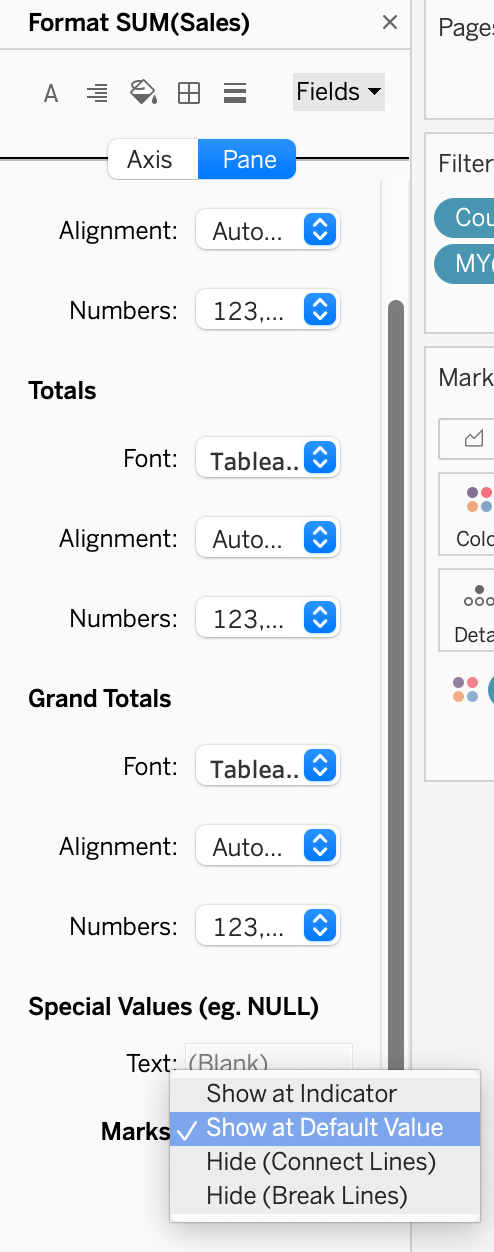
2. Choose Format.
3. Choose Pane > Special Values (e.g. NULL).
4. Select Show at default Value.
Ytterligare resurser
Applying this solution may change the shape of the non-blank area. The shape can change because NULL is now calculated as zero, allowing graphs that were broken by nulls to be connected. The graphs are now drawn in a shape closer to the actual values.
Knowledge-artikelnummer
001470680
Löste denna artikel ditt problem?
Berätta för oss vad vi kan förbättra!
