Seleziona un'organizzazione
How to achieve Excel SUMIFS function with ranges from another sheet
Data pubblicazione: Apr 13, 2024
Operazione
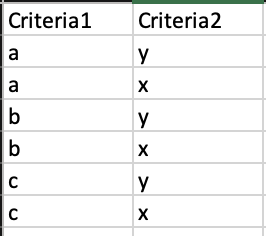
Data:
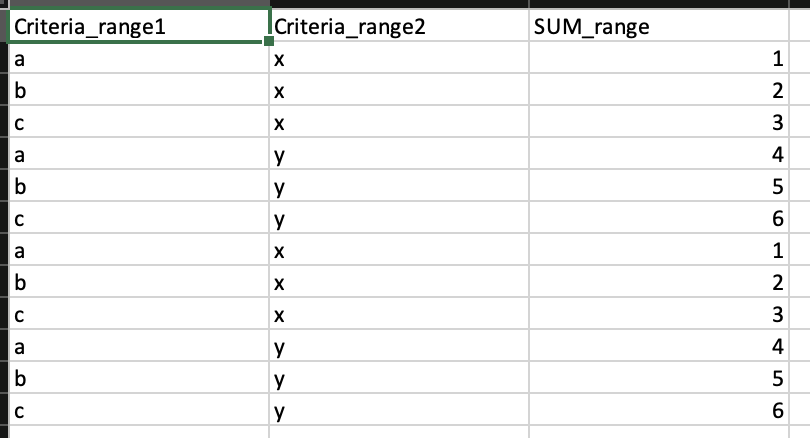
Other Sheet:
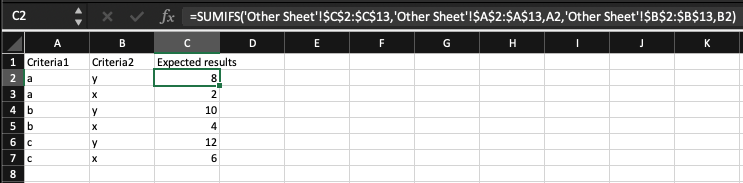
Function:
=SUMIFS('Other Sheet'!$C$2:$C$13,'Other Sheet'!$A$2:$A$13,A2,'Other Sheet'!$B$2:$B$13,B2)
Fasi
2. Add Aggregate step as below.
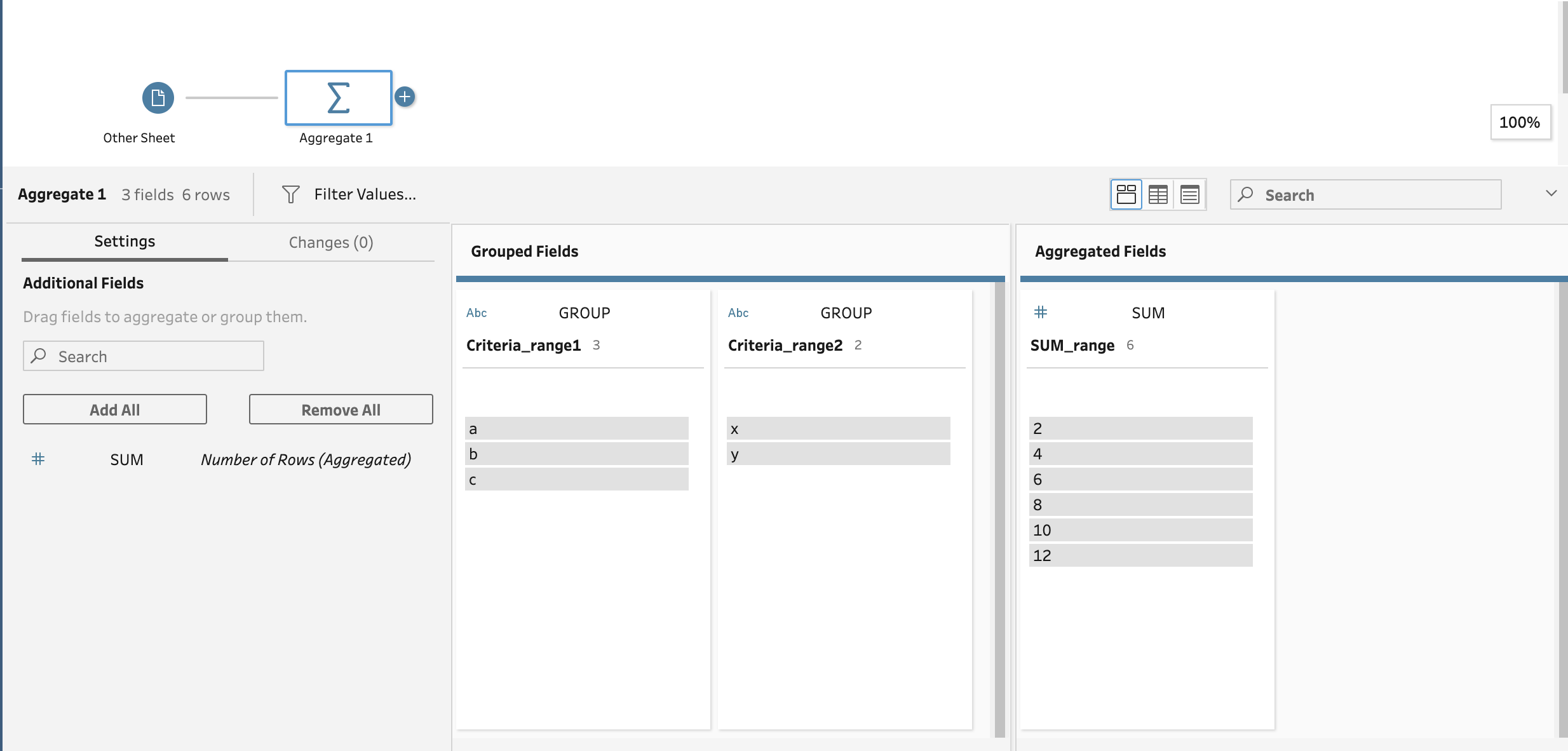
3. Add [data] as input and join with Aggregate step above as below.
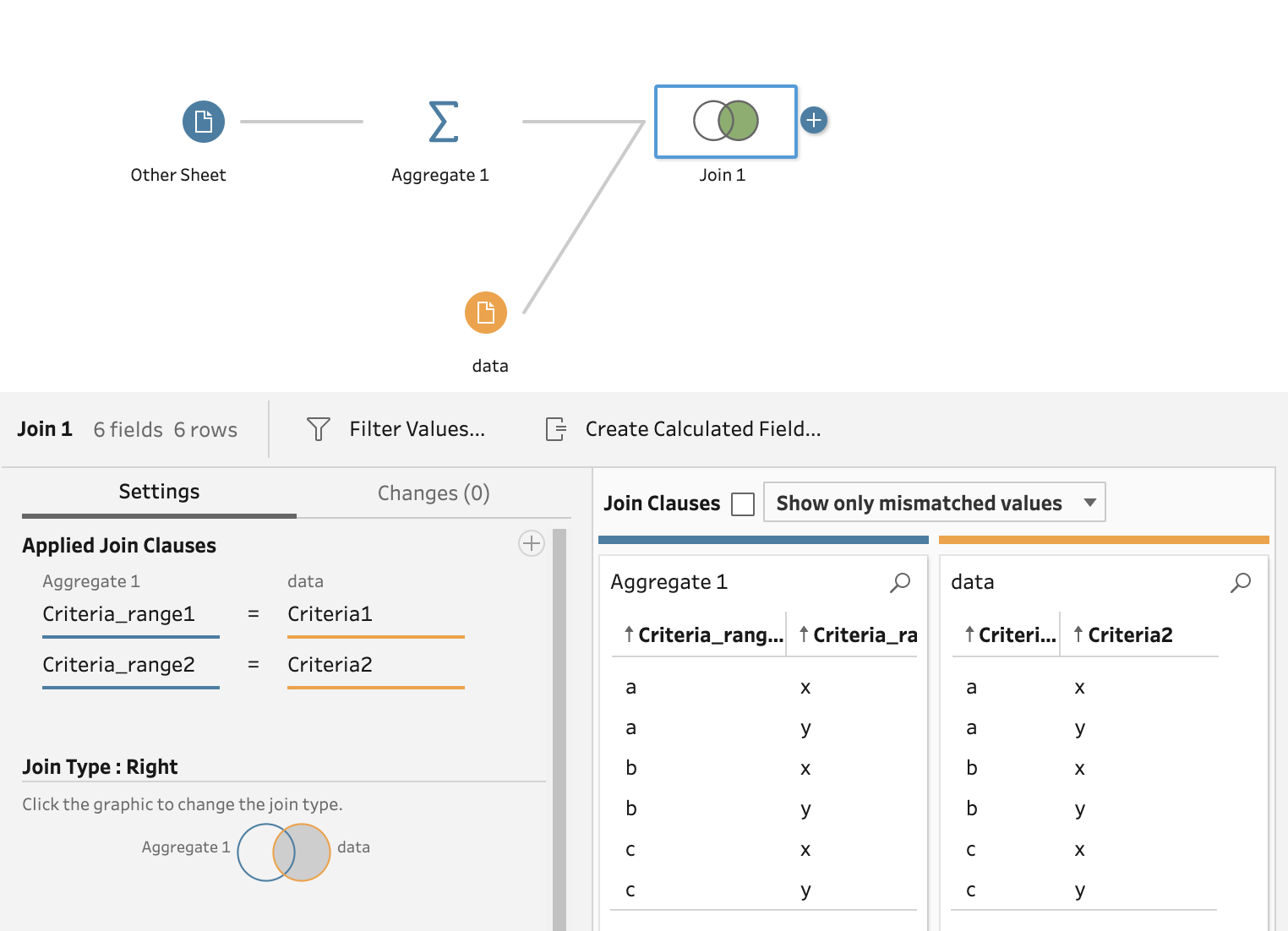
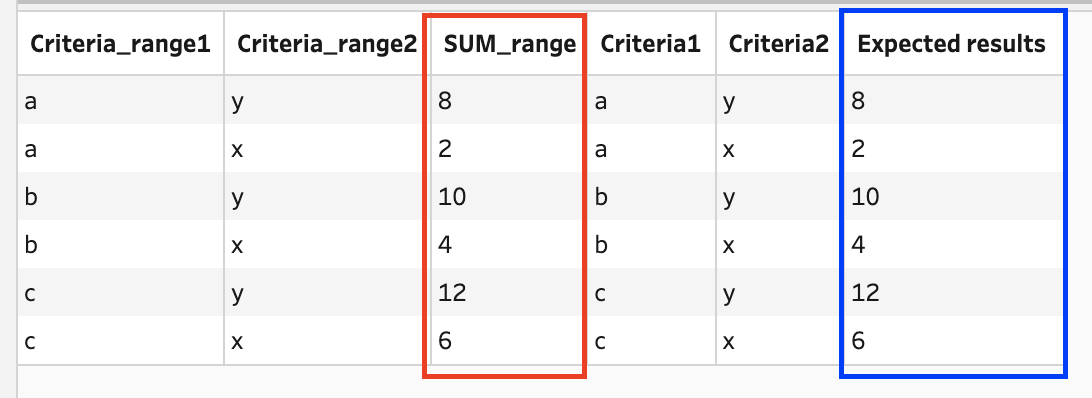
4. Field [SUM_range] is the target field.
Numero articolo Knowledge
001470700
Questo articolo ha risolto il problema?
Facci sapere, così possiamo migliorare!
