組織を選択
Tableau Desktop Fails To Connect To Microsoft Access Files With Error Code 3834762A
公開日: Mar 3, 2025
説明
Tableau Desktop fails to connect to Microsoft Access files and cannot export data to a Microsoft Access mdb file showing errors:
Error Code 3834762A
IPC_NamedPipe::Select(WaitForMultipleObjects): Timeout. Tabprotosrv cannot start or shut down unexpectedly.
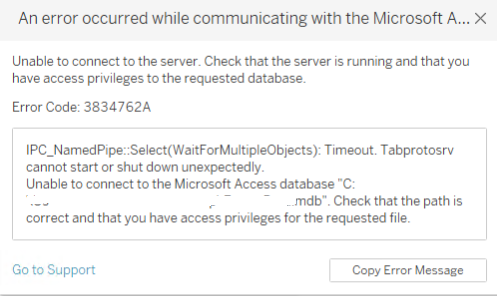
IPC_NamedPipe::Select(WaitForMultipleObjects): Timeout. Tabprotosrv cannot start or shut down unexpectedly.
Cause
Microsoft Visual C++ Redistributable Packages x86 is not installed.
解決策
Upgrade to Tableau Desktop 2023.3.3 and higher or install the latest Microsoft Visual C++ Redistributable Packages x86.
その他のリソース
- Event though Microsoft Access driver x64 is installed, the error occurs with the listed Tableau Desktop versions.
- The error occurs when trying to access a Microsoft Access file in Tableau Desktop as well as when trying to export data by navigating to [Worksheet] > [Export] > [Data] in the listed Tableau Desktop versions.
ナレッジ記事番号
001470912
この記事で問題は解決されましたか?
ご意見をお待ちしております。
