Valitse organisaatio
The parameter action may not work properly on Tableau Server when the parameter value contains line break
Julkaisupäivä: Jan 30, 2026
Kuvaus
In a parameter action, if the target parameter value contains a line break, the action may function well in Tableau Desktop, but doesn't function as expected after publishing to Tableau Server.
Example:
Parameter Action setting:
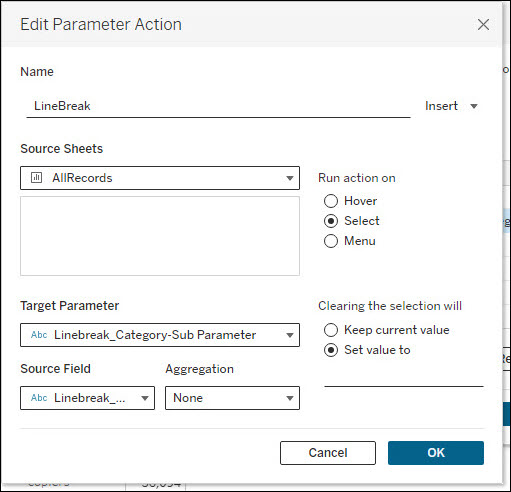
In the above parameter action, the source field contains a line break.
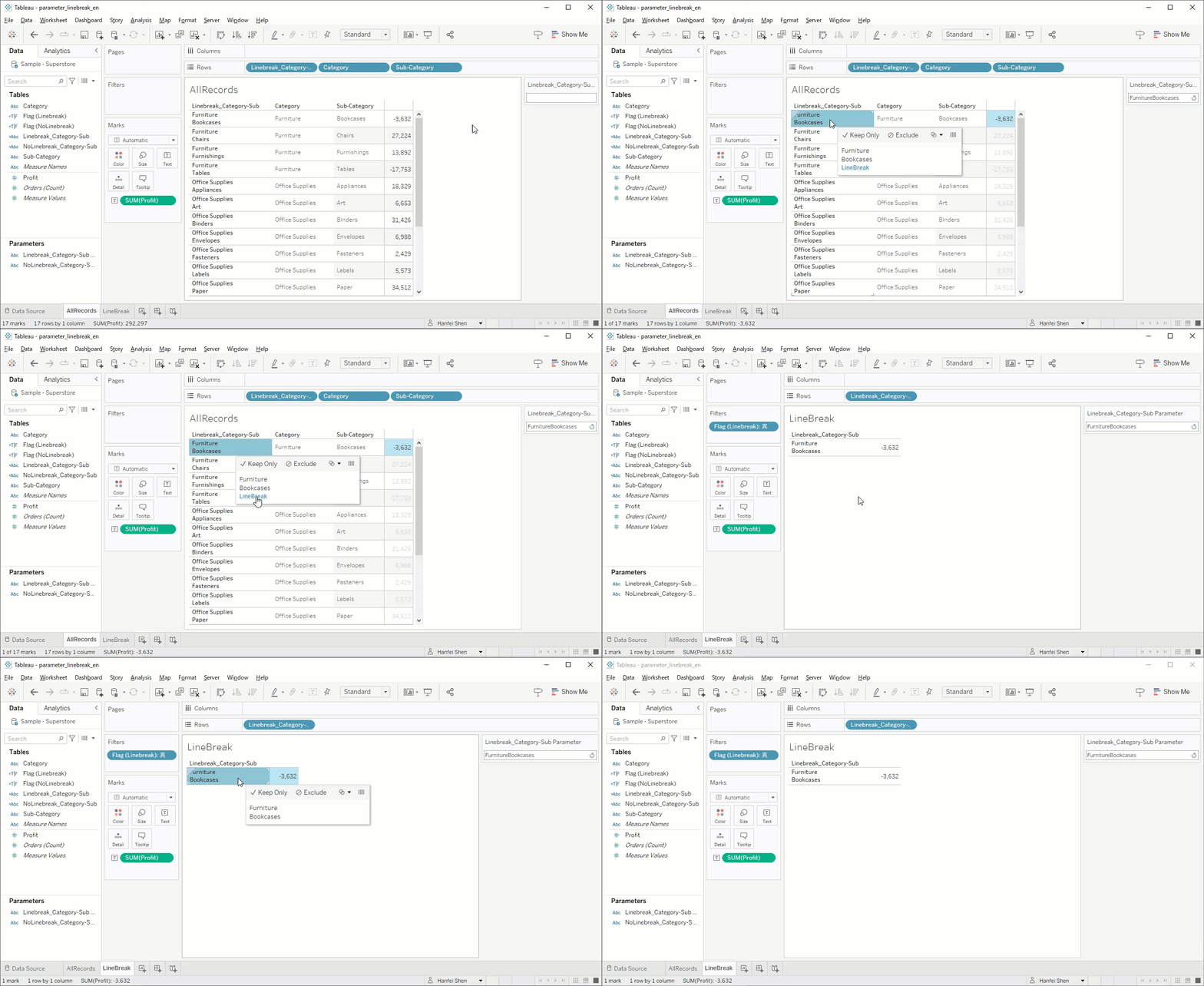
If using the parameter action to filter the data from one sheet to another sheet,
on Tableau Desktop, the data is displayed correctly in the target sheet:
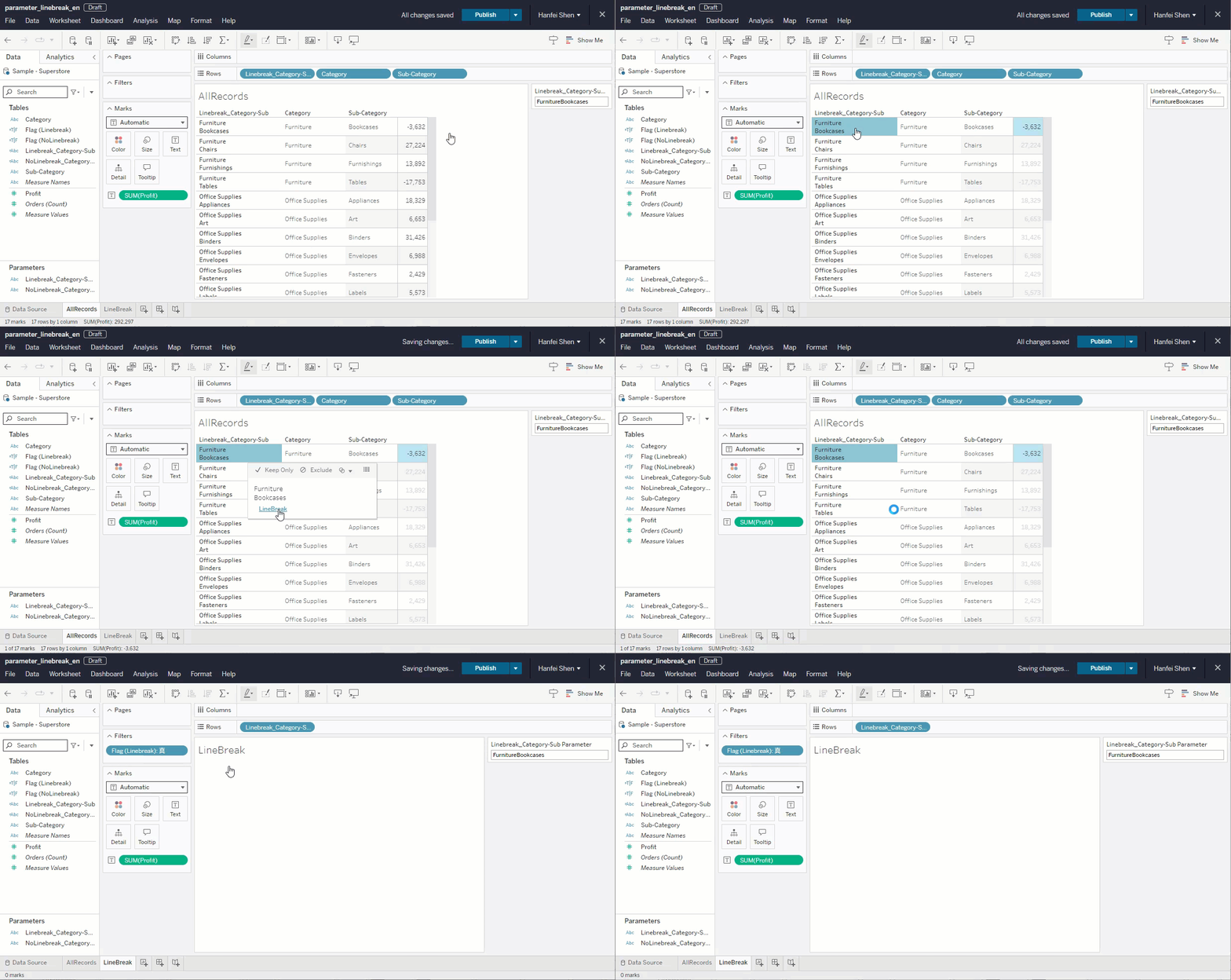
On Tableau Server, the data isn't displayed in the target sheet:
Cause
This issue was investigated by the Tableau Development Team under Known Issue ID W-15187563.
Ratkaisu
Upgrade to Tableau Server 2024.2.12+, 2025.1.0+, or later.
For the example action setting, possible workarounds:
1. Remove the line break from the value.
2. Hide the parameter card in the target worksheet.
3. Edit the parameter, change the "Allowable values" from All to List, select Fixed > Add Value From, and choose the source field used in the parameter action
Knowledge-artikkelin numero
001470981
Ratkaisiko tämä artikkeli ongelmasi?
Anna palautetta, jotta voimme kehittyä!
