Выбрать организацию
Error "Cannot extract the embedded font" Printing to PDF
Дата публикации: Apr 28, 2025
Описание
When printing to PDF from Tableau Desktop or Tableau Reader, the following error may occur if an OpenType Fonts (OTF) is being used:
Cannot extract the embedded font "<FontName>". Some characters may not display or print correctly.
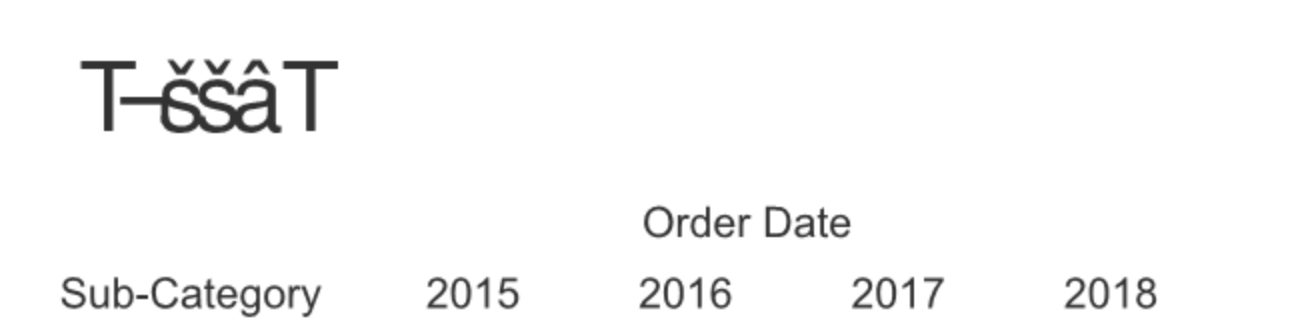
Tableau Server users can experience the issue as well, however, they do not receive an error message. The PDF's being generated may appear like this:
Cause
There is a known issue with OTF files in a third party program, QT, that Tableau utilizes when creating PDF's. More details about the known issue can be found here: DirectWrite: CreateFontFaceFromHDC() failed.
Решение
As a workaround, remove the OTF fonts and replace them with TrueType Fonts (TTF). OTF types can be converted to TTF using free converters such as this 3rd party option.
Номер статьи базы знаний
001471167
Эта статья решила вашу проблему?
Оставьте свой отзыв, чтобы мы могли стать лучше!
