Velg en organisasjon
R Square Value Is Different in Tableau and Excel
Publiseringsdato: Apr 29, 2025
Beskrivelse
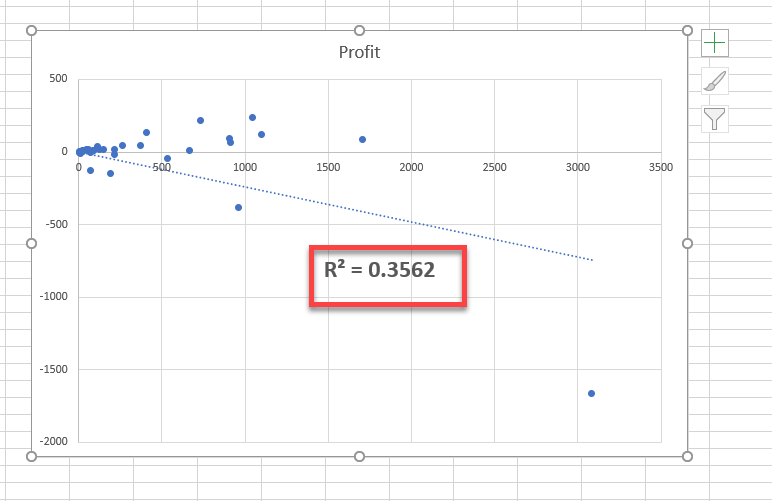
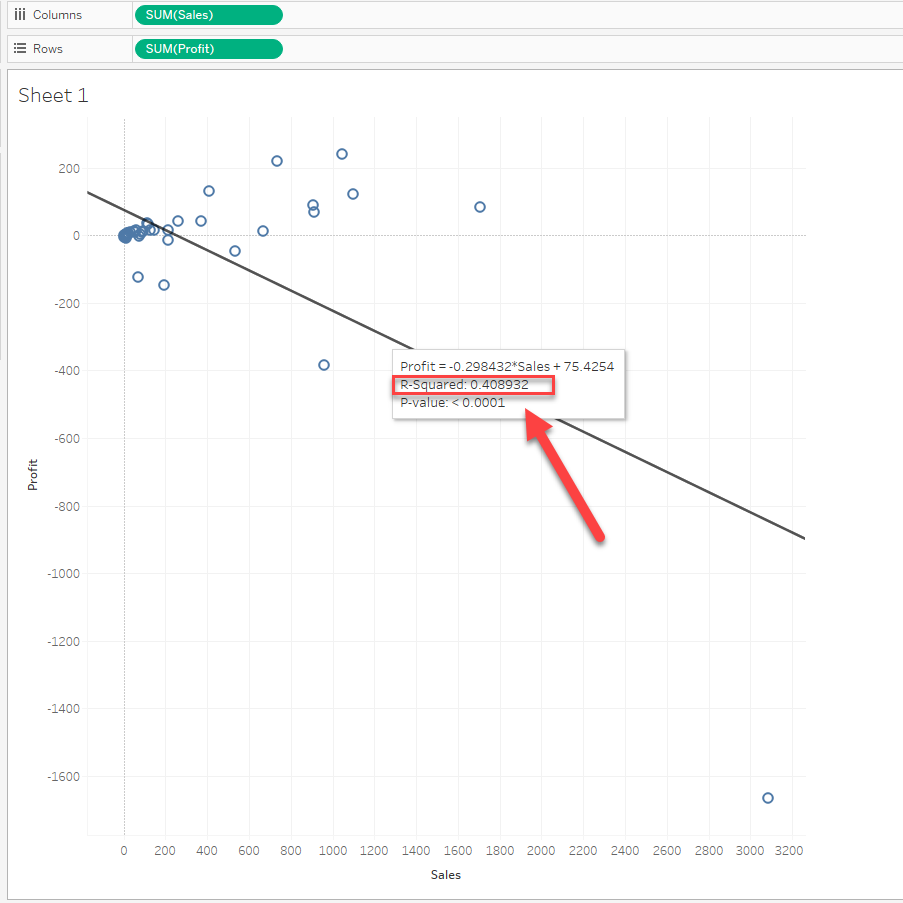
R square is different in Excel and Tableau.
(0.3562 and 0.4089)
Cause
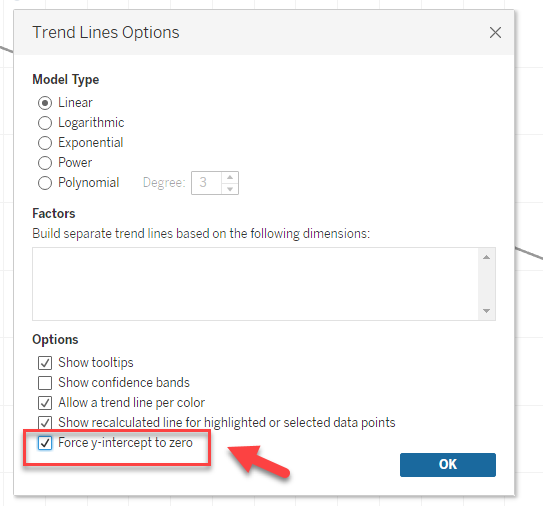
By default, the linear trend line y-intercept is not set to zero in Tableau.So when the y-intercept is set to zero in Excel, the R Square values are different.
Løsning
Check the box of [Trend Lines Options] > [Force y-intercept to zero].
Flere ressurser
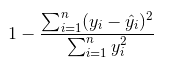
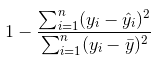
While the normal R Square calculation is as follows:
Knowledge-artikkelnummer
001471374
Hjalp denne artikkelen med å løse problemet ditt?
La oss få vite det slik at vi kan forbedre!
