조직 선택
Tableau "Error code: 9F80FB23 Not enough temporary storage space error" When Connecting to MS Access
게시 일자: Feb 11, 2026
상세 설명
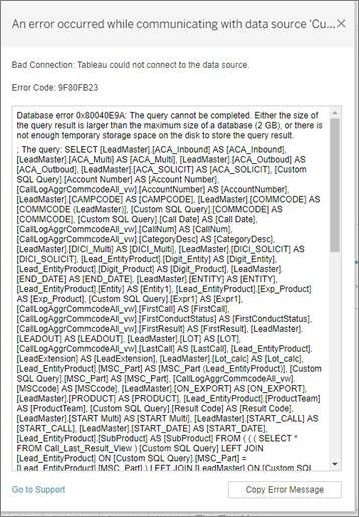
Upon connecting to Microsoft Access from Tableau Desktop, the following error is encountered:
Error code: 9F80FB23
Database error 0x80040E9A The query cannot be completed.
Either the size of the query result is larger than the maximum size of a database(2GB)
or there is not enough temporary storage space on the disk to store the query result.
Database error 0x80040E9A The query cannot be completed.
Either the size of the query result is larger than the maximum size of a database(2GB)
or there is not enough temporary storage space on the disk to store the query result.
Cause
- Running out of the space in the Access database.
솔루션
To resolve the error in Tableau Desktop when connecting to Microsoft Access "Error code: 9F80FB23", review the following:
- Reduce the amount of data in Access
- Disable the creation of temporary tables in Access by Tableau using a Tableau Capability Customizations (Tableau Datasource Customization) file.
Place attached the msaccess.tdc file in C:\Users\<username>\Documents\My Tableau Repository\Datasources
Knowledge 기사 번호
001471395
이 기사를 통해 문제를 해결했습니까?
개선을 위한 의견을 보내주세요.
