Velg en organisasjon
Text Wrap Not Applied for Labels
Publiseringsdato: Apr 30, 2025
Beskrivelse
[Format] > [Alignment] menu
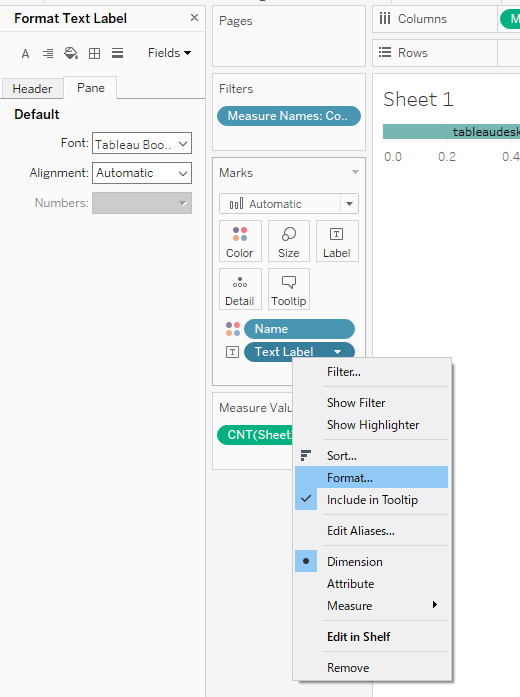
Løsning
Using a string function (eg: LEFT() , MID()) to break up the long label string into short sub-strings can be accomplished by creating calculation fields and then displaying sub-strings one by one vertically on the bar chart. Follow along with a sample packaged workbook found in the Attachments section of this article.
Information about string functions is available in Tableau Online Help.
Example:
1. Create calculation field [Substring1]
LEFT([Text Label],15)
2. Create calculation field [Substring2]
MID([Text Label],FIND([Text Label],",")+1,14)
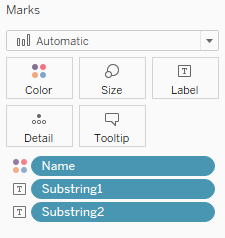
3. Place [Substring1] and [Substring2] on [Text] mark label.
Flere ressurser
Knowledge-artikkelnummer
001471712
Hjalp denne artikkelen med å løse problemet ditt?
La oss få vite det slik at vi kan forbedre!
