Organisation auswählen
Unable To Display The Preview Of PDF In Google Drive On iOS
Veröffentlichungsdatum: Feb 20, 2026
Beschreibung
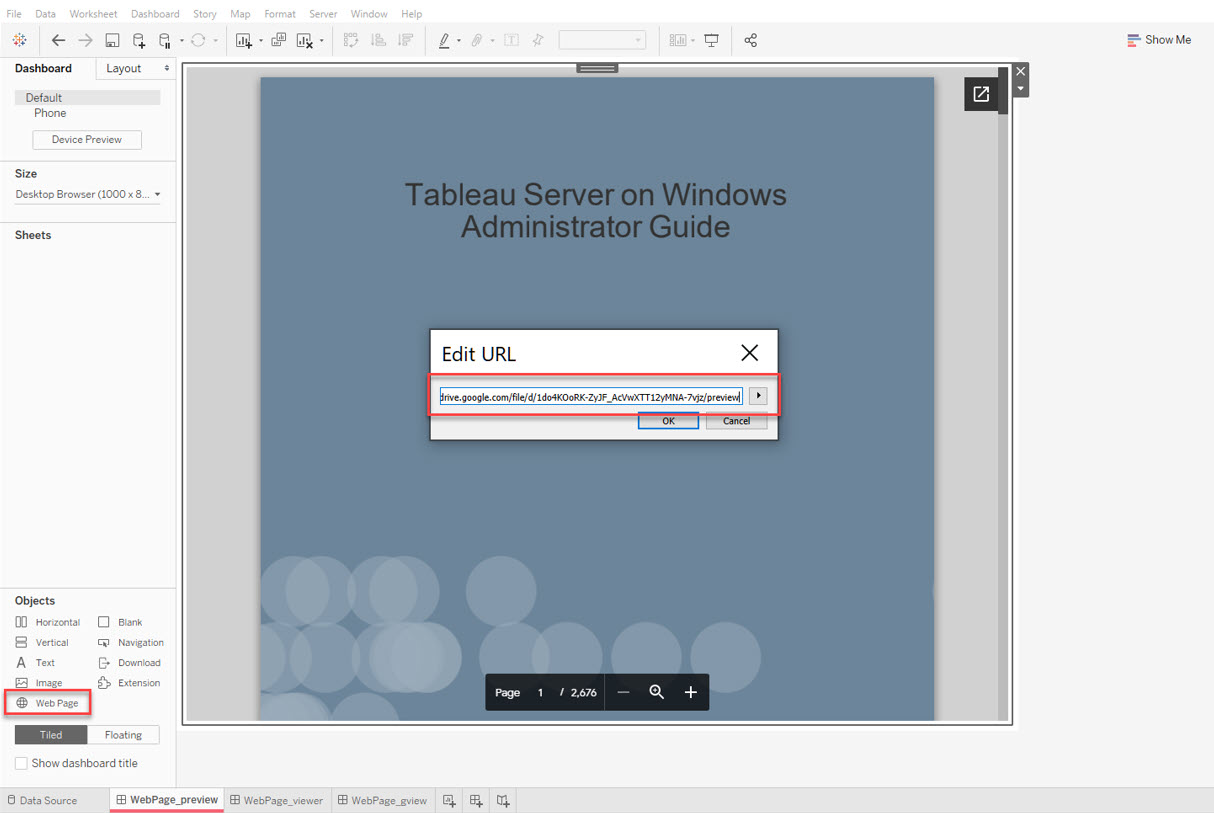
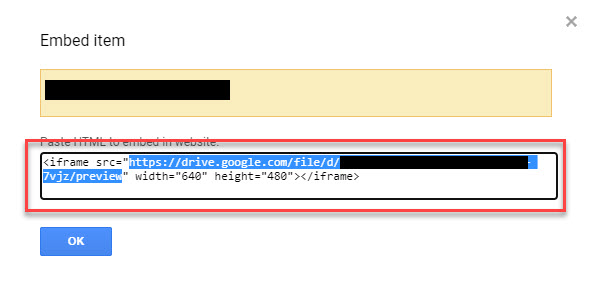
After setting the Google Drive PDF embedded link "https://drive.google.com/file/d/<file id>/preview" as a Web Page Object in the dashboard and published it to Tableau Server or Tableau Cloud, unable to display the preview of PDF on iOS. A blank page is displayed.
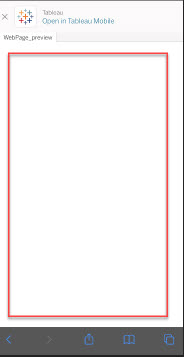
No issue occurs on Tableau Desktop.
Cause
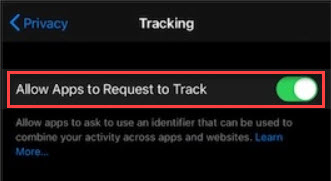
The behavior related to Cookie Restriction and Control third-party apps accesses to Google Driver. To prevent it from occurring, iOS need to be configured to allow third-party.Lösung
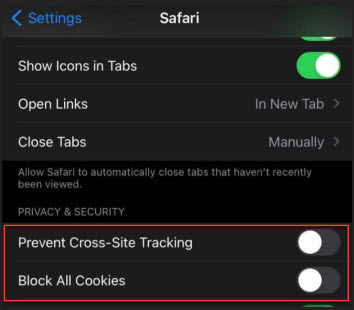
Option 1: For Safari, try tapping Settings > Safari, then turn off the switch next to "Prevent Cross-Site Tracking" and "Block All Cookies". For more information see Block cookies (Apple).
Zusätzliche Ressourcen
1. Find the PDF file in Google Drive
2. Preview the PDF file in Google Drive

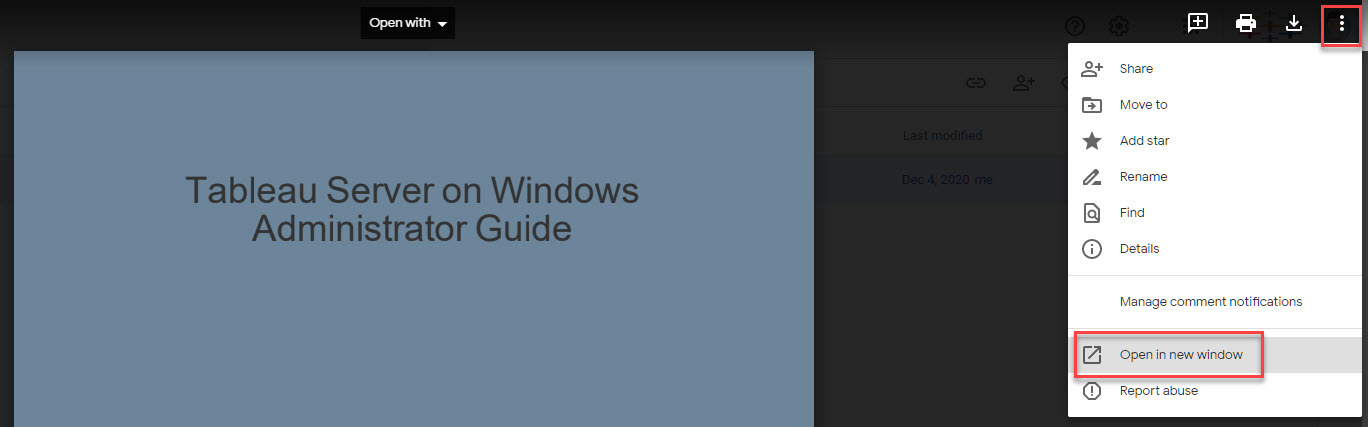
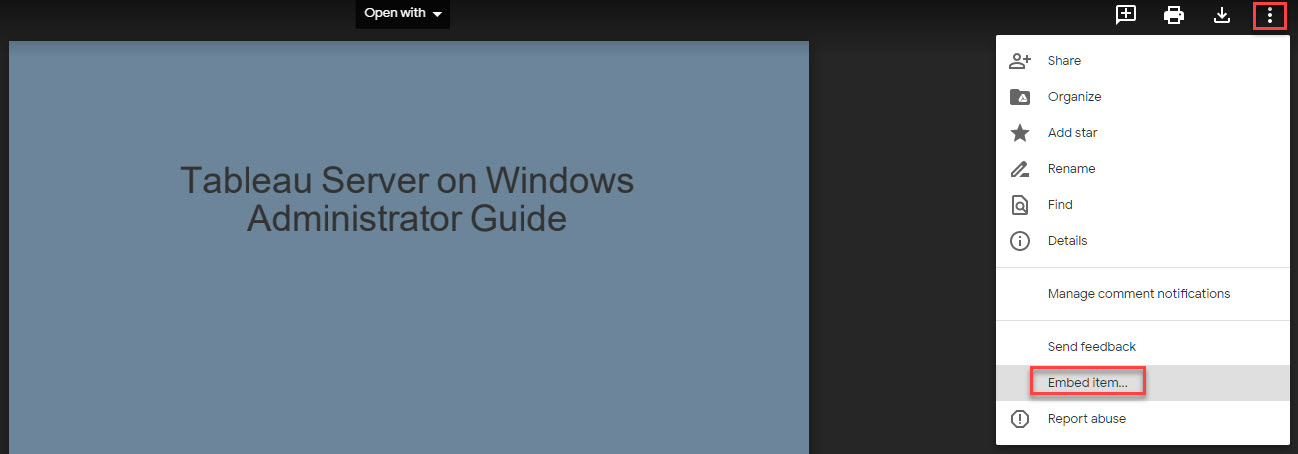
5. Copy the provided URL
Nummer des Knowledge-Artikels
001471753
Konnten Sie Ihr Problem mithilfe dieses Artikels lösen?
Geben Sie uns Feedback, damit wir uns verbessern können.
