Sélectionner une organisation
Offline Activation Page Shows Authorization Required When Uploading Offline Activation Request File
Date de publication: Feb 18, 2025
Description
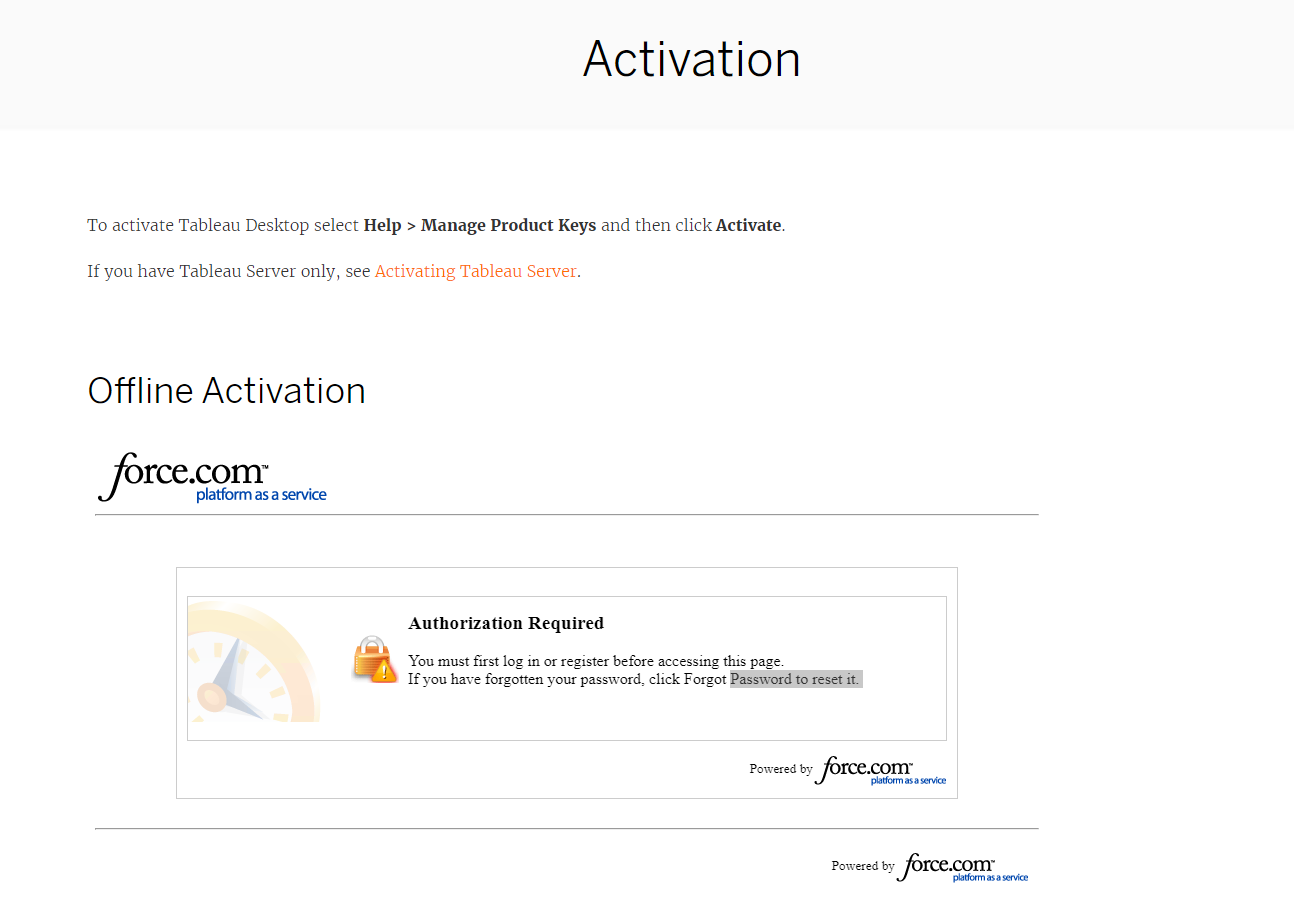
Cause
There are two main reasons this error can occur.1. The offline.tlq file is invalid. The file should be in XML format (not in binary format) and readable when opening in any default text editor such as Notepad. The first few lines of a valid file will appear like the following:
<?xml version="1.0" encoding="UTF-8" ?><Request xmlns="http://www.macrovision.com/fnp/2004/11/activation"><RequestHeader><VersionNumber>3</VersionNumber><RequestType>ACTIVATION</RequestType>
2. The license key can be configured incorrectly.
Résolution
Option 1
Verify the offline.tlq or tableauofflineactivationrequest.tlq file is in XML format.
- Open the offline file submitted to the offline activation website with any text editor such as Notepad or for Mac, TexEdit.app.
- If the file is not in XML and does not contain data similar to the below screenshot at the start of the file, re-create the file again. You should be able to open the offline file created using any default text editor to verify the format is XML. Here is a sample start to the file where the product key is in the EntitlementId marker:

Option 2
Contact Technical Support and provide the license key and the offline.tlq file. The team can research the key configuration and verify the file is valid if you need additional assistance.
Numéro d’article de la base de connaissances
001471774
Cet article a-t-il résolu votre problème ?
Dites-nous ce que nous pouvons améliorer !
