Valitse organisaatio
Error "We're sorry, access is not allowed because you have out-of-date software" When Attempting to Sign in to Tableau Server or Online From Desktop Using an IdP With Duo Security
Julkaisupäivä: Apr 25, 2025
Kuvaus
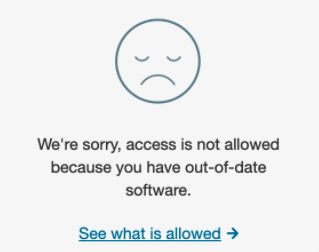
"We're sorry, access is not allowed because you have out-of-date software".
Cause
When signing in, Tableau Desktop sends a request containing the user-agent "Chrome/80.0.3987.163" to Tableau Server or Tableau Cloud. When the request eventually reaches Duo Security, it sees this as an old version of Chrome and denies the sign in request.Ratkaisu
To resolve the issue try one of the following options:
Option 1
Upgrade to Tableau Desktop 2024.2 or later, as it uses an external browser for authentication.
Option 2
Disable the browser version check policy in the Duo configuration settings. See Policy & Control > Browsers for more information.
Option 3
Use Tableau Desktop 2020.4 or earlier.
Option 4
Update your machine registry settings to remove the user-agent Chrome version from Tableau Desktop.
- Login to your Windows machine where Tableau Desktop is installed.
- Access the Registry Editor.
- Navigate to Computer\HKEY_CURRENT_USER\Software\Tableau\Tableau 2021.3\Settings (change the version to match whichever version of Tableau Desktop you are using).
- Right-click, go to New, and select String Value.
- Add the following values:
- Value name: RemoveChromeFromUserAgent
- Value data: True
- Select OK.
Option 3 for MAC users
- Mac users need to edit their plist for the version of Tableau they are using. It is located in ~/Library/Preferences/com.tableau.Tableau-2021.3.plist (change the version to match whichever version of Tableau Desktop you are using).
- Then set Settings.RemoveChromeFromUserAgent as True.
Users can use Xcode or the command-line 'defaults' utility to make the configuration change to the plist for Tableau Desktop.
Lisäresurssit
In older versions of Tableau, which included WebKit and not WebEngine, the user-agent did not contain Chrome so this was not a problem.
Knowledge-artikkelin numero
001472024
Ratkaisiko tämä artikkeli ongelmasi?
Anna palautetta, jotta voimme kehittyä!
