Vælg en organisation
Oracle Timestamp With Timezone Fields Return Unexpected Values
Udgivelsesdato: Apr 13, 2024
Beskrivelse
Cause
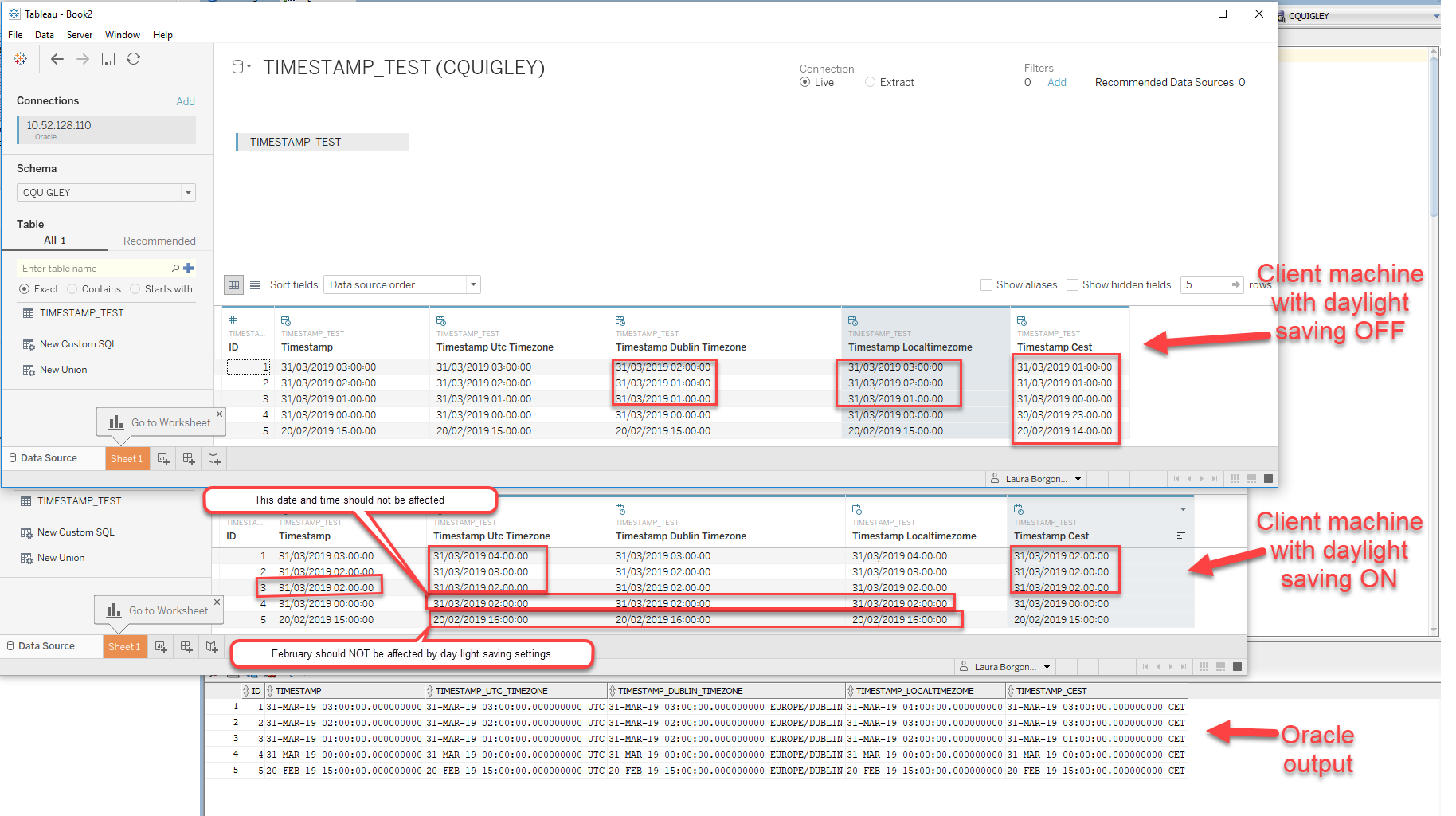
The behaviour is caused by the interaction between the Oracle data source, the Oracle driver and Tableau Desktop.When Tableau Desktop opens a connection to an Oracle data source, the Oracle driver sets the connection to the local machine time zone and daylight saving time (if applicable) using a single value
TIME_ZONE.This means Tableau will receive all timestamps with timezone field values in the local machine time. In addition, the operating system may apply daylight saving times depending on the local machine settings and the time of the year. As a result of the interaction of the features mentioned above, the data set returned by Tableau may not match the one returned by the Oracle client on the same machine.
Løsning
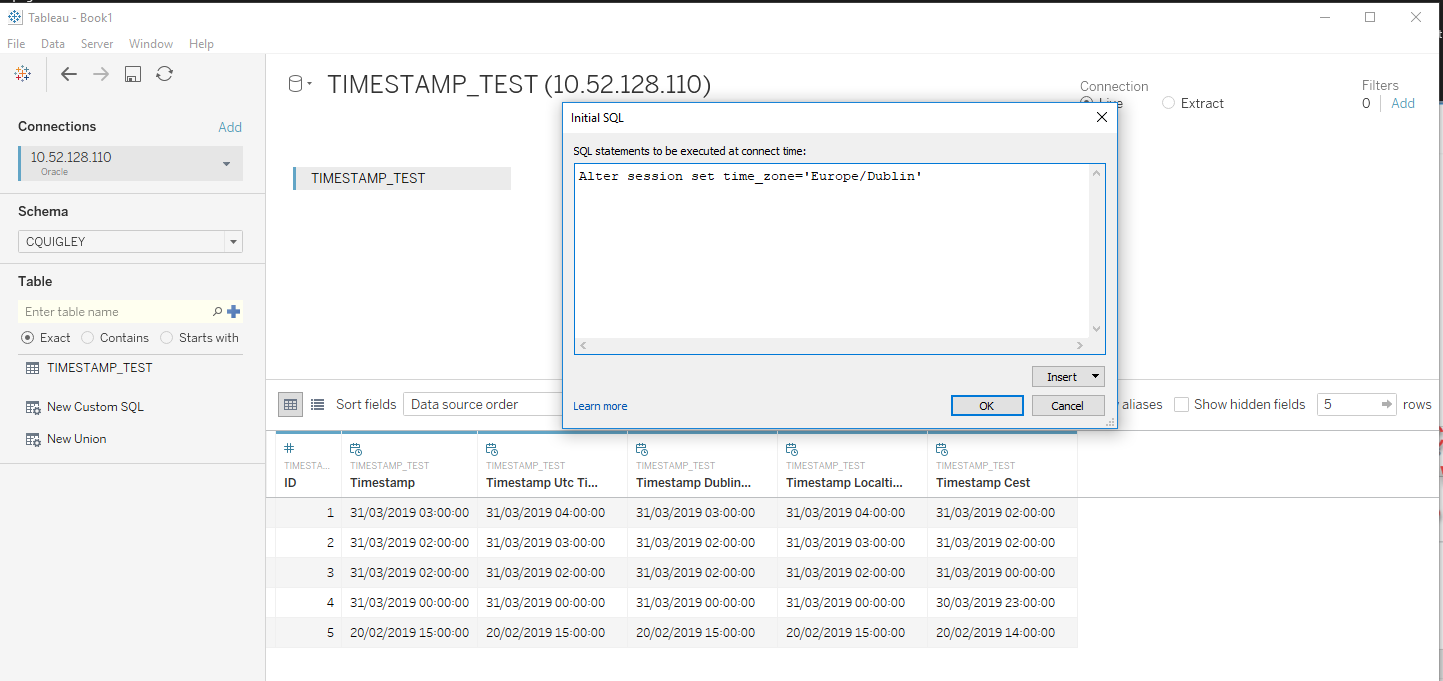
To work around the issue, in Tableau Desktop, use an initial SQL statement similar to the one below to set the Oracle connection to the same time zone as the local machine (on a machine in the central European time zone):
ALTER SESSION SET TIME_ZONE = 'Europe/Amsterdam'If daylight saving time settings are affecting the connection, consider disabling daylight saving times in the local machine operating system.
Yderligere ressourcer
The local machine is in the Europe/Dublin time zone. All differences are highlighted in red:
Here is Tableau output when Tableau connection is set to the the Europe/Dublin time zone, to match the local machine operating system settings. DST is active on the machine. The test was performed in August:
All timestamps are returned in the Dublin timezone as expected.
The tests mentioned in this article have been performed using the standard Oracle driver, not the Tableau customized one. No Tableau Oracle driver is installed on the machine.
Vidensartikelnummer
001472052
Løste denne artikel dit problem?
Giv os besked, så vi kan forbedre os!
