Velg en organisasjon
Error "Unable to activate with your credentials" and "No Seat Capacity Was Found for Login-Based License Management"
Publiseringsdato: Feb 25, 2026
Beskrivelse
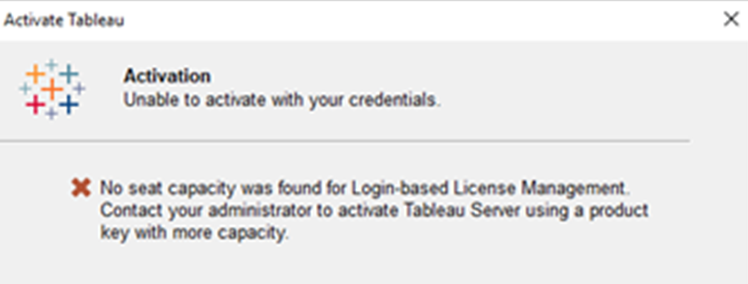
When trying activate Tableau Desktop by signing in to a server (LBLM), the following error message appears:
Activation
Unable to activate with your credentials
No seat capacity was found for Login-based License Management.
Contact your administrator to activate Tableau Server using a product key with more capacity.
Unable to activate with your credentials
No seat capacity was found for Login-based License Management.
Contact your administrator to activate Tableau Server using a product key with more capacity.
Cause
Not all Tableau Server license keys have the LBLM flag set.Løsning
It is possible to find out if the LBLM flag is set on a Tableau Server Creator key by reviewing the status of the keys in any of these three ways:
- The Tableau Customer Portal
- The Server key report
- Using the tsm licenses list command
Flere ressurser
Knowledge-artikkelnummer
001472310
Hjalp denne artikkelen med å løse problemet ditt?
La oss få vite det slik at vi kan forbedre!
