Velg en organisasjon
The Action Link Doesn't Work When Selecting the Cells Or Marks In The View
Publiseringsdato: Apr 13, 2024
Beskrivelse
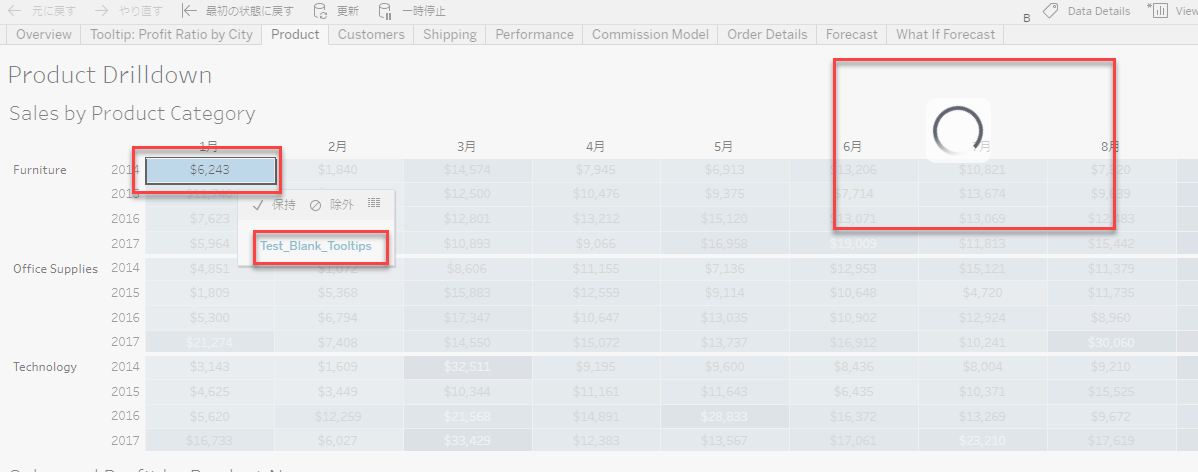
If the tooltip is empty, the link of Actions (Filter Actions or URL Actions) doesn't work when selecting the cells or marks in the view.
- In Tableau Desktop:
- the link is not displayed.
- In Tableau Server or Tableau Cloud:
- when the viz is rendered on server-side, the link is not displayed.
- when the viz is rendered on client-side, the link is displayed but after selecting the link the loading doesn't finish.
Cause
Currently, a link of action runs from the tooltip menu.This behavior is currently under investigation by the Tableau Software development team
Løsning
The issue can be avoided when the tooltip is not empty. Edit the tooltip and enter a text/string in tooltip.
Flere ressurser
1. Add ":jsdebug" URL parameter to the end of the URL upon accessing the viz. e.g. https://<hostname>/#/views/Superstore/Overview?:jsdebug
2. Check the menu bar.
"B" (or "RB") means a Client-Side Rendering view.
"S" (or "RS") means a Server-Side Rendering view.
Knowledge-artikkelnummer
001472701
Hjalp denne artikkelen med å løse problemet ditt?
La oss få vite det slik at vi kan forbedre!
