Välj en organisation
Fonts Not Displaying as Expected After Publishing to Tableau Public or Tableau Cloud
Publiceringsdatum: Jul 6, 2026
Beskrivning
When publishing a workbook to Tableau Public or Tableau Cloud, some fonts, such as Lucida Bright or Book Antiqua, do not display as expected.
Cause
Tableau Public and Tableau Cloud support fonts officially licensed for our Linux servers. Other fonts cannot be guaranteed to display as expected, since browser rendering of fonts depends on fonts being installed on both the server and client devices and whether browser or server-side rendering is occurring.
Lösning
Because some fonts are not installed on the Tableau Public or Cloud servers, they may not render as expected in published views, including images rendered for subscriptions or exported via tabcmd and REST API. The fonts listed below are installed on the Tableau Public and Tableau Cloud servers and should display correctly in published views and in exported images.
If the font selected in Tableau Desktop does not display as expected on Tableau Public or Tableau Cloud, but does appear on the list describing the fonts installed on Tableau Public and Tableau Cloud, then install the font locally and test the published workbook again. Please note that if a view uses the polygon mark type or the page history feature, server-side rendering is always performed.
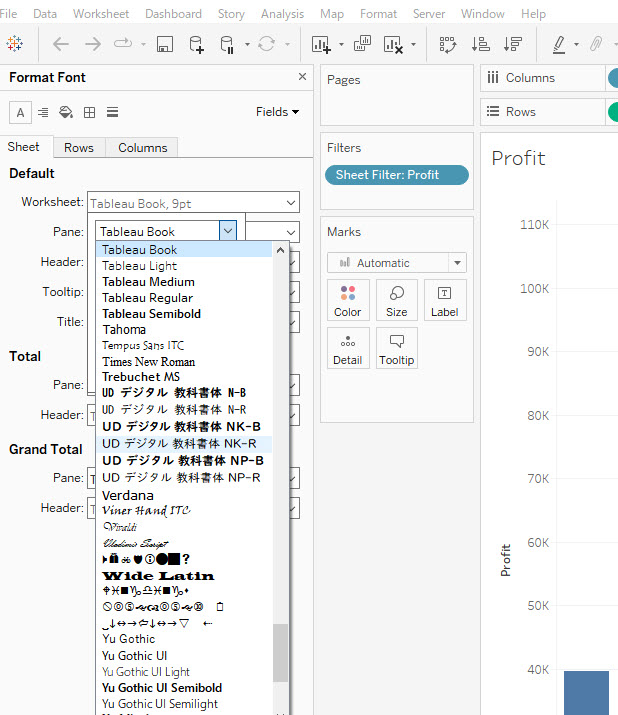
Tableau Public and Tableau Cloud support the list of fonts below. Some fonts may need to be installed locally to display in the font selection drop-down or to draw correctly in the browser.
- Andika
- Andika New Basic
- Arial
- Benton Sans
- Calibri
- Courier New
- Georgia
- Lato
- Meiryo UI
- Montserrat
- Muli
- Noto Serif CJK
- Noto Sans
- Noto Sans CJK JP
- Noto Sans CJK SC
- Noto Sans CJK TC
- Noto Sans CJK KR
- Noto Sans JP
- Noto Sans SC
- Noto Sans TC
- Noto Sans KR
- Noto Sans Arabic
- Noto Sans Devanagari
- Noto Sans Hebrew
- Noto Thai Sans
- Noto Thai Serif
- Open Dyslexic
- Open Sans
- Oswald
- Poppins
- Raleway
- Roboto
- Roboto Condensed
- Tableau fonts
- Times New Roman
- Trebuchet MS
- Verdana
Note: Some fonts may not display as expected when using the Safari browser.
Ytterligare resurser
The default fonts installed on the client machine are different depending on the type of OS/versions and languages used. Some fonts are available only on some platforms. If you don't see the font in the drop down list in Tableau Desktop, it is most likely not installed on that machine.
List of typefaces included with Microsoft Windows
List of typefaces included with macOS
The same goes for the Smartphone platform (Android/iOS) but instaling the custom fonts on the smartphones is generally more restricted and same font sets are often not available on the smartphone platform. It is generally recommended to use a common font.
Knowledge-artikelnummer
001472975
Löste denna artikel ditt problem?
Berätta för oss vad vi kan förbättra!
