Vælg en organisation
Error "Data Extract Required" Saving Workbook to Tableau Public
Udgivelsesdato: Apr 13, 2024
Beskrivelse
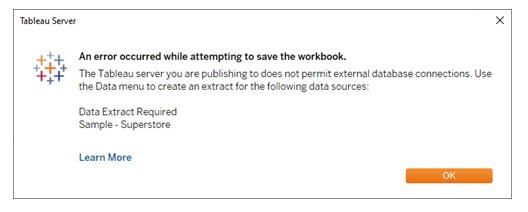
Data Extract Required
The Tableau server you are publishing to does not permit external database connections. Use the Data menu to create an extract for the following data source:
<data-source-name>
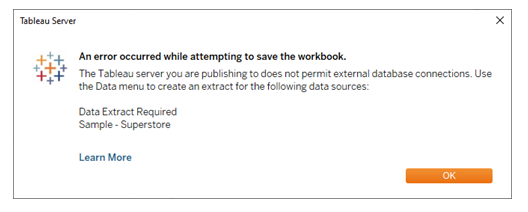
<data-source-name>
Cause
The Tableau Desktop Public Edition and Tableau Public (web) work with data from Microsoft Excel, multiple text file formats, statistical files, Google Sheets and web data connectors. It is not possible to save a workbook locally or create an extract manually using Tableau Public Desktop by design.The error can occur by just signing in to the Tableau Public Server when the data source is live because the Tableau Public Desktop recognizes the data is not extracted.
Løsning
Please note:
It is not possible to save a workbook locally or create an extract in the Tableau Public Desktop. It is only possible to publish the workbook to the Tableau Public Server. This error can occur when working with a live data source in Tableau Public after just signing in to the Tableau Public Server. The solution is noted in number three below to save the workbook to the Tableau Public Server so an extract can be created.
1. Be sure to have the latest Tableau Public Desktop download when facing errors such as the one described here.
2. If the Tableau Public Server is not available, a message will display when publishing to the Tableau Public Server that "Updates are in progress". Review the Tableau website to see a service interruption located on the Tableau Trust site. Attempt publishing your workbook when the Tableau Public Server is not under maintenance.
3. For a workbook that uses a live connection to a supported data source, when publishing the workbook to the Tableau Public Server, Tableau Public Desktop will create the extract by default. Close the error window and complete the updates to the workbook. Publish the workbook to the Tableau Public Server and an extract will be created. In Tableau Public use File > Save to Tableau Public or Save to Tableau Public As to get an extract created.
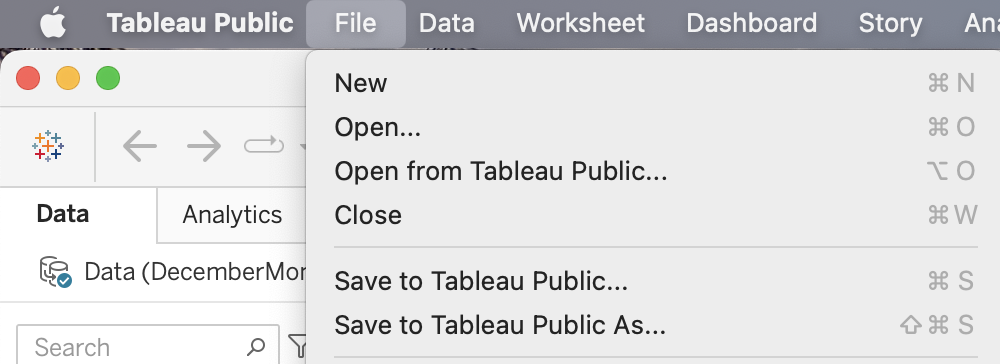
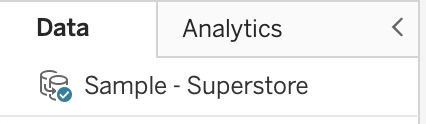
After publishing the workbook to the Tableau Public Server, the data shows as an extract in the workbook:
Please Note: If you have received a workbook from another source and opened the workbook in the Tableau Public Desktop but then received an error trying to publish, it will be necessary to contact the workbook owner to extract the data. It is not possible to create an extract in the Tableau Public Desktop from a the main toolbar or the Data pane window.
Yderligere ressourcer
Visit the Tableau Community Forums topic on Tableau Public to raise a question or view information specific to Tableau Public.
See the Tableau Public website for the current status, the FAQ, and to Contact Us.
Vidensartikelnummer
001473130
Løste denne artikel dit problem?
Giv os besked, så vi kan forbedre os!
