Velg en organisasjon
Importing Large Number as a String Results in Scientific Notation
Publiseringsdato: Feb 25, 2025
Beskrivelse
Cause
When importing large numbers as strings, Tableau Desktop forces these numbers into scientific notation.Løsning
Option 1
Import the field as a number field rather than a string.Option 2
Force Excel to recognize the numbers as text using the TEXT() function in Excel. For example:TEXT(<cell to convert>, "@")
Option 3
In the Excel sheet, set the target field as TEXT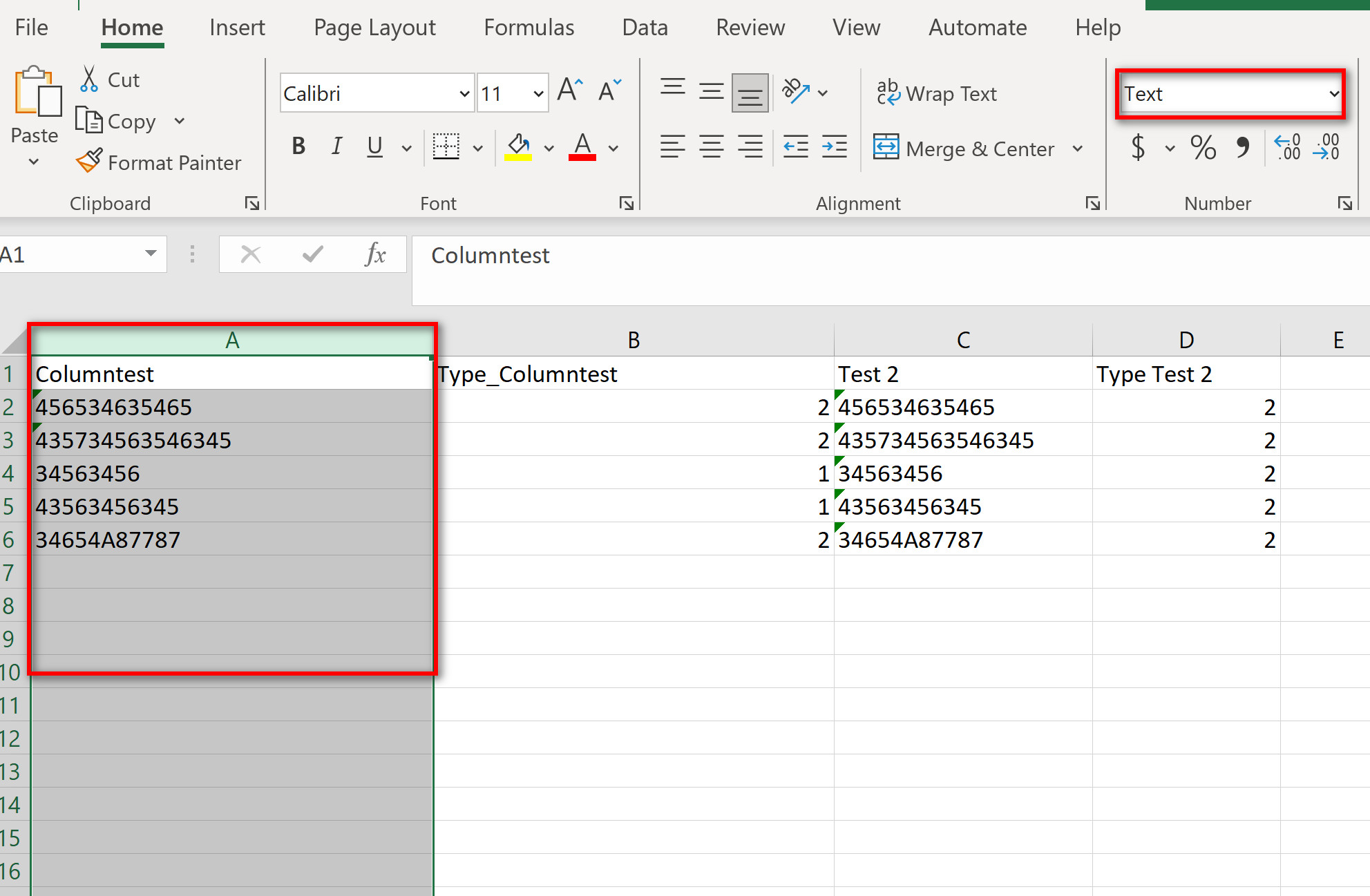
and then create another column ("Test2" here) with function CLEAN().
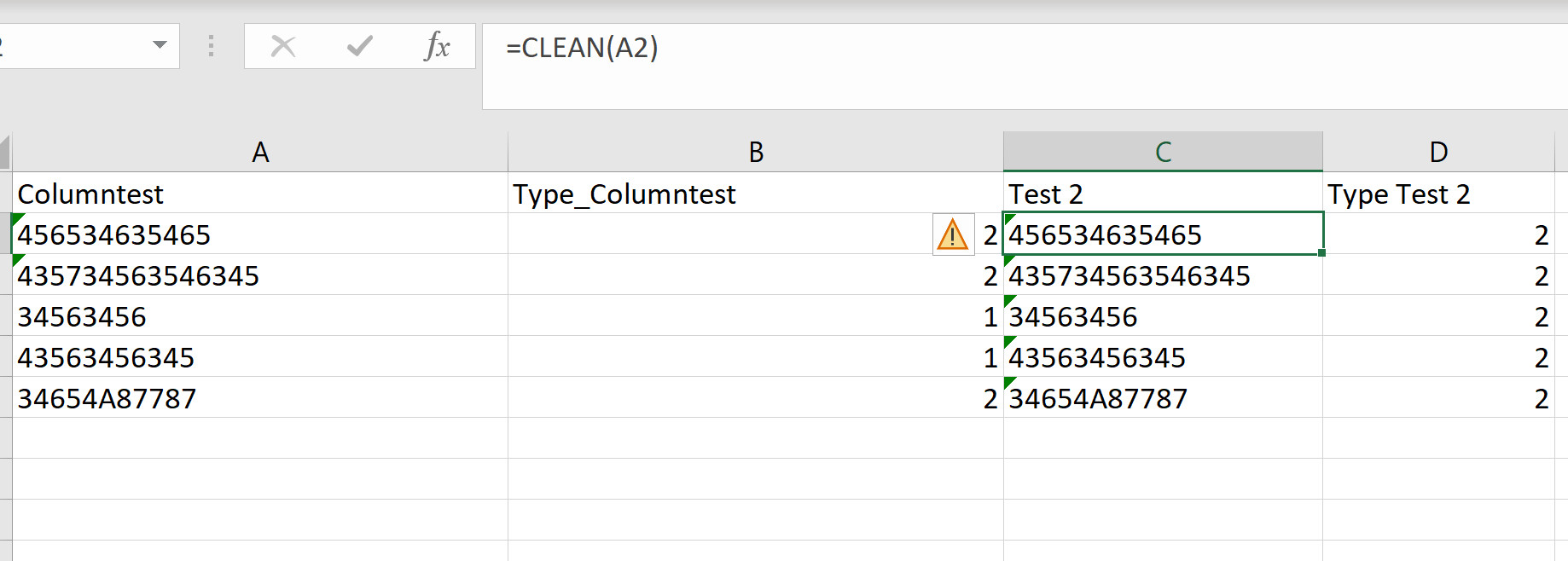
Use TYPE() function ("Type Test 2" here) to confirm all the row values have the same type as 2.
Flere ressurser
Excel "Text" function does not work as expected. Still some rows are considered to be number even set as "Text". As a result, Tableau receives an exponential string.
Knowledge-artikkelnummer
001473235
Hjalp denne artikkelen med å løse problemet ditt?
La oss få vite det slik at vi kan forbedre!
