Select An Org
Decimal Numbers Interpreted as NULL in Tableau Desktop
Publish Date: Feb 13, 2025
Description
Cause
This issue often occurs because a dot (.) is used as decimal separator, but Tableau uses a non-English locale by default. The other way around is also possible, a comma (,) is used as decimal separator, but English locale is set in Tableau.Resolution
- Connect to the .txt file.
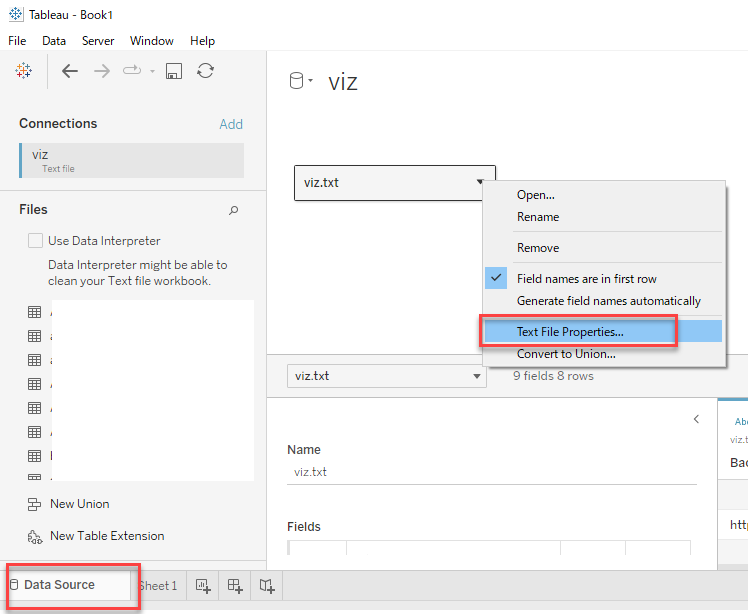
- On the data source page, click the small arrow displaying on top of .txt file on the Data pane in Tableau and select "Text file properties". (This option is for text files. It will not be available for Excel or other formats.)
- In the dialog menu change the Locale of the file to English.
Additional Resources
Knowledge Article Number
001473274
Did this article solve your issue?
Let us know so we can improve!
