Valitse organisaatio
Error "DataServiceFailure Unable to connect to the server 'localhost'." Viewing Public Dashboard Using Tableau Server Guest User Access
Julkaisupäivä: Jan 24, 2025
Kuvaus
Issue
When accessing a view using Guest User access, users receive the following error:
DataServiceFailure
Unable to connect to the server "localhost". Check that the server is running and that you have access privileges to the requested database.
Cause
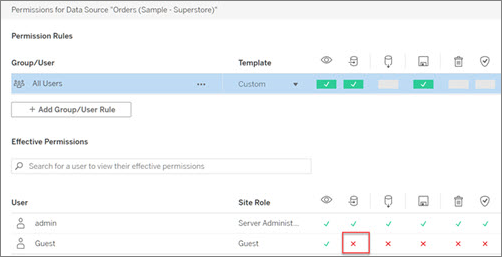
The Guest User is not allowed to connect to published data sources. See Guest User.
Ratkaisu
Option 1
Republish the workbook with the data source embedded in the workbook.
Option 2
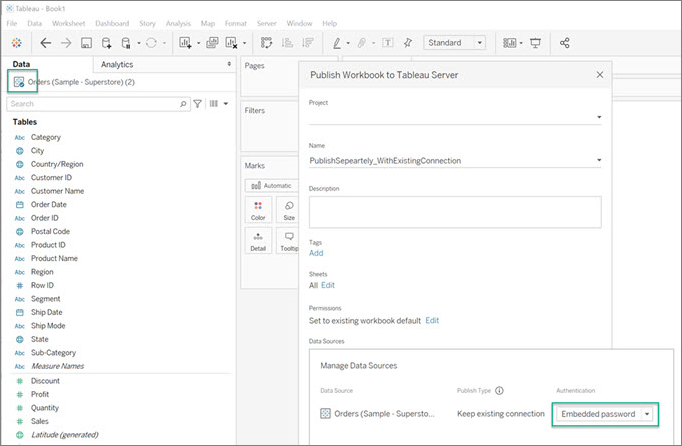
Set the workbook’s connection to a published data source, publish the workbook as "Embedded password" (using the author’s connect access to the data source). For more information, see Data access for published Tableau data sources.
Knowledge-artikkelin numero
001473301
Ratkaisiko tämä artikkeli ongelmasi?
Anna palautetta, jotta voimme kehittyä!
