Выбрать организацию
Dashboard Filter Action does not Filter Source Sheet
Дата публикации: Apr 13, 2024
Описание
Cause
By design, Filter Actions do not filter the source by checking the source sheet in a list of sheets. This prevents accidentally filtering the source sheet.Решение
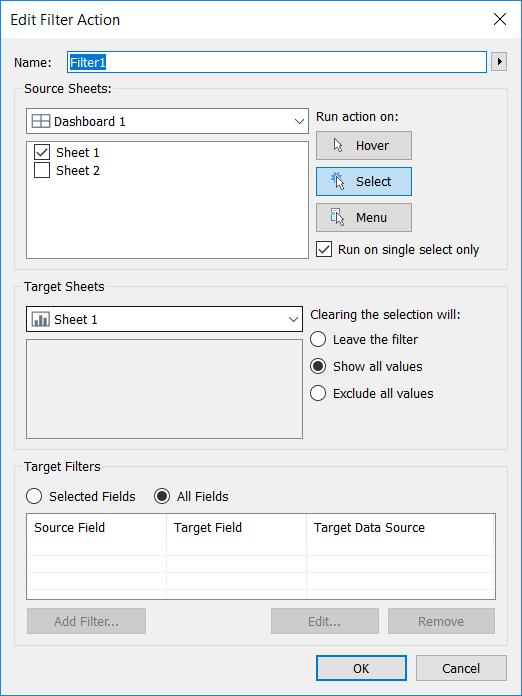
- Select the source sheet and click Dashboard > Actions
- Click Add Action > Filter
- For Source Sheets, check the checkbox for the desired source sheet
- For Target Sheets, select the source sheet from the dropdown menu
- Click OK in each Dialog box to return to the dashboard
Дополнительные ресурсы
Номер статьи базы знаний
001473499
Эта статья решила вашу проблему?
Оставьте свой отзыв, чтобы мы могли стать лучше!
