Välj en organisation
Dashboard Filter Action does not Filter Source Sheet
Publiceringsdatum: Apr 13, 2024
Beskrivning
Cause
By design, Filter Actions do not filter the source by checking the source sheet in a list of sheets. This prevents accidentally filtering the source sheet.Lösning
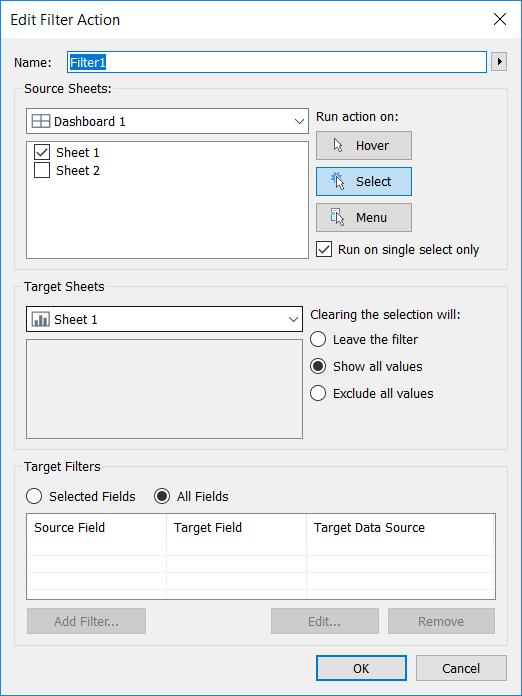
- Select the source sheet and click Dashboard > Actions
- Click Add Action > Filter
- For Source Sheets, check the checkbox for the desired source sheet
- For Target Sheets, select the source sheet from the dropdown menu
- Click OK in each Dialog box to return to the dashboard
Ytterligare resurser
Knowledge-artikelnummer
001473499
Löste denna artikel ditt problem?
Berätta för oss vad vi kan förbättra!
