Velg en organisasjon
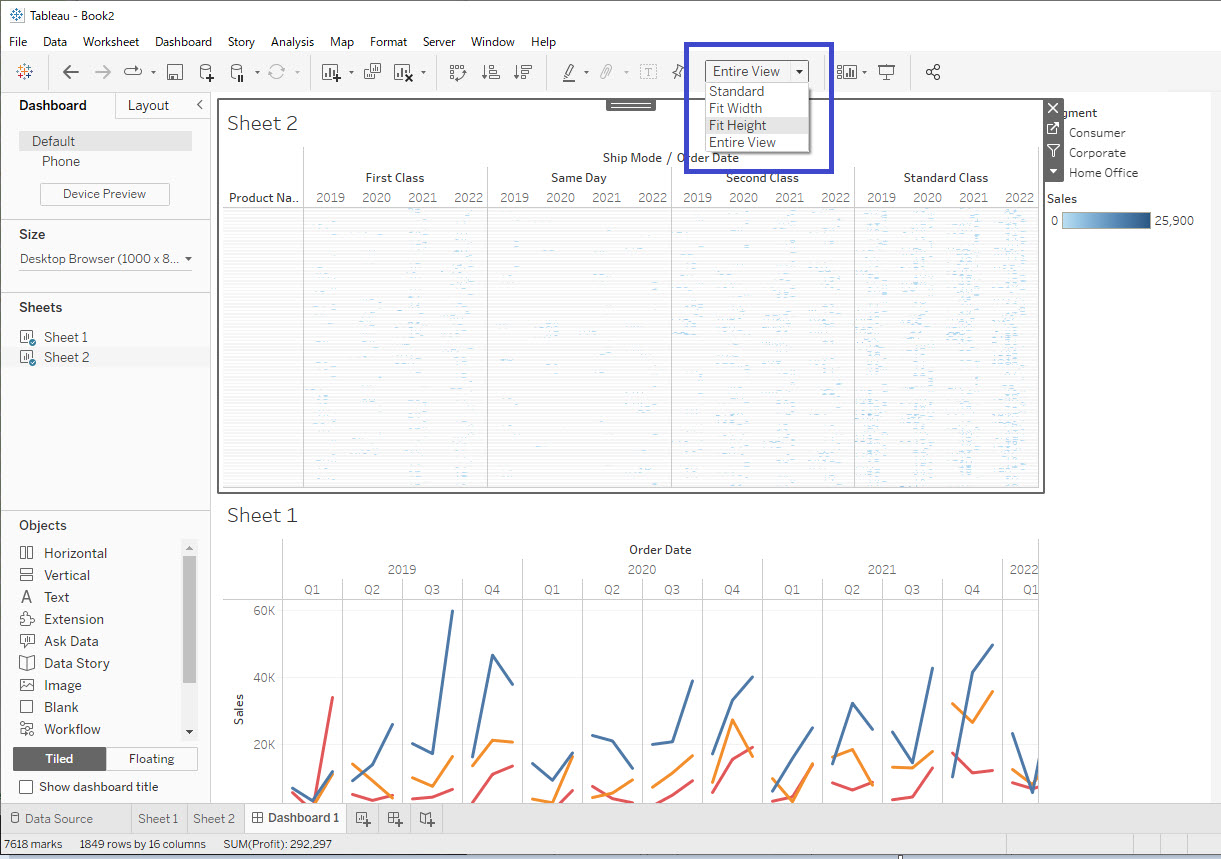
View on Dashboard is Compressed/Distorted and Has No Scrollbar
Publiseringsdato: Feb 24, 2026
Beskrivelse
Cause
The Fit Height or Entire View settings tell Tableau Desktop to force the entire view (or entire height) to fit within the box that contains the view on the dashboard. The fit setting for a view can be different for a view in its worksheet tab than it is when viewed in a dashboard.Løsning
- Navigate to the dashboard.
- Click the view on the dashboard to select it.
- In the dropdown menu in the top toolbar that says Fit Height or Entire View, select either Standard or Fit Width.
Flere ressurser
Size and Lay Out Your Dashboard
Knowledge-artikkelnummer
001473500
Hjalp denne artikkelen med å løse problemet ditt?
La oss få vite det slik at vi kan forbedre!
