Выбрать организацию
View on Dashboard is Compressed/Distorted and Has No Scrollbar
Дата публикации: Feb 24, 2026
Описание
Cause
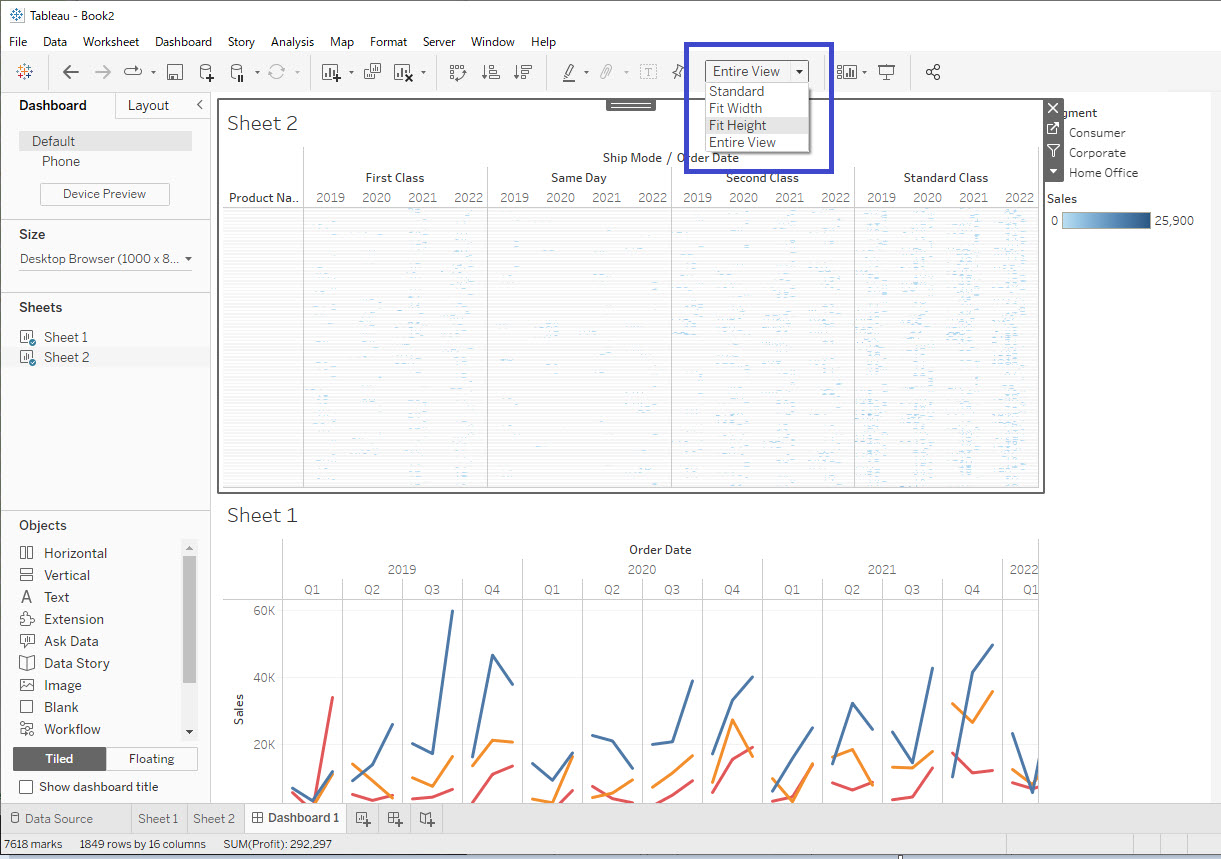
The Fit Height or Entire View settings tell Tableau Desktop to force the entire view (or entire height) to fit within the box that contains the view on the dashboard. The fit setting for a view can be different for a view in its worksheet tab than it is when viewed in a dashboard.Решение
- Navigate to the dashboard.
- Click the view on the dashboard to select it.
- In the dropdown menu in the top toolbar that says Fit Height or Entire View, select either Standard or Fit Width.
Дополнительные ресурсы
Size and Lay Out Your Dashboard
Номер статьи базы знаний
001473500
Эта статья решила вашу проблему?
Оставьте свой отзыв, чтобы мы могли стать лучше!
