Velg en organisasjon
Cannot Configure Incremental Refresh of Google Analytics Extract
Publiseringsdato: Feb 5, 2025
Beskrivelse
The option to edit a Google Analytics extract is not available (grayed out) and unable to configure an incremental extract refresh.
Cause
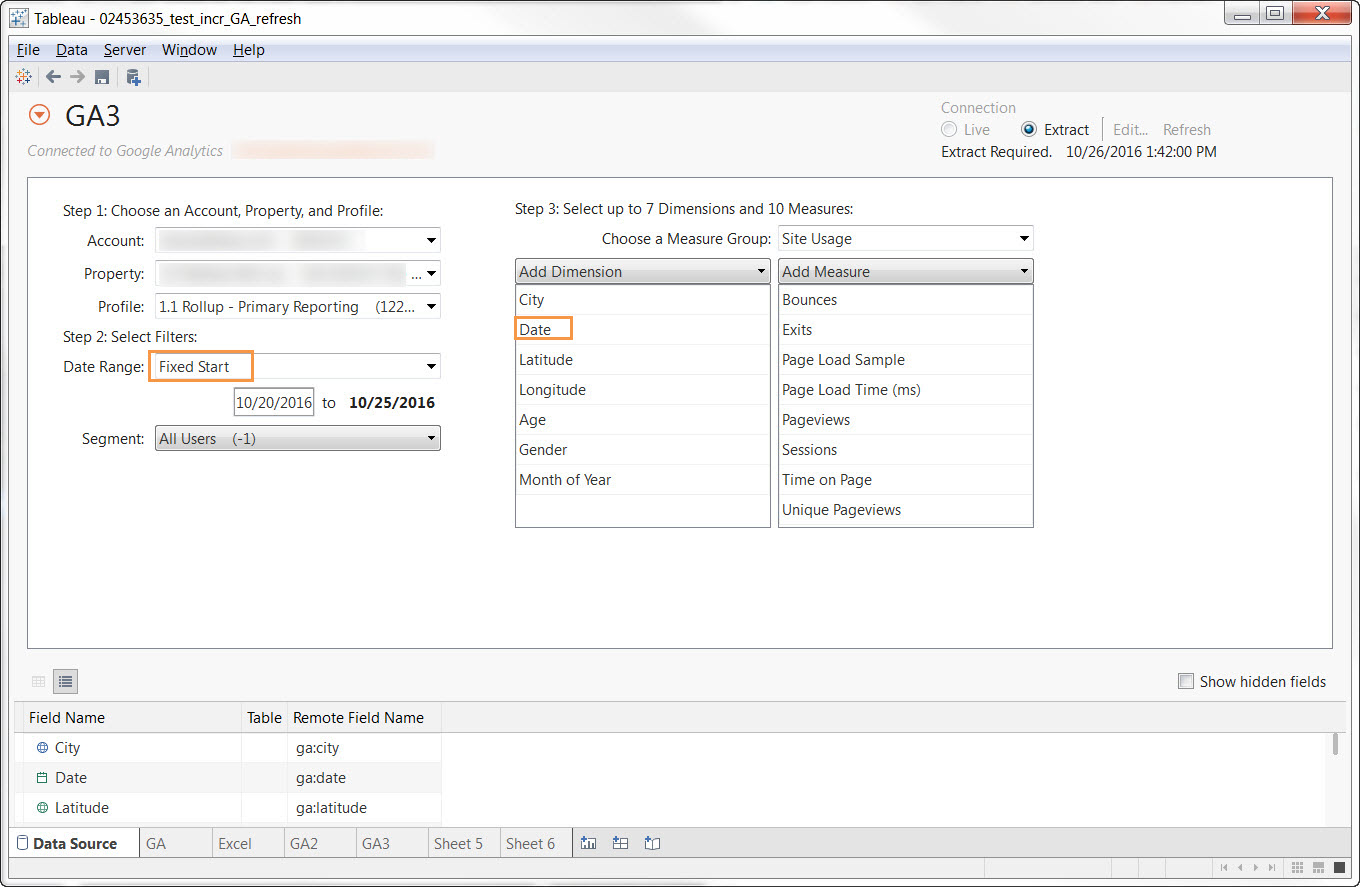
- A Google Analytics extract can only be edited if the extract was first created using a Fixed Start date range.
- A 'Date' dimension must be selected since Tableau uses the date to identify new rows for incremental refreshes.
Løsning
- Create a connection to Google Analytics.
- For Date Range, select Fixed Start.
- Select 'Date' as one of the seven possible dimensions to include in the extract.
- Exit the Data Connection pane.
- From a worksheet, right-click the Google Analytics extract data source and select Extract > Refresh (Incremental).
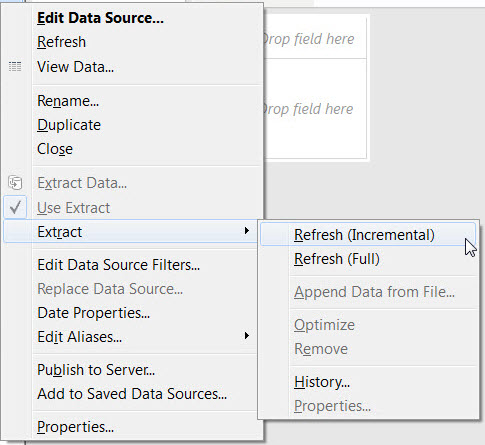
Note: the "Refresh (Incremental)" option will not be available if the extract is not set up correctly.
Knowledge-artikkelnummer
001473617
Hjalp denne artikkelen med å løse problemet ditt?
La oss få vite det slik at vi kan forbedre!
