Valitse organisaatio
LM_TS_LOAD" Activation Error
Julkaisupäivä: Mar 5, 2025
Kuvaus
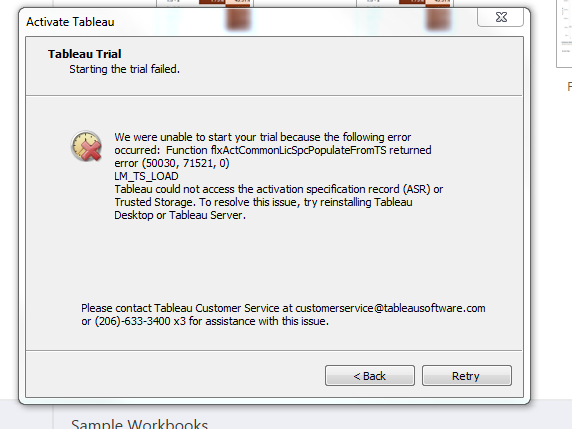
When you attempt to activate Tableau Desktop, the following error might occur:
Function flxActCommonLicSpcPopulateFromTS returned error (50030,71521,0)
LM_TS_LOAD
Tableau could not access the activation specification record (ASR) or Trusted Storage. to resolve this issue, try reinstalling Tableau Desktop or Tableau Server.
Ratkaisu
- Uninstall Tableau Desktop from the Control Panel menu.
- Delete the following folder: C:\Program Files\Tableau\Tableau <Version>
- Rename the My Tableau Repository folder (located by default at C:\Users\<username>\Documents\My Tableau Repository) to My Tableau Repository_Backup.
- Reinstall Tableau Desktop.
Lisäresurssit
Knowledge-artikkelin numero
001473625
Ratkaisiko tämä artikkeli ongelmasi?
Anna palautetta, jotta voimme kehittyä!
