Velg en organisasjon
LM_TS_LOAD" Activation Error
Publiseringsdato: Mar 5, 2025
Beskrivelse
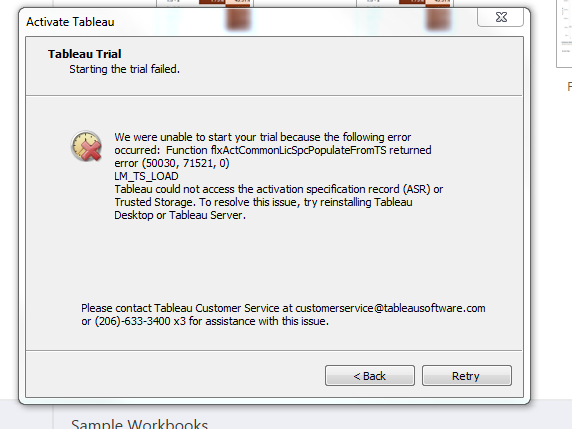
When you attempt to activate Tableau Desktop, the following error might occur:
Function flxActCommonLicSpcPopulateFromTS returned error (50030,71521,0)
LM_TS_LOAD
Tableau could not access the activation specification record (ASR) or Trusted Storage. to resolve this issue, try reinstalling Tableau Desktop or Tableau Server.
Løsning
- Uninstall Tableau Desktop from the Control Panel menu.
- Delete the following folder: C:\Program Files\Tableau\Tableau <Version>
- Rename the My Tableau Repository folder (located by default at C:\Users\<username>\Documents\My Tableau Repository) to My Tableau Repository_Backup.
- Reinstall Tableau Desktop.
Flere ressurser
Knowledge-artikkelnummer
001473625
Hjalp denne artikkelen med å løse problemet ditt?
La oss få vite det slik at vi kan forbedre!
