Valitse organisaatio
Download Data and Crosstab Options Are Unavailable
Julkaisupäivä: Feb 25, 2026
Kuvaus
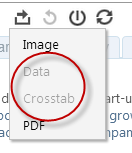
Cause
This behavior is by design. An individual worksheet must be selected so that Tableau Server knows which worksheet to export data from.Ratkaisu
Option 1
Click within an individual worksheet or quick filter on the dashboard and try to export again.
Option 2
In Tableau Desktop, select a worksheet on the dashboard prior to publishing to the workbook. The selected worksheet will have a gray border. This worksheet will be selected by default in the published view. 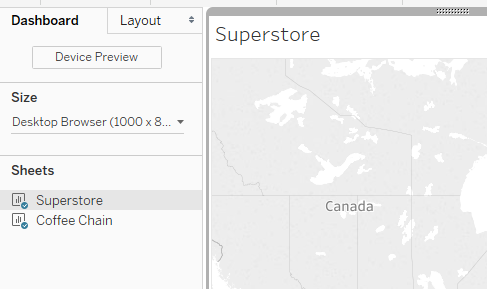
Option 3
- Verify that user permissions for View Summary Data and View Underlying Data are set to Allow. For more information, see Check Current Permissions.
- Verify that all groups to which the user belong have the desired permissions.
Knowledge-artikkelin numero
001473768
Ratkaisiko tämä artikkeli ongelmasi?
Anna palautetta, jotta voimme kehittyä!
