Välj en organisation
Unable to Change Username or Display Name on Tableau Server
Publiceringsdatum: Jun 15, 2026
Beskrivning
Cause
The ability to change usernames is not currently available on Tableau Server.Lösning
Change a Username
To change a username on Tableau Server, the user record must be deleted and recreated.
2022.1 and later
If using the new identity mode available in versions 2022.1 and later, Tableau Server won't allow the creation of a user with the new username while the old username is in use:
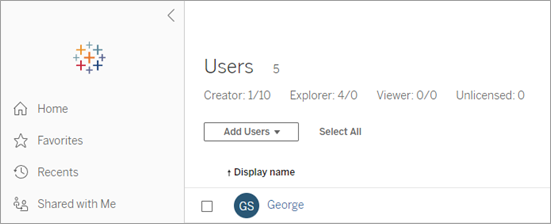
1. Create a temporary user account and add it as a user to Tableau Server. Tableau Server Administrators can find the Users setting in the left-hand panel. For more information, see Add Users in Tableau Help.
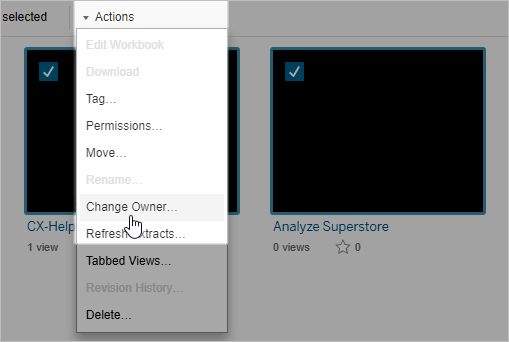
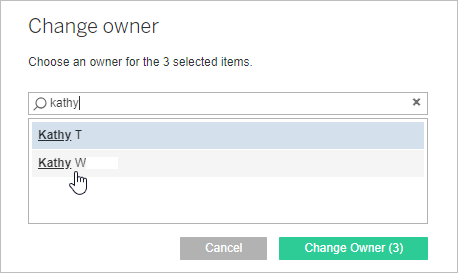
2. Change the permissions and ownership of all user content to the temporary user. For more information, see Manage Ownership in Tableau Help.
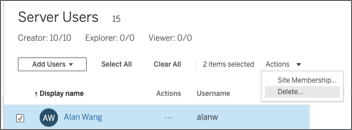
3. Delete the old user. For more information, see View, Edit and Delete Users in Tableau Help.
4. Add the user with the desired username.
5. Change the permissions and ownership of all user content from the temporary user to the new user as instructed in the Manage Ownership in Tableau Help.
Legacy Identity Mode (Versions 2021.4 and earlier)
If using legacy identity mode or versions 2021.4 or earlier:
1. Create a new user with the desired username. For more information, see Add Users in Tableau Help.
2. Change the permissions and ownership of all user content to the new user. For more information, see Manage Ownership in Tableau Help.
3. Delete the old user. For more information, see View, Edit and Delete Users in Tableau Help.
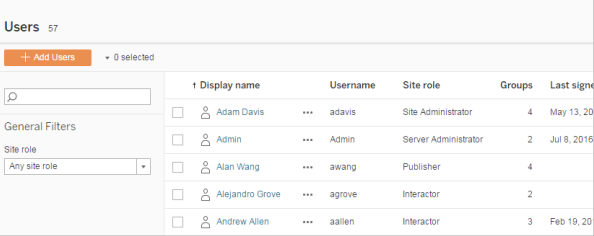
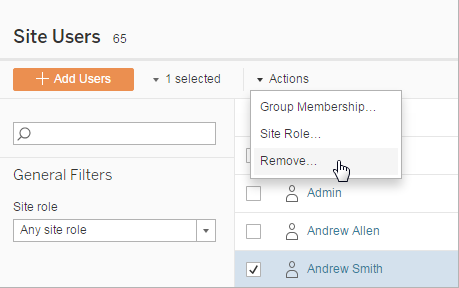
Change a Display Name
Option 1: Change Display Names (Local Authentication only)
- To change display names, Select a User and follow the steps in the Edit Users section of View, Edit and Delete Users in Tableau Help.
Option 2: Change Tableau Server Settings to allow Active Directory Update (Active Directory only and Tableau Server is Linux 10.5 or greater or Windows 2018.2 or greater)
- The desired username must also be updated on your Active Directory as Tableau Server will copy that information.
- In Tableau Services Manager (TSM), update the configuration setting "vizportal.adsync.update_system_user" from default value of False to True, see tsm configuration set options in Tableau Help.
- Restart Tableau Server.
- The update will then occur at the next scheduled Active Directory Synchronization (or can be run sooner if desired).
Option 3: If a Tableau Server restart is not possible
- Remove the user from Manage All Sites and then add the user back to the desired site. The new name should now display.
Ytterligare resurser
To voice your support for the inclusion of this feature in a future product release, add your vote to the following Salesforce Idea: allow admin to rename users.
Knowledge-artikelnummer
001473865
Löste denna artikel ditt problem?
Berätta för oss vad vi kan förbättra!
