Velg en organisasjon
Ambiguous Location when Using Two Letter Country Codes
Publiseringsdato: Oct 17, 2025
Beskrivelse
Cause
Tableau uses both ISO and FIPS country codes, and some codes have different meanings depending on the standard used. For example, CH is China in FIPS and Switzerland in ISO.Løsning
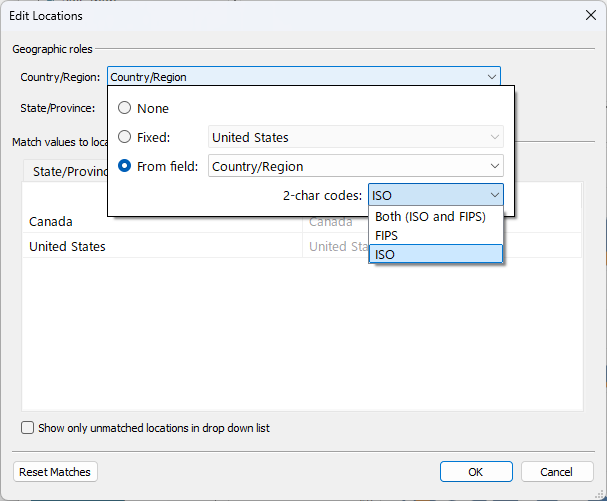
- Go to Map > Edit Locations.
- In the Country drop-down menu, select From Field and the desired field.
- Under 2-char codes, choose either ISO or FIPS.
Flere ressurser
FIPS codes
Knowledge-artikkelnummer
001473946
Hjalp denne artikkelen med å løse problemet ditt?
La oss få vite det slik at vi kan forbedre!
