Sélectionner une organisation
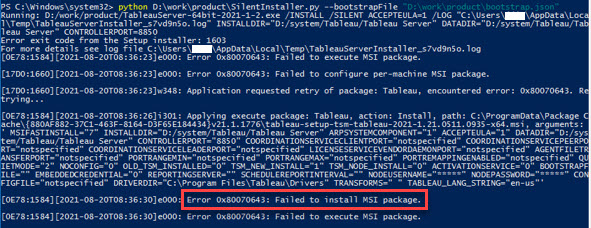
When Running SilentInstaller.py Script Remotely "Error 0x80070643: Failed to execute MSI package" Occurs
Date de publication: Apr 13, 2024
Description
Error 0x80070643: Failed to install MSI package.
Cause
Unfortunately, the ability to run SilentInstaller.py with Windows Remote Management(WinRM) is not currently built into the product.Résolution
Ressources supplémentaires
Numéro d’article de la base de connaissances
001474449
Cet article a-t-il résolu votre problème ?
Dites-nous ce que nous pouvons améliorer !
