組織を選択
Date Format Could Not Be Recognized Correctly in Tableau Prep
公開日: Apr 13, 2024
説明
For example, the below data are showing the dates in August as [dd-mm-yyyy], but Tableau Prep will recognize the data as [mm-dd-yyyy].
| Date | Value |
|---|---|
| 04-08-2021 00:00:004 | 4 |
| 05-08-2021 00:05:005 | 5 |
| 06-08-2021 00:10:006 | 6 |
| 07-08-2021 00:15:007 | 7 |
| 08-08-2021 00:20:008 | 8 |
| 09-08-2021 00:25:009 | 9 |
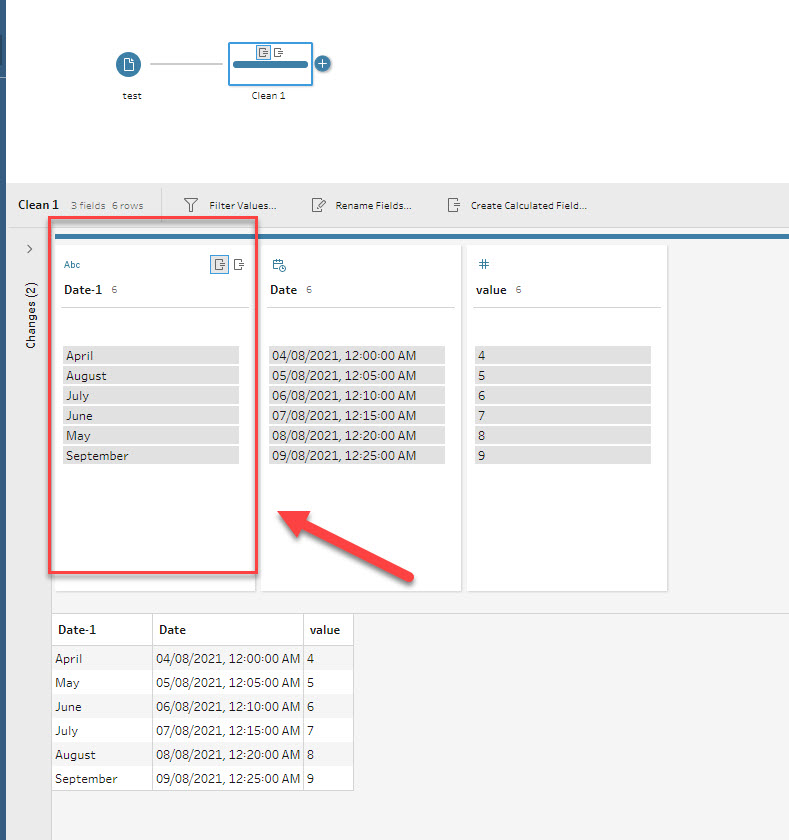
Cause
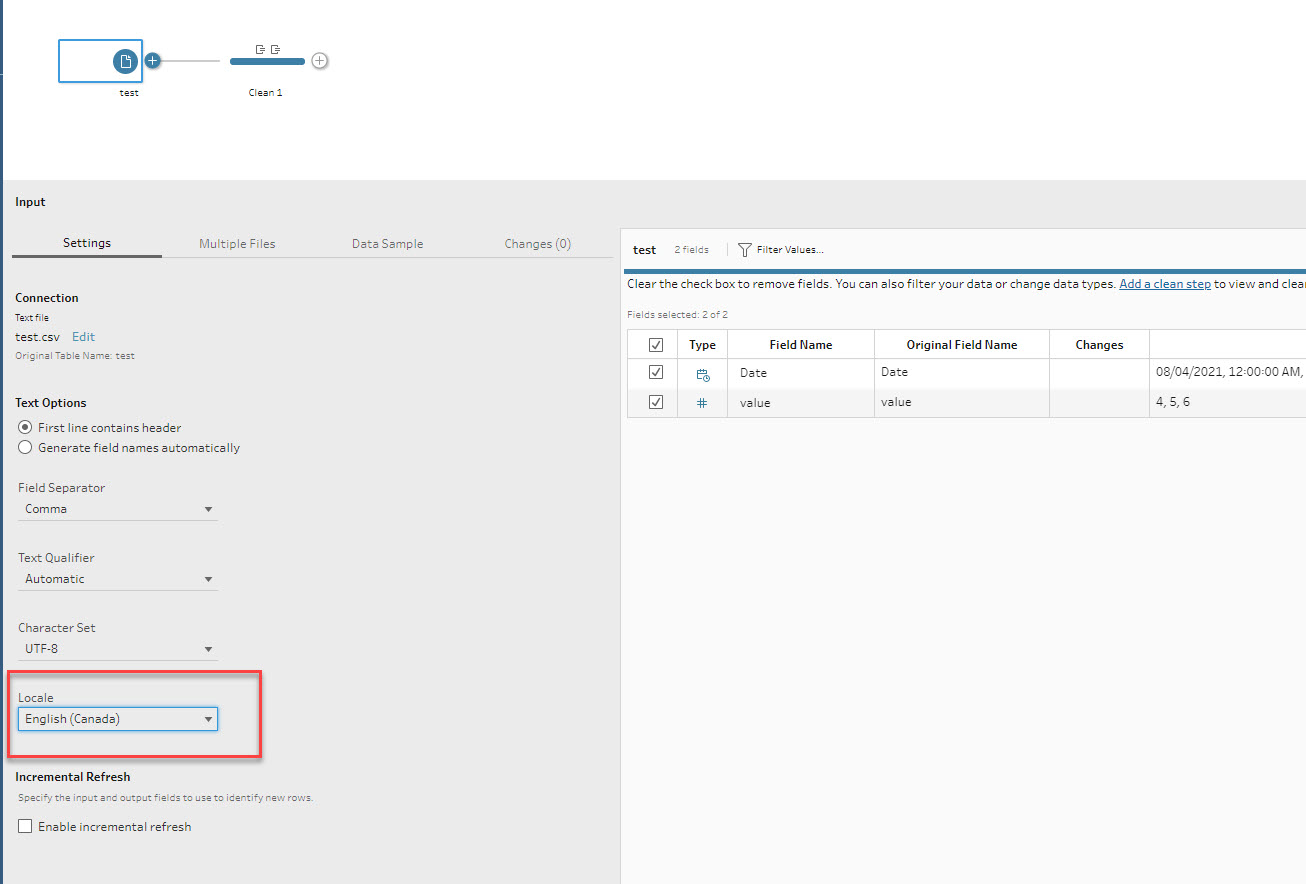
The Date Format does not match the default Locale.解決策
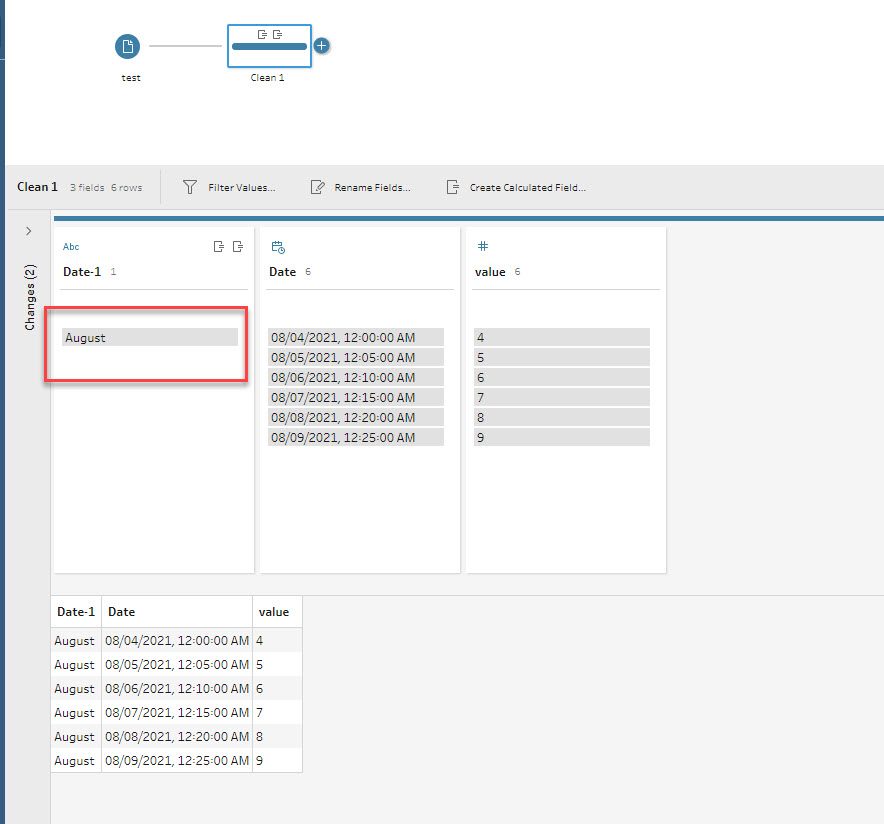
The default Locale is [English(United States)], and the default date format is [mm-dd-yyyy].
Locale.tflxPlease review the attached Flow, Locale.tflx, for details.
その他のリソース
ナレッジ記事番号
001474575
この記事で問題は解決されましたか?
ご意見をお待ちしております。
