Valitse organisaatio
Unable to Fix Width (or Height) for Some Containers in Dashboard
Julkaisupäivä: Feb 23, 2026
Kuvaus
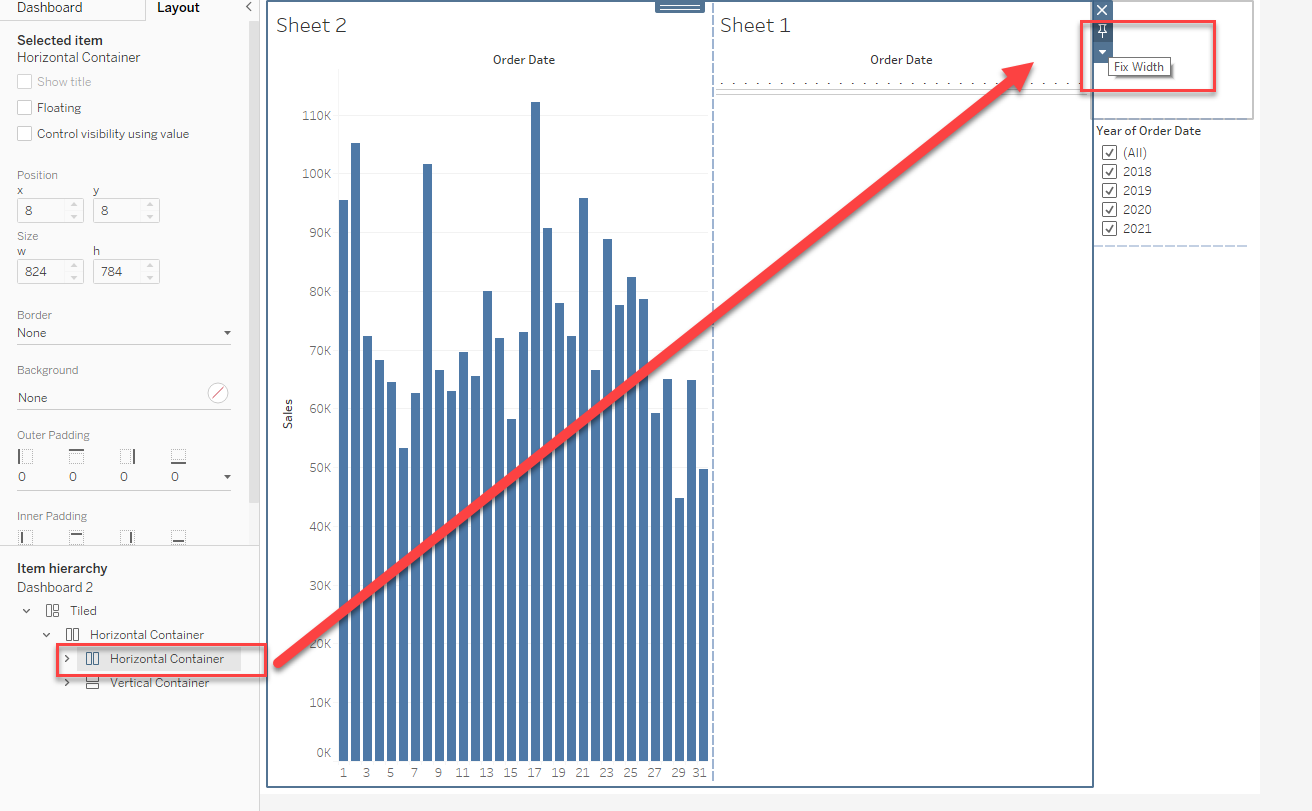
For some containers, the Fix Width(Height) icon shows up and the size can be set.
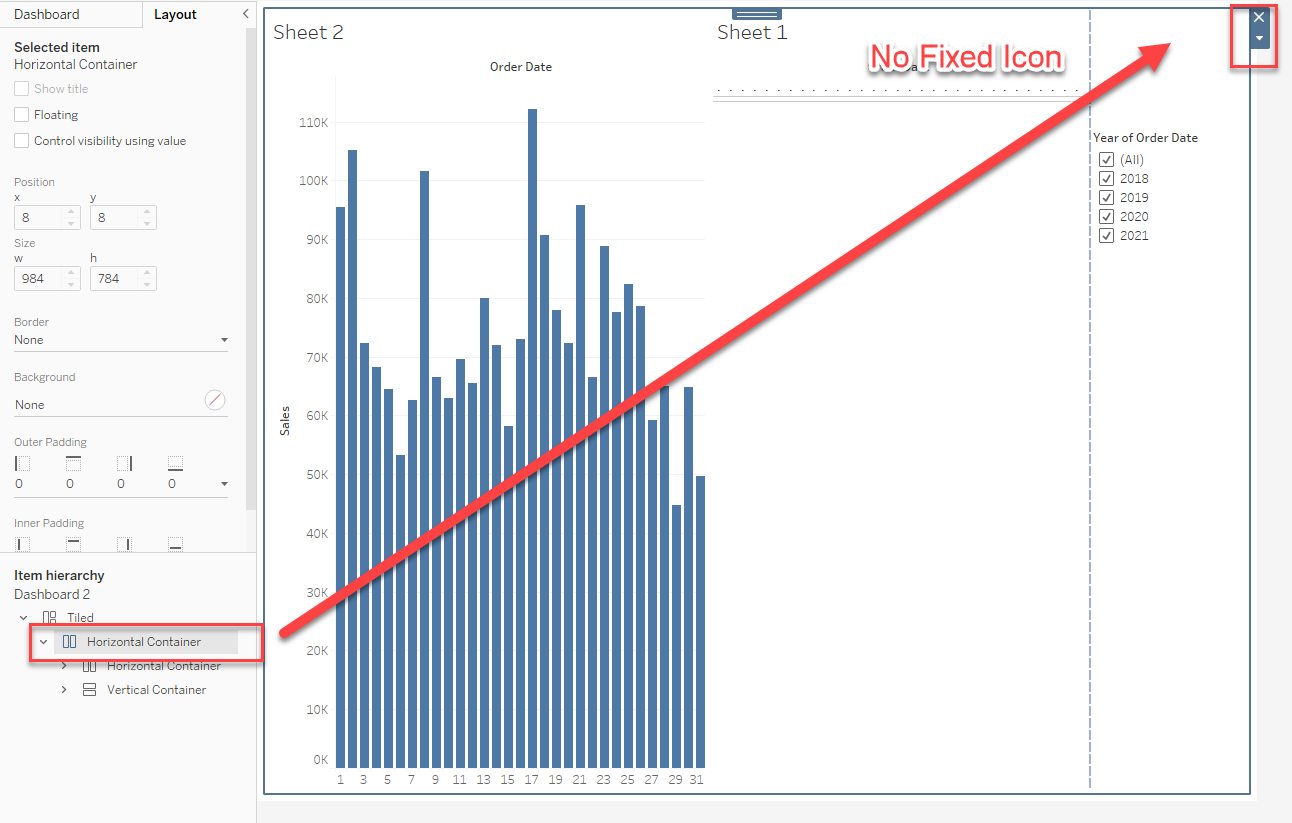
For some containers, the Fix Width(Height) icon does not show up.
Cause
Worksheets and containers placed under Tiled cannot be adjusted in size, and the Fix Width icon is displayed by design.Ratkaisu
You can adjust the size (width or height) of objects (worksheets, containers, etc.) placed in horizontal or vertical containers, and the icon will be displayed. Horizontal containers allow you to resize the width of the views and objects contained in them. Vertical containers allow you to adjust the height of views and objects.
Please see the attached workbook for details.
Lisäresurssit
Knowledge-artikkelin numero
001474624
Ratkaisiko tämä artikkeli ongelmasi?
Anna palautetta, jotta voimme kehittyä!
