Выбрать организацию
Tableau Server Installation with ATR Fails "Unable to activate Tableau Server because you're not connected to the internet"
Дата публикации: Dec 26, 2025
Описание
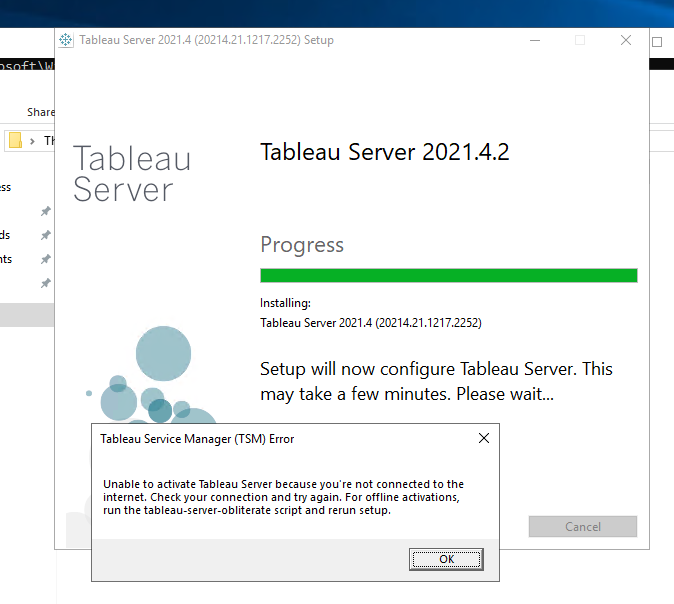
When installing Tableau Server, an error is seen indicating the computer running Tableau Server is not connected to the internet and the install fails to complete with the following error:
"Unable to activate Tableau Server because you're not connected to the internet"
Cause
Tableau Server does not have access to all licensing URLs, including atr.licensing.tableau.com, as outlined in Product Help - Communicating with the Internet.
Решение
Ensure the computer acting as the Tableau Server initial node has all required internet access available for licensing as outlined in Product Help - Communicating with the Internet.
When verifying the internet access, take into consideration if the environment has a Proxy in place. If so, make sure the Proxy configuration is complete prior to the Server ATR activation. See Product Help - Configuring Proxies for Tableau Server.
If unable to grant ongoing access to all of the licensing related URLs, refresh the installation of Tableau Server, and use offline activation instead.
Дополнительные ресурсы
When installing Tableau Server using Authorization-to-run (ATR) for the activation method, there is a pre-install check to ensure the computer is able to reach the ATR service. This takes place prior to actual activation of the license key. If the check fails, Tableau Server will not complete the installation and instead returns the attached error message advising the connection be checked.
For more information, see:
Номер статьи базы знаний
001474689
Эта статья решила вашу проблему?
Оставьте свой отзыв, чтобы мы могли стать лучше!
