組織を選択
"Error Code DACBE23F Bad Connection: Tableau could not connect to the data source" Error Occurs When Attempting to Connect to Amazon Athena from Tableau Desktop
公開日: Jan 28, 2025
説明
Issue
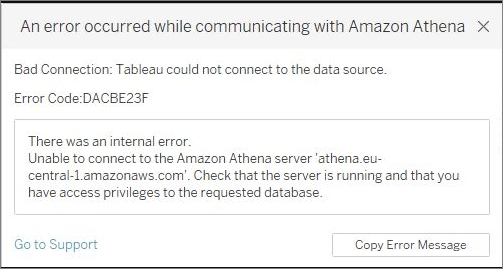
When attempting to connect to Amazon Athena from Tableau Desktop using the JDBC driver, the following error occurs:
Bad Connection: Tableau could not connect to the data source
Error Code: DACBE23F
There was an Internal Error is received when connecting to Amazon Athena
Cause
The issue occurs when administrator rights are not available for Tableau Desktop to write appropriate files and access the .jar driver.
解決策
1. Work with your IT team to whitelist the folders and subfolders in your environment (write or full control).
C:\Users\<user account>\Documents\My Tableau RepositoryC:\Program Files\Tableau\
2. Use the JDBC Driver with AWS SDK (.zip file - extract AthenaJDBC42) from the Amazon Athena User Guide on Amazon's website. Make sure to have only one AthenaJDBC42.jar Athena Driver at a time in the Tableau Drivers folder to prevent conflicts and connection errors.
ナレッジ記事番号
001474696
この記事で問題は解決されましたか?
ご意見をお待ちしております。
