Выбрать организацию
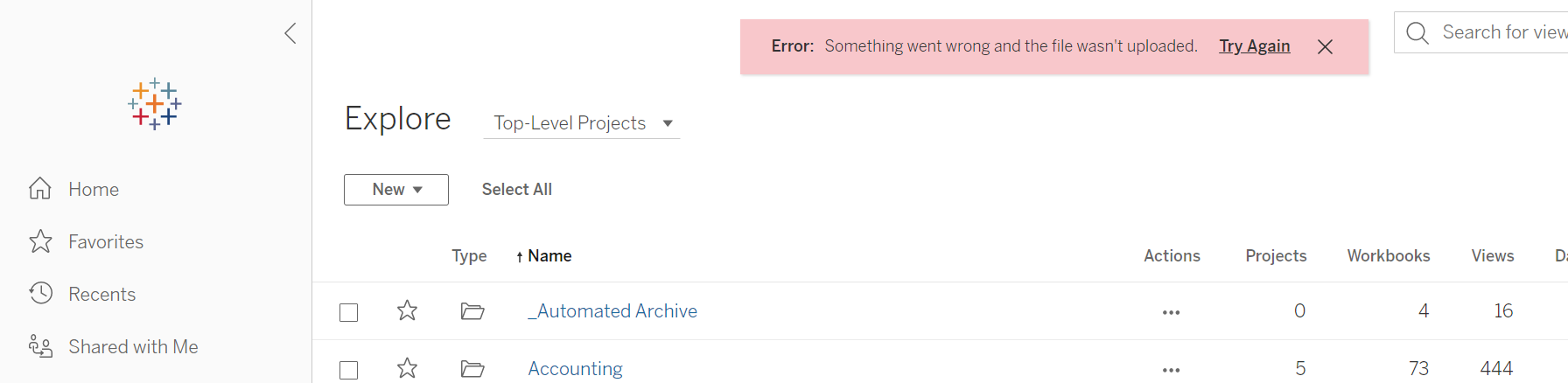
Error: Something went wrong and the file wasn't uploaded." Occurs When Uploading Workbooks To Tableau Server
Дата публикации: Feb 21, 2025
Описание
"Error: Something went wrong and the file wasn't uploaded." error is displayed when uploading workbooks to Tableau Server.
Cause
If the Cross-Origin Resource Sharing setting is enabled, origins including Tableau Server URL need to be clarified in "vizportal.rest_api.cors.allow_origin".Решение
Option 1
- Enable CORS on Tableau Server and configure the URL of Tableau Server in vizportal.rest_api.cors.allow_origin.
tsm configuration set -k vizportal.rest_api.cors.allow_origin -v "https://<Tableau Server>"
tsm pending-changes apply
Option 2
- Enable CORS on Tableau Server and grant any origins by using an asterisk(*) as a wild card to match all sites.
tsm configuration set -k vizportal.rest_api.cors.allow_origin -v "*"
tsm pending-changes apply
Option 3
- Disable CORS feature if it is not in use.
tsm pending-changes apply
Номер статьи базы знаний
001474707
Эта статья решила вашу проблему?
Оставьте свой отзыв, чтобы мы могли стать лучше!
