Välj en organisation
Sort Order of Calculated Field is Changed or Duplicated After Replacing the Published Data Source with REST API
Publiceringsdatum: Dec 19, 2025
Beskrivning
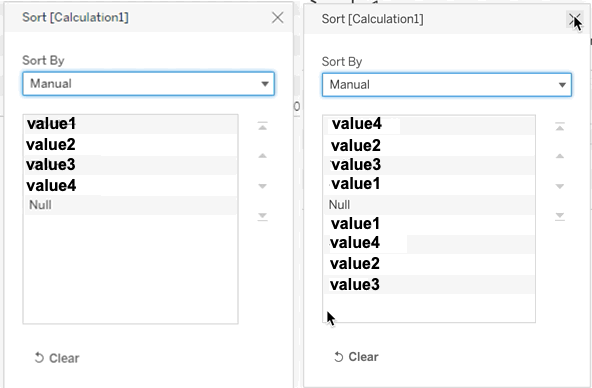
The manual sort order of a Calculated Field changed or was duplicated in the Sort configuration dialog after replacing the published data source using the REST API.
Cause
The behavior is related to a Known Issue with ID W-12862805 that it is now fixed.
Lösning
Option 1
By using Tableau Desktop, change the data source location using the downloaded .tdsx file then publish it with the procedures below:
1. Download the published data source from Tableau Cloud (.tdsx file will be downloaded).
2. Open the data source downloaded in the above 1.
3. Select the "Data Source" tab.
4. Select the down triangle icon of the datasource name, then select "Edit Connection.
5. The explorer window will show up and select the new hyper file. Then click "Open" in the window.
6. Select "Sheet1" tab or other tab except for the "Data Source" tab.
7. Select "Server" - "Publish Data Source" - "<Data source name>"
8. In "Publish Datasource to Tableau Cloud" window, select the destination Project and input Name. Then publish the data source to replace the existing published data source.
9. Open the affected view and confirm that the sort order has not changed and there's no duplicate fields.
Note that republishing the new hyper file with the same name from Tableau Desktop may not render the Number of Records field if used in the view.
Option 2
Use the tabcmd with the -o option to overwrite the data source or data extract if it already exists.
Option 3
Manually clear the sort order and set the manual sort order again (This needs to be done every time after publishing the data source using REST API).
Option 4
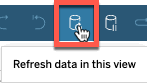
Manually refresh the data every time when loading the view by selecting the refresh button to temporarily render the view with the correct (manual) sort order.
Ytterligare resurser
Sort specific fields in the viz
Data Sources Methods
Knowledge-artikelnummer
001474732
Löste denna artikel ditt problem?
Berätta för oss vad vi kan förbättra!
