Välj en organisation
Guest Users Being Prompted For Sign In On Tableau Server
Publiceringsdatum: Feb 21, 2025
Beskrivning
When guest users who are already authenticated to Tableau Server attempt to open a dashboard on a Site with enabled guest access, which is not the Site they were previously logged into, they are being prompted for Tableau Sign in. When signing in, the following error message will occur:
You're not a member of this site or this site does not exist. For help, contact your Tableau Server administrator.
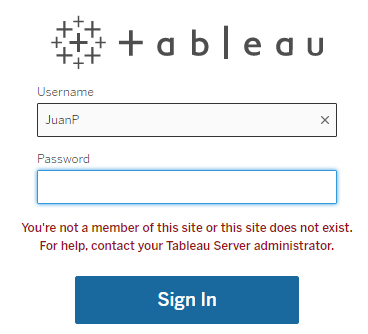
This happens when the user is also a member of another Site in Tableau Server and they access their account/Site before using the embedded link or Share URL for the guest Site view.
Cause
This issue has been resolved with Tableau Server Release Note ID 1413011.Lösning
Option 1
Upgrade to the following Tableau Server versions: 2021.2.16, 2021.3.21, 2021.4.16, 2022.1.12, 2022.3.4 or newer versions.
Option 2
If not able to upgrade, use the workaround described below:
- Sign out of the Tableau Server account accessing the other non-guest Site and open the guest Site dashboard link.
- Close the browser window and re-open before using the guest Site dashboard link.
Ytterligare resurser
Knowledge-artikelnummer
001475076
Löste denna artikel ditt problem?
Berätta för oss vad vi kan förbättra!
