Выбрать организацию
Error "We don't have credentials of all connections in tfl/tflx file" Occurs When Running a Flow From CLI and Flow is Connected to MS SQL Server
Дата публикации: Feb 25, 2026
Описание
When connected to MS SQL Server data in a flow and running the flow with the command line, the below error occurs:
We don't have credentials of all connections in tfl/tflx file. The following connection(s) were not found:******.***********.*******.rds.amazonaws.com
The credential file will look similar to the following when the port number is included:
{
"databaseConnections":[
{
"hostname":"******.***********.*******.rds.amazonaws.com",
"port":"1433",
"username":"*******",
"password":"*******"
}
]
}
Cause
The port number should not be included in the Credentials .json file.
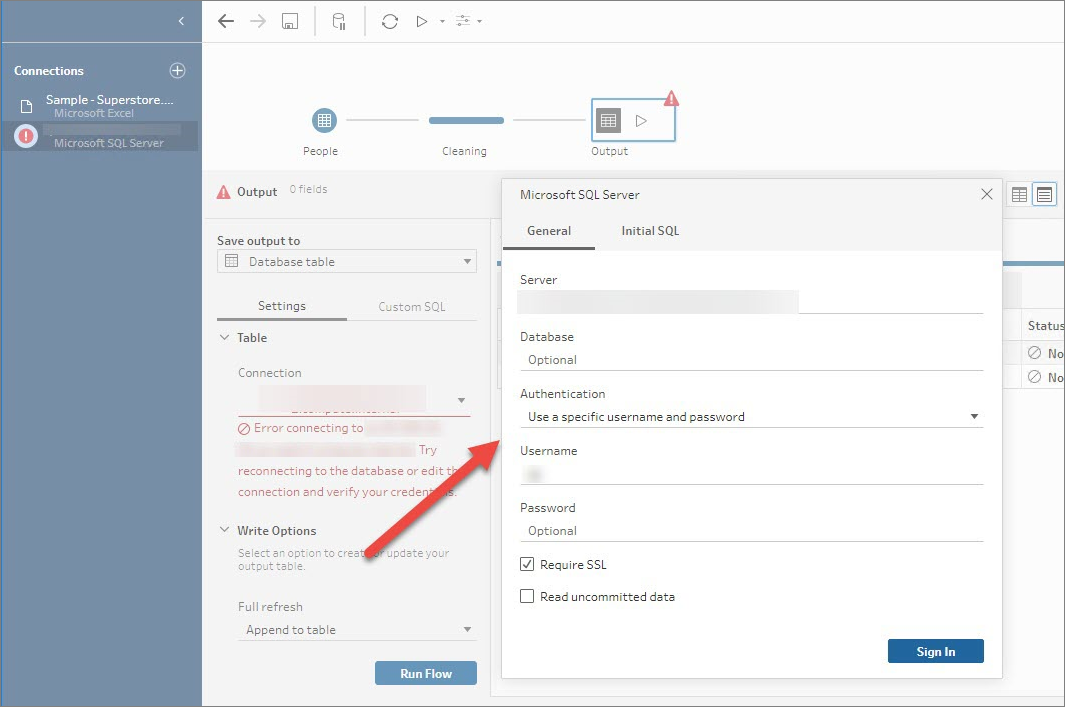
There is no port information when connecting to MS SQL Server in the Tableau Prep Builder interface.
Решение
The corrected Credentials file should look similar to the following:
{
"databaseConnections":[
{
"hostname":"******.***********.*******.rds.amazonaws.com",
"username":"*******",
"password":"*******"
}
]
}
Дополнительные ресурсы
Microsoft SQL Server
Номер статьи базы знаний
001475205
Эта статья решила вашу проблему?
Оставьте свой отзыв, чтобы мы могли стать лучше!
