Velg en organisasjon
Unable to Define or Edit a Relationship Between Published Data Sources
Publiseringsdato: Jan 24, 2025
Beskrivelse
Issue
Unable to create or edit Relationships between published data sources.
Cause
The ability to define/edit relationship between published data sources is not a feature built in the product as described in the Tableau Help documents linked below:
Relate Your Data: Requirements for relationships
Relate Your Data: Data that can't be related
Løsning
Workaround
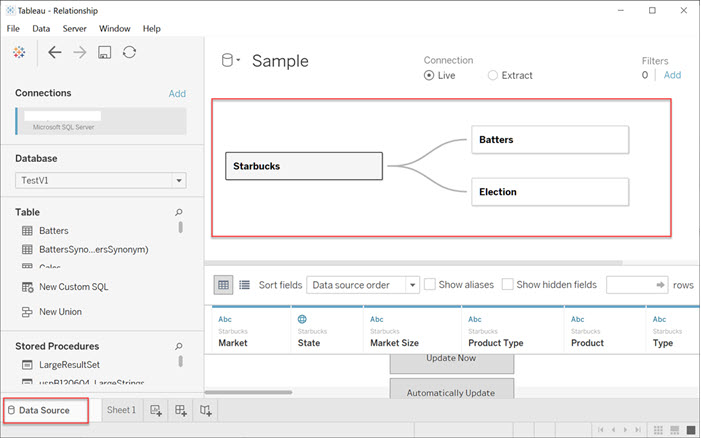
The data source relationship needs to be edited before publishing.
- Download the content (separately published data source or a workbook with embedded data source) from Tableau Server
- Open the content in Tableau Desktop
- Select the data source page, and enter the credentials when asked
Flere ressurser
To voice your support for the future implement of this feature, please vote on the following idea:
Enable relationships on published datasets
To confirm the relationships, you need to open the edit page of the data source, and since a published data source is already considered "completed and shared", you cannot check it directly on the Tableau Server-side currently. The following knowledge base contains the relevant specifications.
Editing a Published Data Source On Tableau Server
Knowledge-artikkelnummer
001496562
Hjalp denne artikkelen med å løse problemet ditt?
La oss få vite det slik at vi kan forbedre!
