Select An Org
Failed to Connect to IBM DB2 iSeries With Error "Communication link failure. comm rc=8015 - CWBSY1006" from Tableau Desktop
Publish Date: Apr 7, 2025
Description
When connecting to IBM DB2 iSeries using a DSN under the Other Databases (ODBC) connector in Tableau Desktop, the following error occurs:
An error occurred while communicating with Other Databases (ODBC)
Invalid username or password.
Error Code: 28911C50
[IBM][iSeries Access ODBC Driver]Communication link failure. comm rc=8015 - CWBSY1006 - User ID is invalid, Password length = 0. Prompt Mode = Never. System IP Address = XXX.XX.X.XX
Generic ODBC requires additional configuration. The driver and DSN (data source name) must be installed and configured to match the connection. Invalid username or password.
Cause
The connection option within the ODBC configuration for the DSN is specified incorrectly.
Resolution
- Open ODBC Data Source Administrator console.
- Select the appropriate DSN to connect to the IBM DB2 on iSeries database then select Configure.
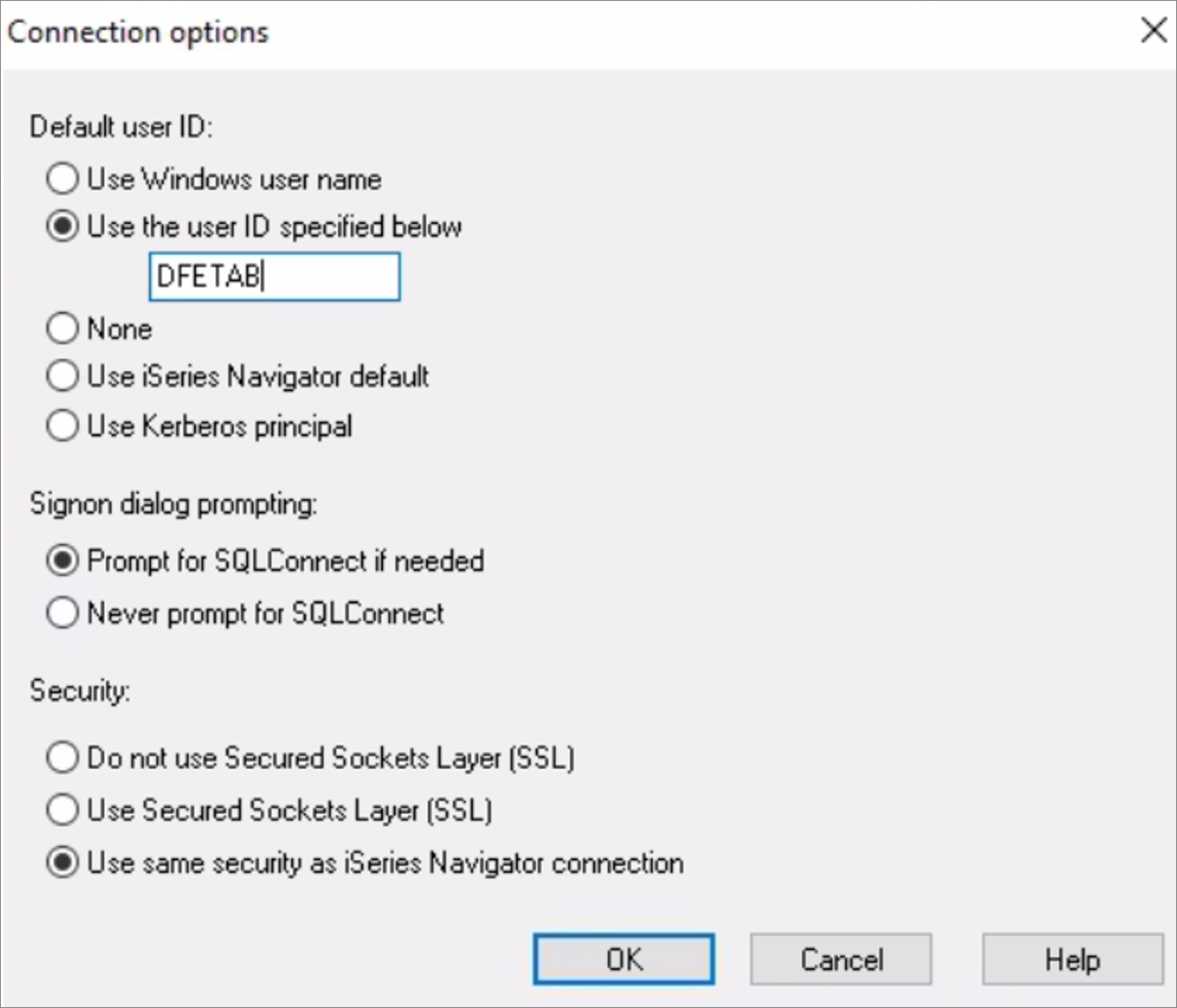
- Select the Connection Options...
- For the Default user ID, mark the radio button to Use the user ID specified below. Previously the option to "Use iSeries Navigator default' was selected and causing the error.
Additional Resources
Other Databases (ODBC)
ODBC Error - CWBSY1006
This article is applicable only for Tableau Desktop.
Knowledge Article Number
001496705
Did this article solve your issue?
Let us know so we can improve!
