Выбрать организацию
How to display labels for small sized areas in a tree map
Дата публикации: Feb 24, 2026
Описание
How to display the labels for small sized areas when creating tree map.
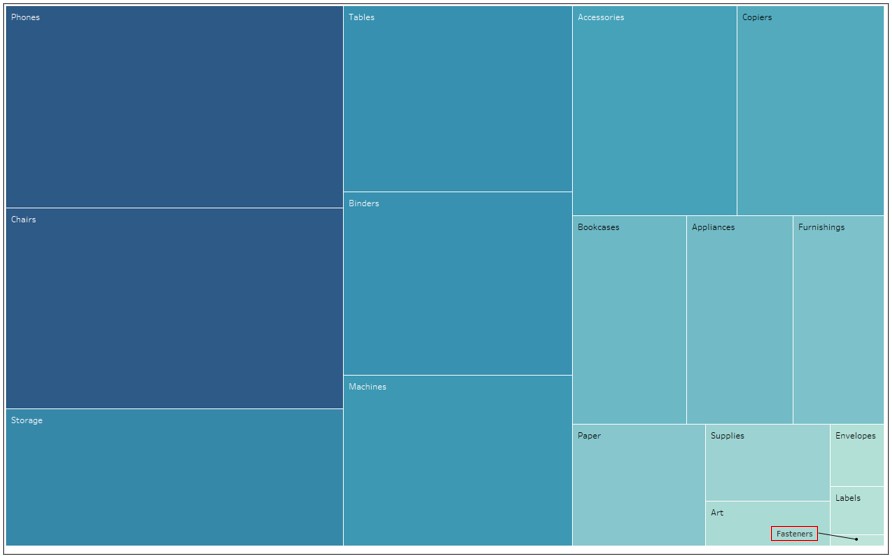
Cause
The labels are not displayed in small area in a tree map by design.Решение
Step 1
Create the tree map.1. Connect to the Sample-Superstore data.
2. Drag Sales to Size on the Marks card.
3. Drag Sales to Color on the Marks card.
4. Drag Sub-Category to Label on the Marks card.
Step 2
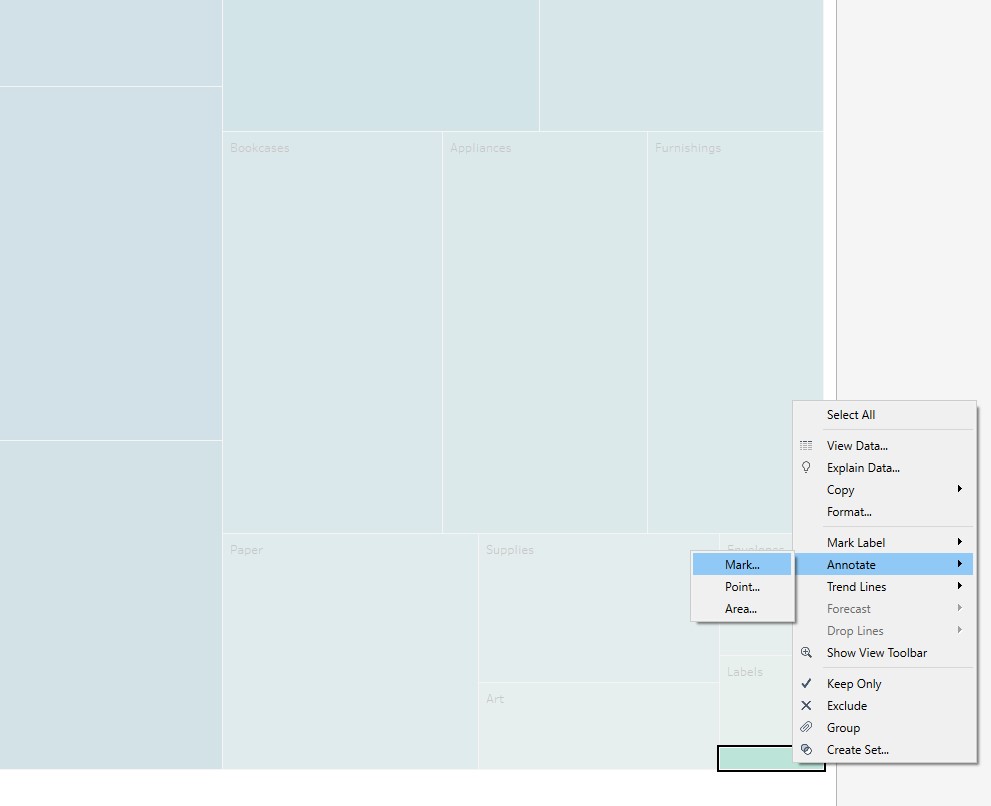
Annotate areas where no text is displayed.5. Right-click on areas where no text is displayed and select Annotate > Mark
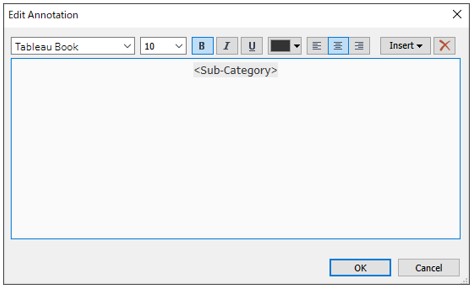
6. In the Edit Annotation box, enter the dimension name Sub-Category and select OK.
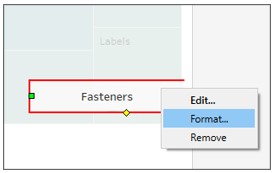
7. Right-click on the added annotation and select Format.
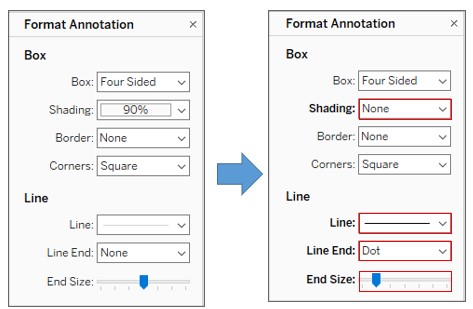
8. In the Format Annotation box, change the setting as shown in the red boxes below.
Номер статьи базы знаний
001496712
Эта статья решила вашу проблему?
Оставьте свой отзыв, чтобы мы могли стать лучше!
